


Feature: View Transactions
Overview
The Transactions tab offers a complete audit trail of all financial activities associated with an order. It provides a detailed log of payment attempts, status changes, and the full journey of any refunds. This feature is vital for teams that need to trace the exact flow of funds and troubleshoot payment issues.
Back to Orders Module Overview: Orders Module Overview
Accessing the Feature
Navigate to the Show Order Details
page for the desired order.Click on the Transactions tab.
The navigation URL is
/orders/<orderID>/transactions.
Understanding the Transaction List
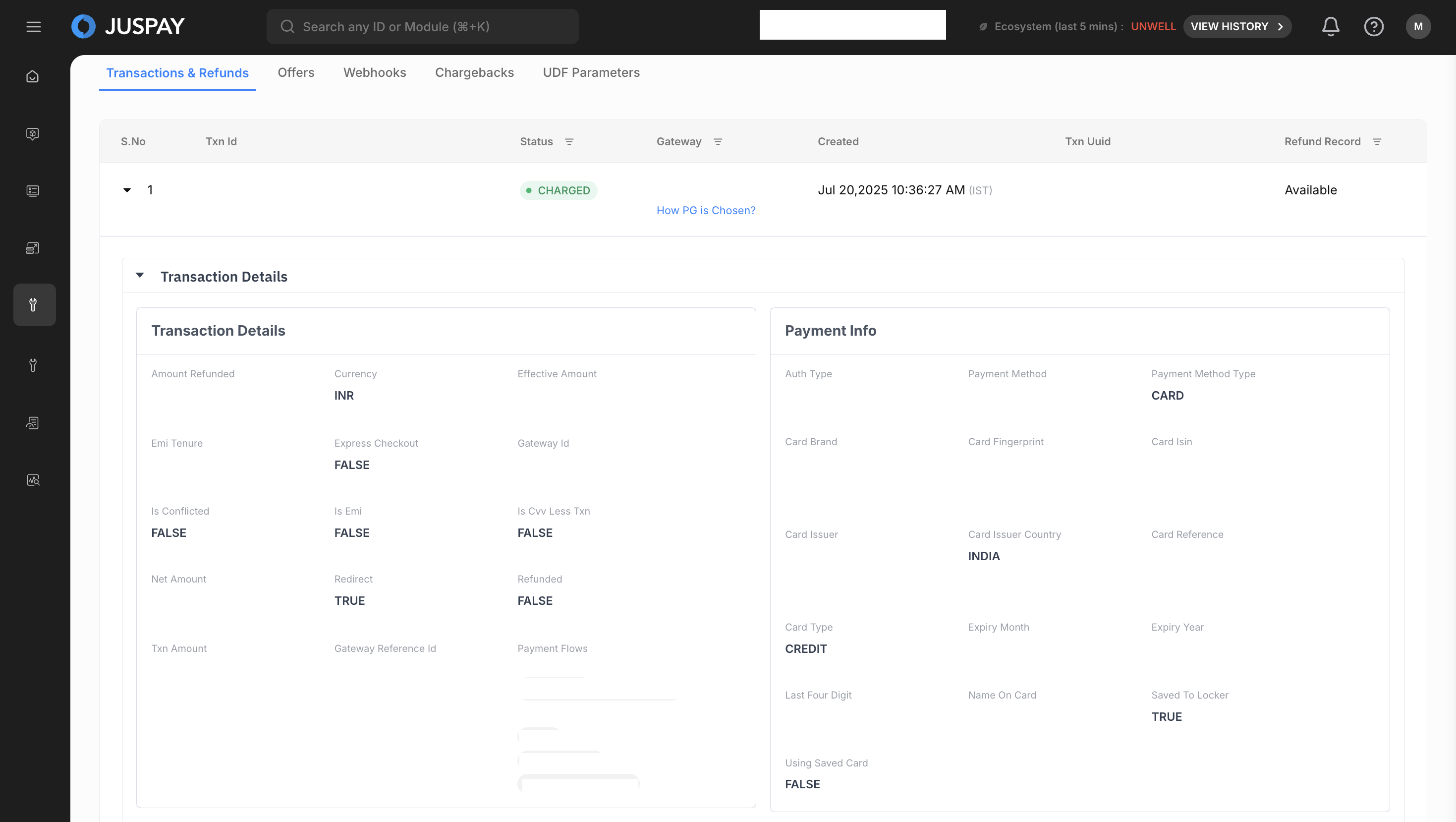
The main part of this tab is a list of all transactions for the order. Each transaction can be expanded to view more details.
Expanding Transaction Details
Click on any transaction row to expand it and reveal a set of accordions containing detailed information.
Accordion Sections Explained
1. Transaction Details
This section provides the core details of the transaction.
Amount Refunded: The total amount refunded against this transaction.
Currency: The currency of the transaction.
Effective Amount: The final amount charged to the customer.
EMI Tenure: The number of months for an EMI transaction.
EMI Bank: The bank providing the EMI.
Error Code: A code indicating any error that occurred.
Error Message: A description of the error.
Response Category: The category of the response (e.g., SUCCESS, FAILURE).
Is Conflicted: Indicates if there is a conflict in the transaction status.
Is EMI: Whether the transaction was an EMI payment.
Is CVV Less Txn: Indicates if the transaction was processed without a CVV.
Net Amount: The transaction amount after deductions.
Redirect: Whether the customer was redirected for authentication.
Refunded: Whether the transaction has been refunded.
Txn Amount: The gross amount of the transaction.
Source Object: The source of the transaction (e.g., PAYMENT_PAGE).
Gateway Reference ID: The transaction ID from the payment gateway.
Sub MID: The Sub-Merchant ID used for the transaction.
Payment Flows: The payment flow used (e.g., JuspaySafe).
2. Payment Info
This section details the payment method used.
Auth Type: The authentication method used (e.g., 3DS, OTP).
Payment Method: The type of payment (e.g., CARD, UPI, WALLET).
Payment Method Type: The specific type of the payment method (e.g., CREDIT, DEBIT).
Card Brand: The brand of the card used.
Card Fingerprint: A unique hash of the card number.
Card ISIN: The issuer identification number of the card.
Card Issuer: The bank that issued the card.
Last Four Digits: The last four digits of the card number.
Payer VPA: The Virtual Payment Address for UPI transactions.
3. Tokenization
This section provides details about the tokenization of a card.
Using Token: Whether a saved card (token) was used for the transaction.
Tokenization Consent: Whether the customer gave consent to save their card.
Is Token Created: Whether a new token was created during this transaction.
4. PG Response
This section contains the raw response from the payment gateway, which is useful for technical debugging.
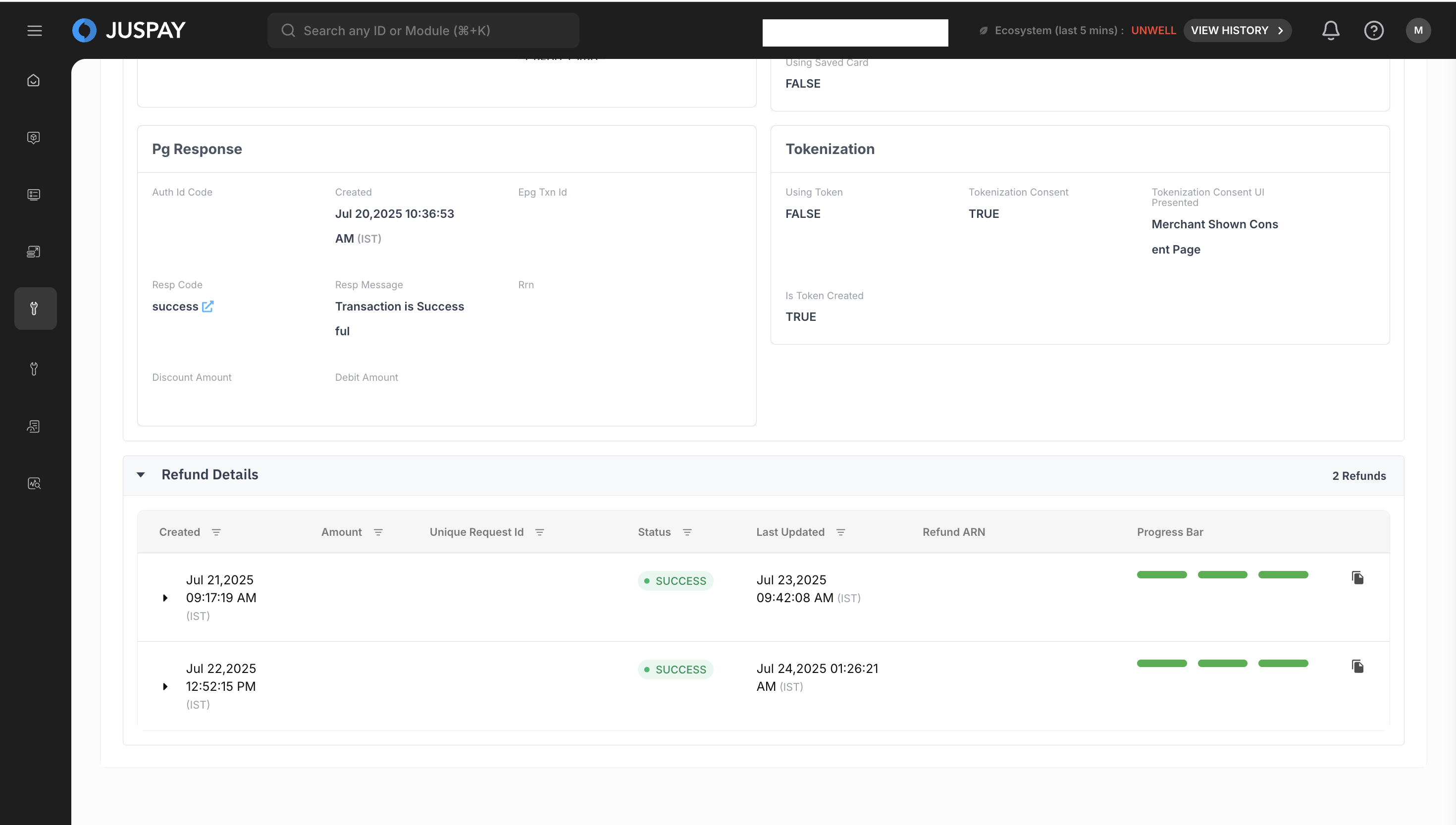
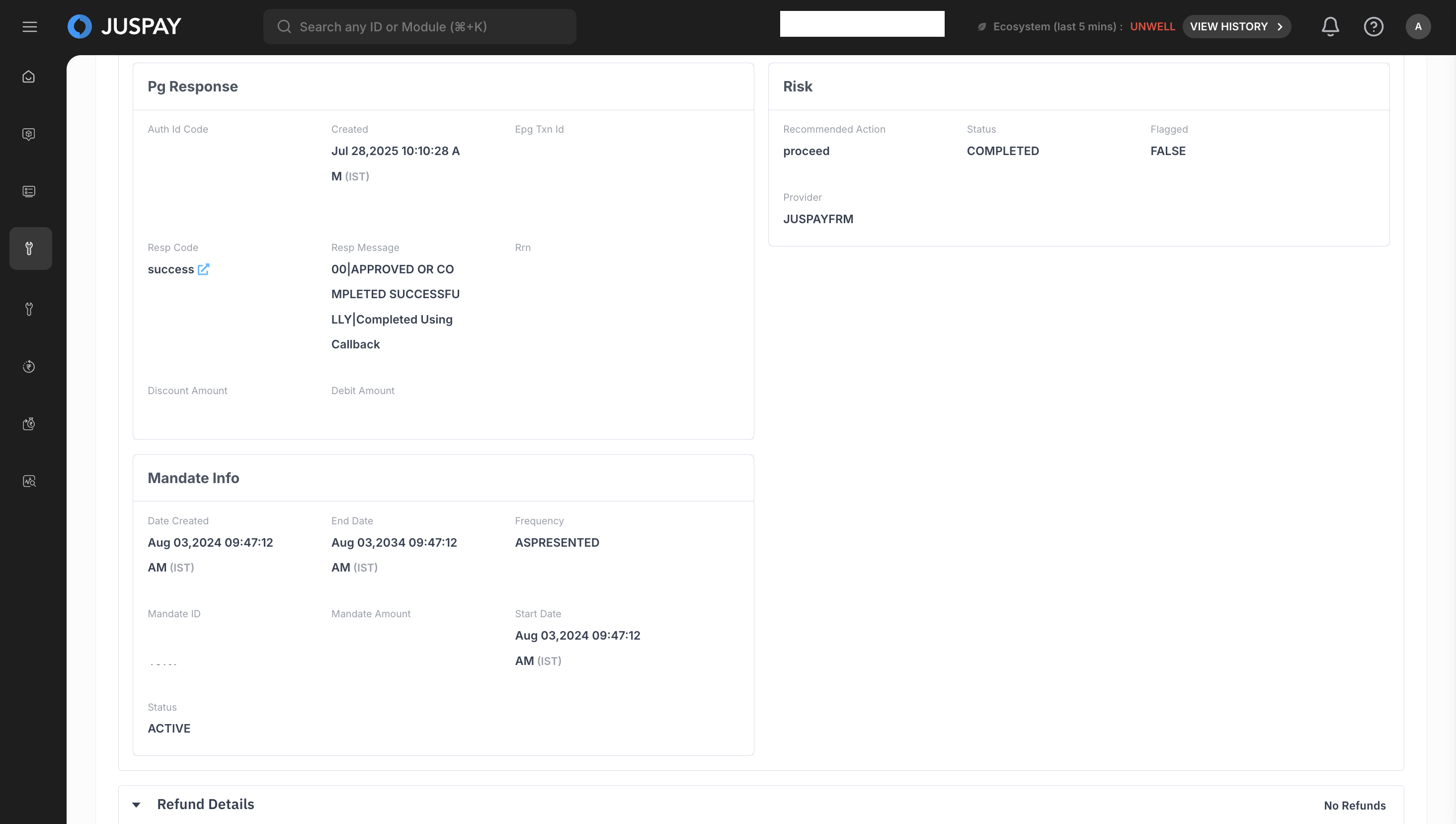
5. Risk
This section provides information from any risk analysis that was performed on the transaction.
Recommended Action: The action recommended by the risk engine (e.g., ALLOW, BLOCK).
Status: The status of the risk assessment.
Flagged: Whether the transaction was flagged as risky.
Provider: The risk analysis provider (e.g., JUSPAYFRM).
6. Mandate Info
If the transaction is part of a recurring payment, this section will be visible.
Mandate ID: The unique identifier for the mandate.
Status: The current status of the mandate.
Frequency: The frequency of the recurring payment.
Max Amount: The maximum amount that can be charged.
Transaction Audit Trail
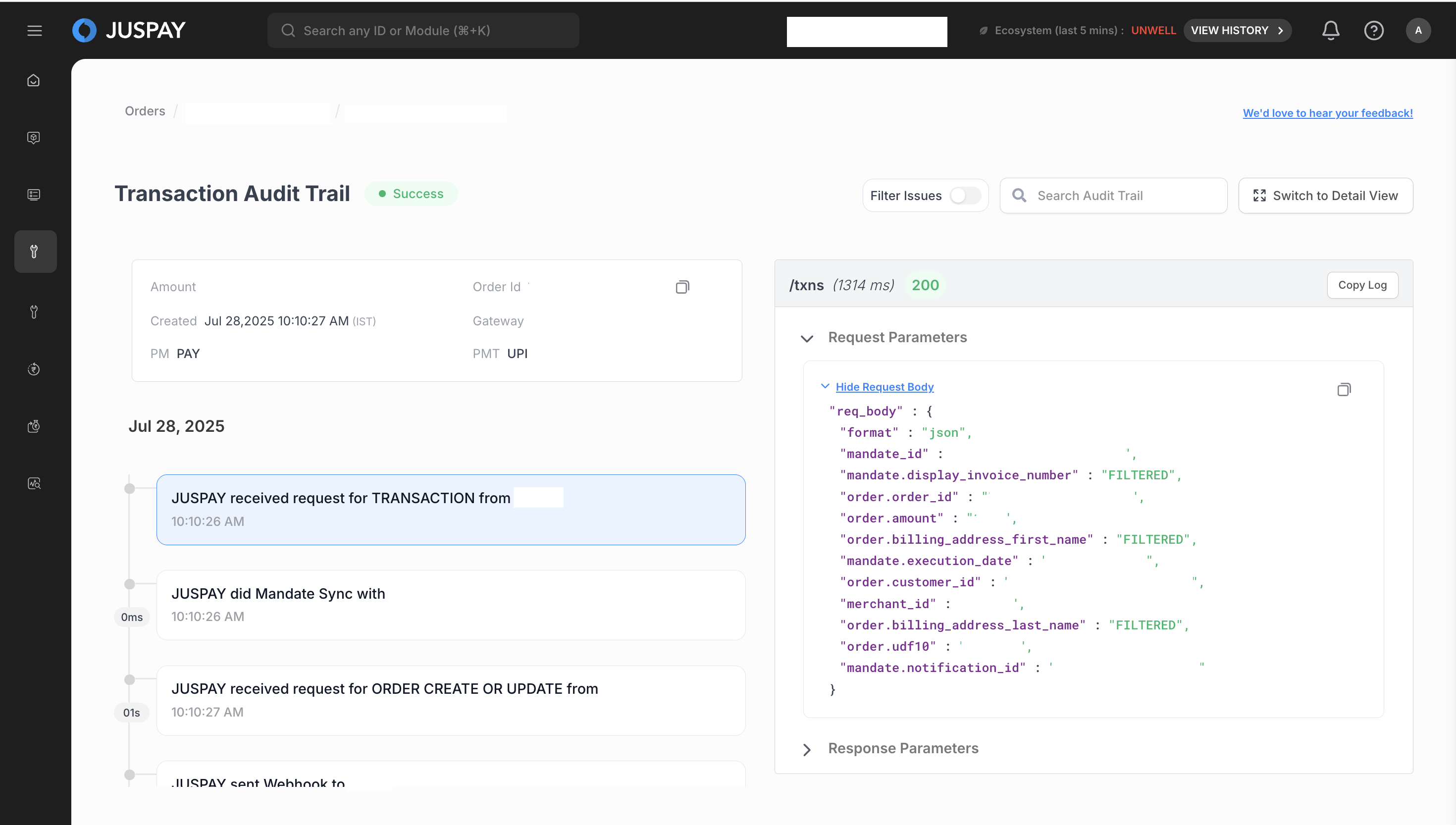
For a granular, step-by-step history of a transaction, you can view the audit trail.
Click on the Transaction ID of the transaction you want to investigate.
This will take you to a new page showing the Transaction Journey.
This view provides a timeline of all events in the transaction's lifecycle, from initiation to completion, including every interaction with the payment gateway and internal systems.
Permissions and Roles
Required ACL:
ordersRead-Only Access: Users can view the full transaction trail and expand all sections.
Read-Write Access: Users can view all details and have access to the Refund button to process refunds
.