


Orders Module: A Comprehensive Guide
Overview
The Orders module is the central hub for managing all customer orders within the Euler dashboard. It provides a complete set of tools for tracking, investigating, and acting on orders from the moment they are created until they are settled.
This module is designed for a wide range of users, including:
Operations Teams: For daily monitoring and management of order flows.
Customer Support: To quickly find order details and resolve customer queries.
Finance and Accounting: For tracking transactions, refunds, and settlements.
Administrators: For a complete overview and control of all order-related activities.
Accessing the Module
Log in to the Euler dashboard.
From the main navigation menu on the left, click on Orders.
The navigation URL for this module is https://portal.juspay.in/orders
 .
.
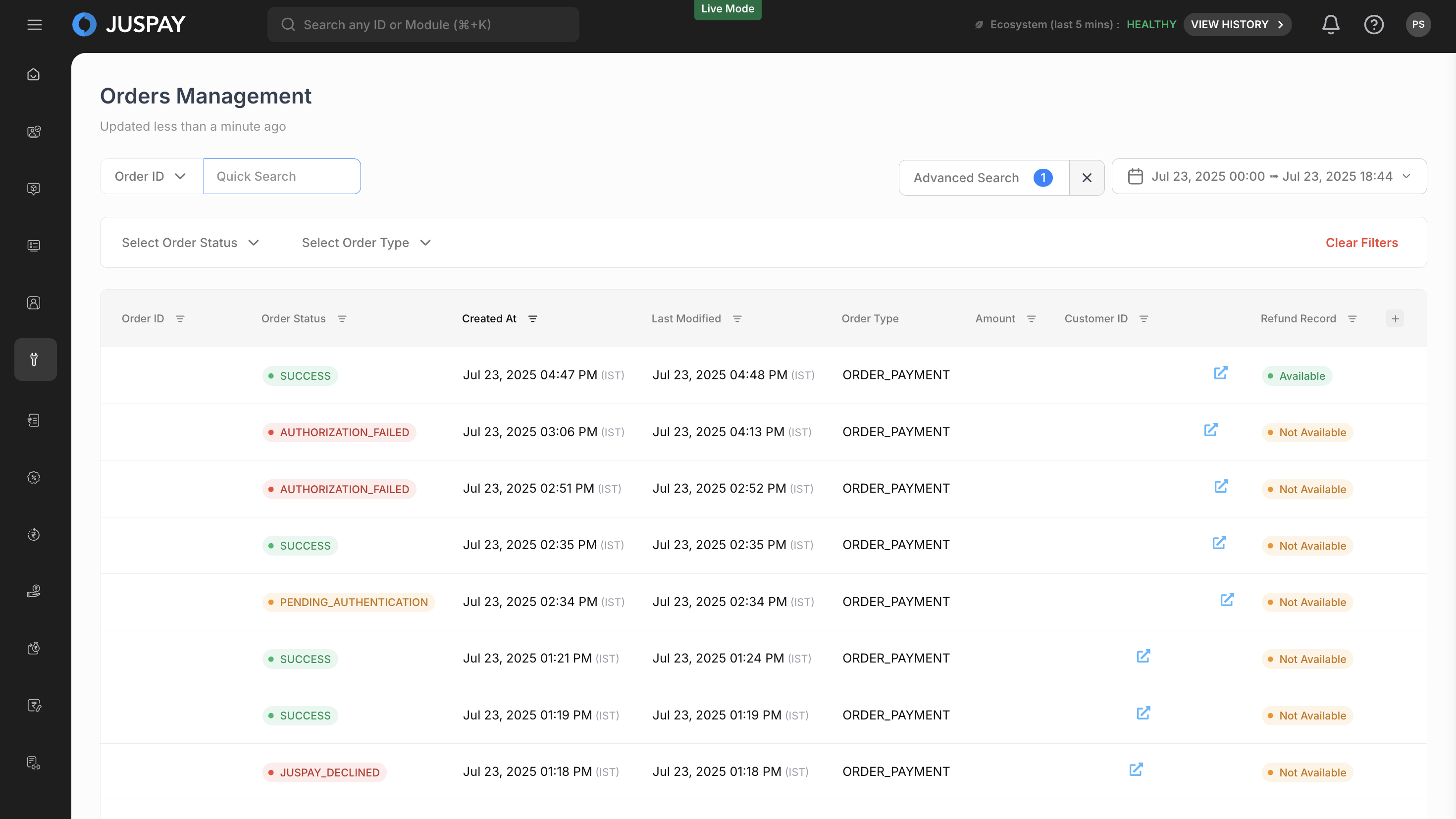
Listing and Filtering Orders
The Order List
When you first access the page, it displays a paginated list of the most recent orders. This is not an exhaustive list of all orders in the system but rather a manageable subset to provide a quick overview. To find specific orders, you must use the search and filtering tools.
Basic vs. Advanced Search
The page offers two modes for finding orders:
Basic Search: Designed for quick lookups based on the most common identifiers. It is always visible at the top of the page. Also Basic search is agnostic of date & time. You can search back in history with these fields irrespective of the time range selected.
Advanced Search: Provides a comprehensive set of filters for more complex and specific queries. This is accessible via a dedicated button. Using Advanced Search you can perform search for last 3 months data.
Basic Search
The Basic Search bar includes the following fields:
Search by: A dropdown to select the type of identifier you want to search for. The options are:
Order IDTransaction IDCustomer IDRefund ID
Date Range: A date picker to filter orders by their creation date.
Advanced Search
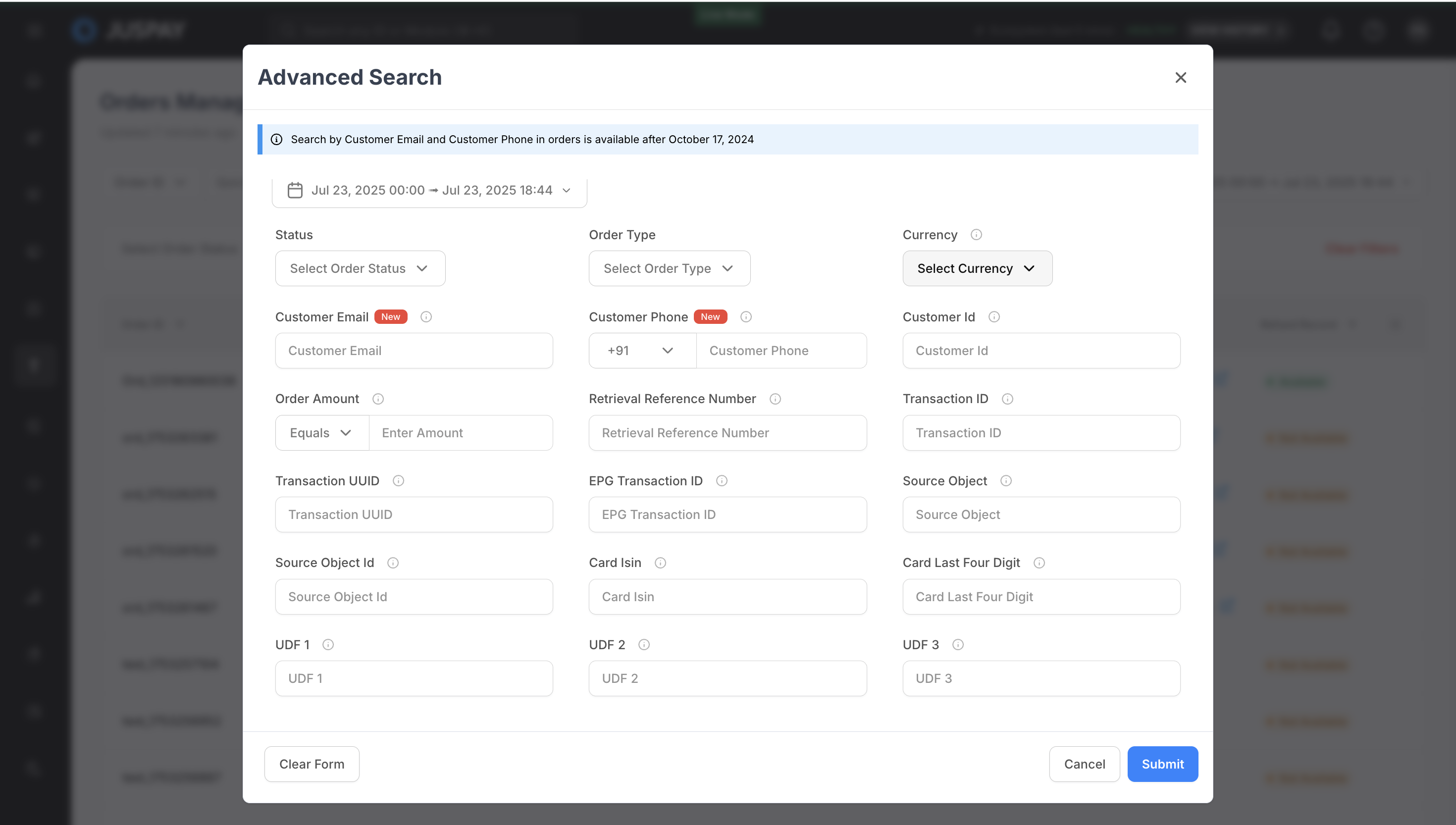
Click the Advanced Search button to open a modal with a wide range of filtering options.
The advanced search allows you to query orders from the last 90 days for production environments and 30 days for sandbox environments.
The available fields in Advanced Search include:
All Basic Search fields, plus:
Status: Filter by one or more order statuses.
Order Type: Filter by the type of order (e.g.,
MANDATE_PAYMENT,ORDER_PAYMENT).Currency: Filter by the currency of the transaction.
Order Amount: Specify a condition (Equals, Less Than or Equal, Greater Than or Equal) and an amount.
Retrieval Reference Number (RRN): A unique number generated by the bank for a transaction.
Transaction UUID: The universally unique identifier for a transaction record in the system.
EPG Transaction ID: The transaction identifier from the External Payment Gateway.
Card ISIN: The issuer identification number for the card used.
Card Last Four Digits: The last four digits of the payment card.
UDF Fields (1-10): Search based on custom data.
Click Apply to filter the order list.
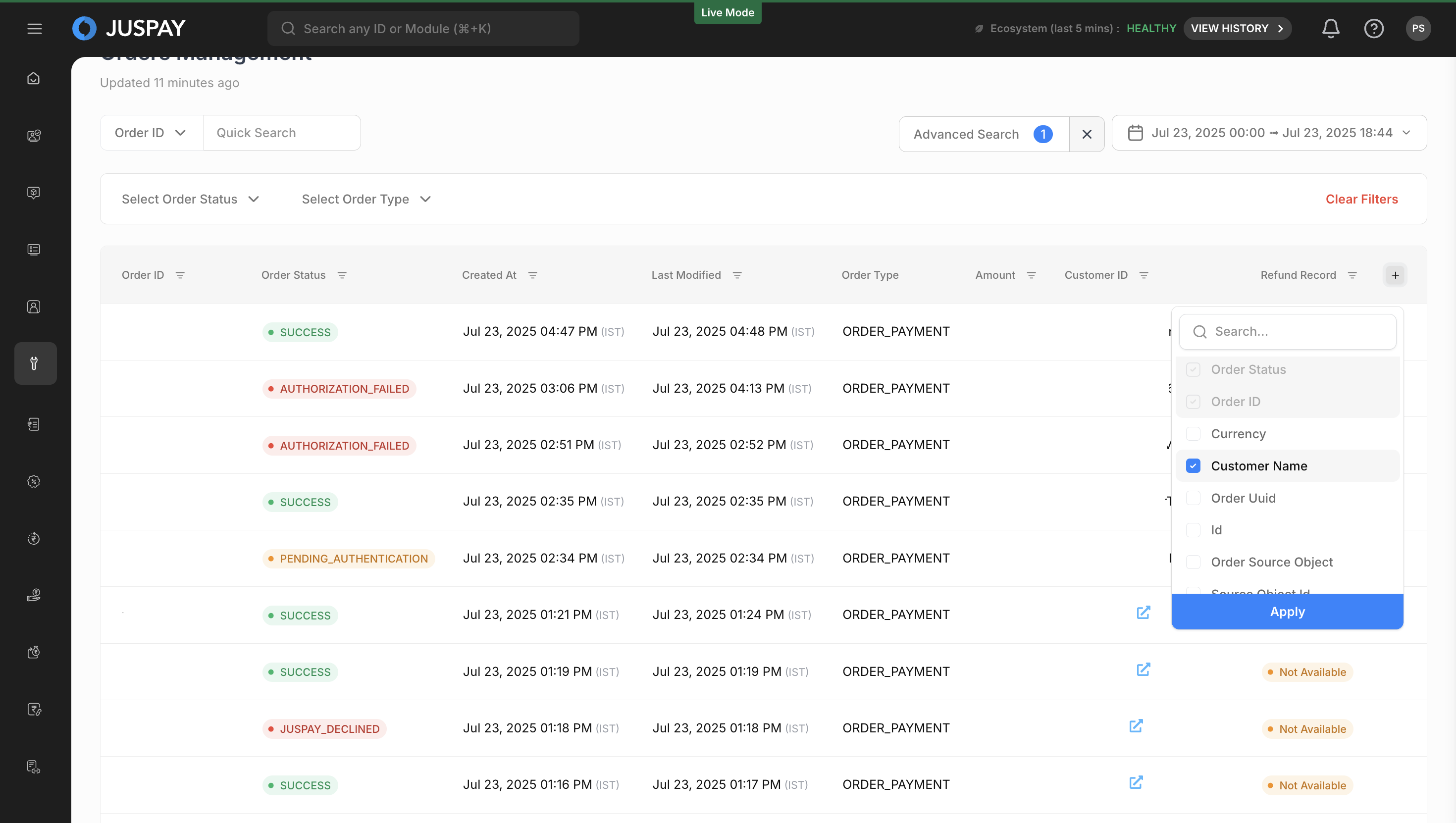
Customizing Columns
You can control what information is displayed in the order list.
Click the Customize Columns button.
Check the boxes for the columns you want to see. You can choose from any of the fields defined in the Order Information section of the Inspect Order Details
document.Click Save to apply your changes.
Key Features
Inspect Order Details
: Dive deep into a specific order to see all related information.View Transactions and Refunds
: Track the complete lifecycle of payments and refunds for an order.Process Refunds
: Initiate and manage full or partial refunds.Manage Chargebacks
: View and update the status of chargeback disputes.View Offers
: See any discounts or promotions applied to an order.View UDF Parameters
: Inspect custom data fields sent with an order.View Settlements and Recon Data
: Track the settlement status of an order.Access Metadata
: View technical details about the payment form and associated invoice.Manage Customer Communications
: See a log of all notifications sent for an order and send payment reminders.
Permissions and Roles
Access to the Orders module and its features is controlled by the orders permission in your user role.
Read-Only Access: Users can view all information within the module but cannot perform any actions (like processing refunds or sending reminders).
Read-Write Access: Users have full access to all viewing and action-oriented features in the module.