


Offers Section in Orders
Overview
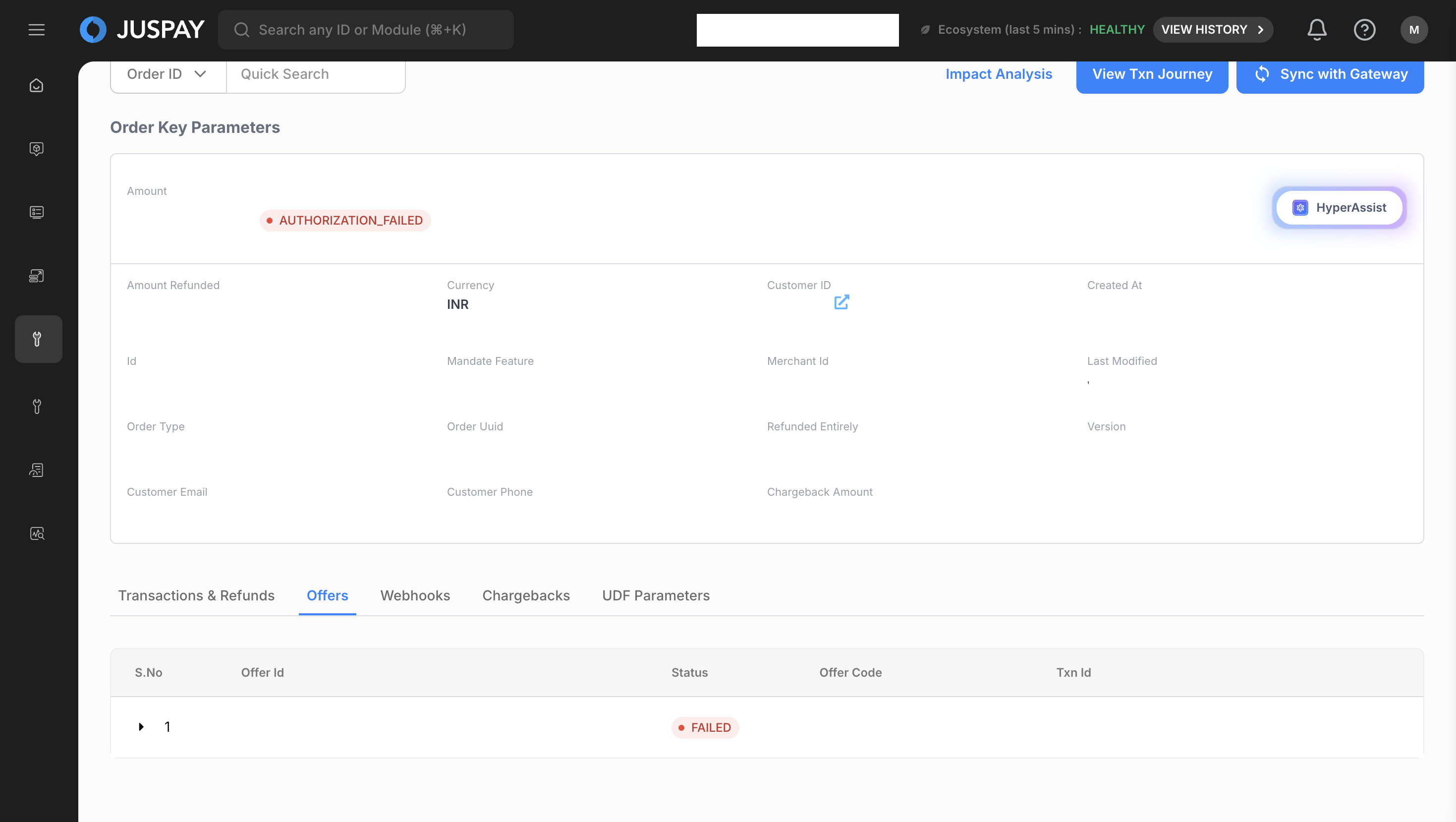
The Offers tab allows you to view any promotions, discounts, or special offers that have been applied to a specific order. This feature is particularly useful for customer support and marketing teams to verify offer applications and troubleshoot any related customer queries.
Accessing the Feature
Log in to the Euler dashboard.
Navigate to the Orders module from the main menu.
From the List Orders page, click on the Order ID of the relevant order.
In the Show Order Details view, click on the Offers tab.
Step-by-Step Usage Instructions
Viewing Applied Offers
The Offers tab displays a list of all offers that were successfully applied to the order.
Each offer in the list will have the following details:
Offer Name: The name of the promotion (e.g.,
Summer Sale 20% Off).Offer Code: The coupon or promo code used, if applicable.
Discount Amount: The amount deducted from the total order price due to the offer.
Status: The status of the offer (e.g.,
APPLIED,EXPIRED).
Permissions and Roles
Access: To view the Offers tab, users need the
orderspermission with at least Read-Only access.Currently, there are no actions that can be performed from this tab, so Read-Write access does not grant any additional capabilities in this specific view.