


Configuring Split Settlement credentials on the Juspay Unified Dashboard
Prerequisites
You will require the following details:
1. Juspay Sub Account Id i.e Unique ID that you use to represent the sub-merchant in your database
2. Gateway Sub Account Id i.e Merchants have to create the Sub/vendor accounts at gateway end and the same account id should be configured in the Gateway Sub Account Id field on the Juspay dashboard. This id is mapped to the Juspay Sub Account Id in Point No 1.
How to CONFIGURE Split Settlement credentials on the Dashboard ?
Setting up Split Settlement credentials on the Juspay Unified Dashboard involves the following steps:
1. Open gateways submodule from the PGCC module on the dashboard.
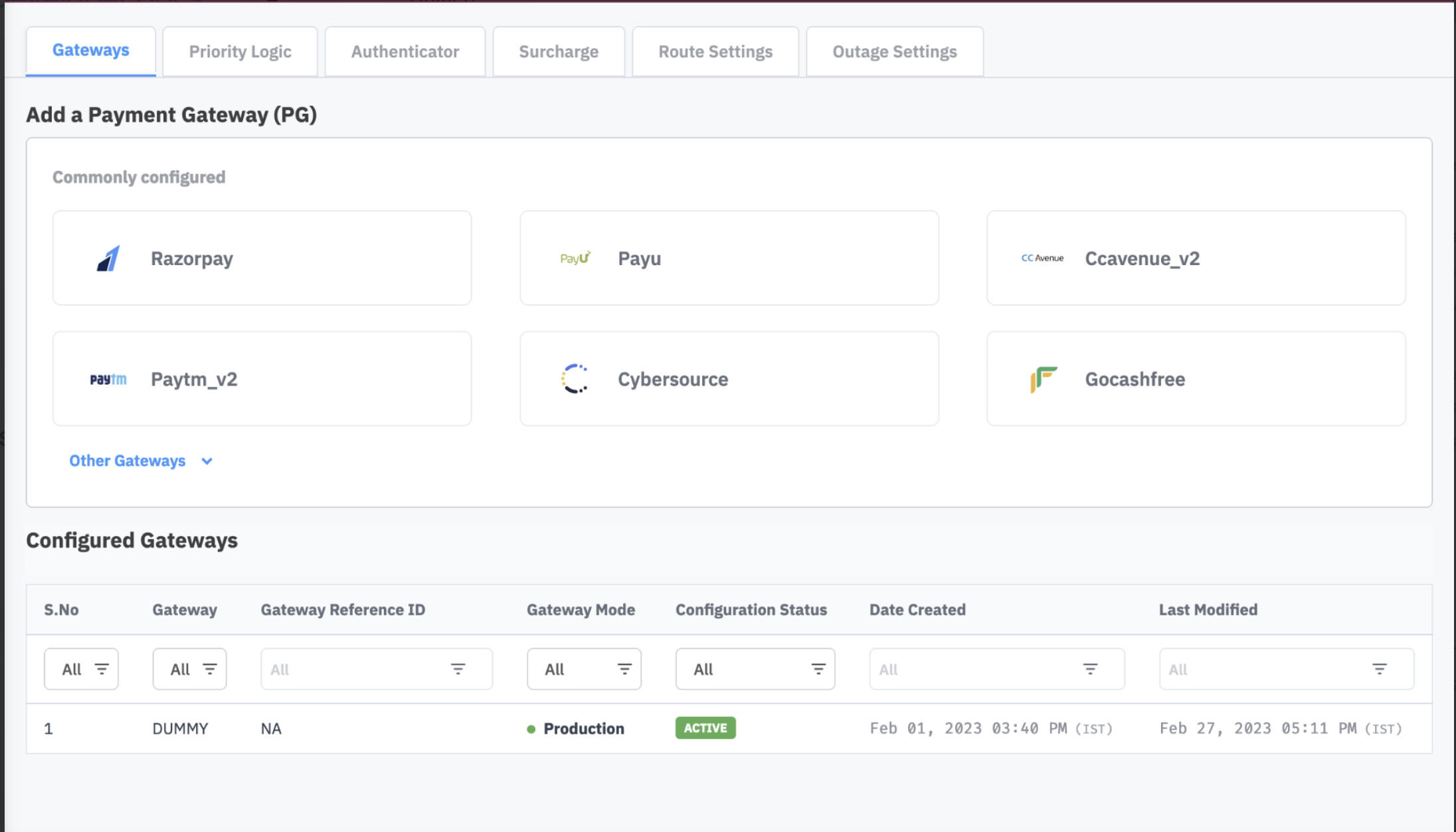
2. Choose the specific gateway for which Split Settlement will be configured.
3. Navigate to the Split Settlement tab and click on Add New Account button.
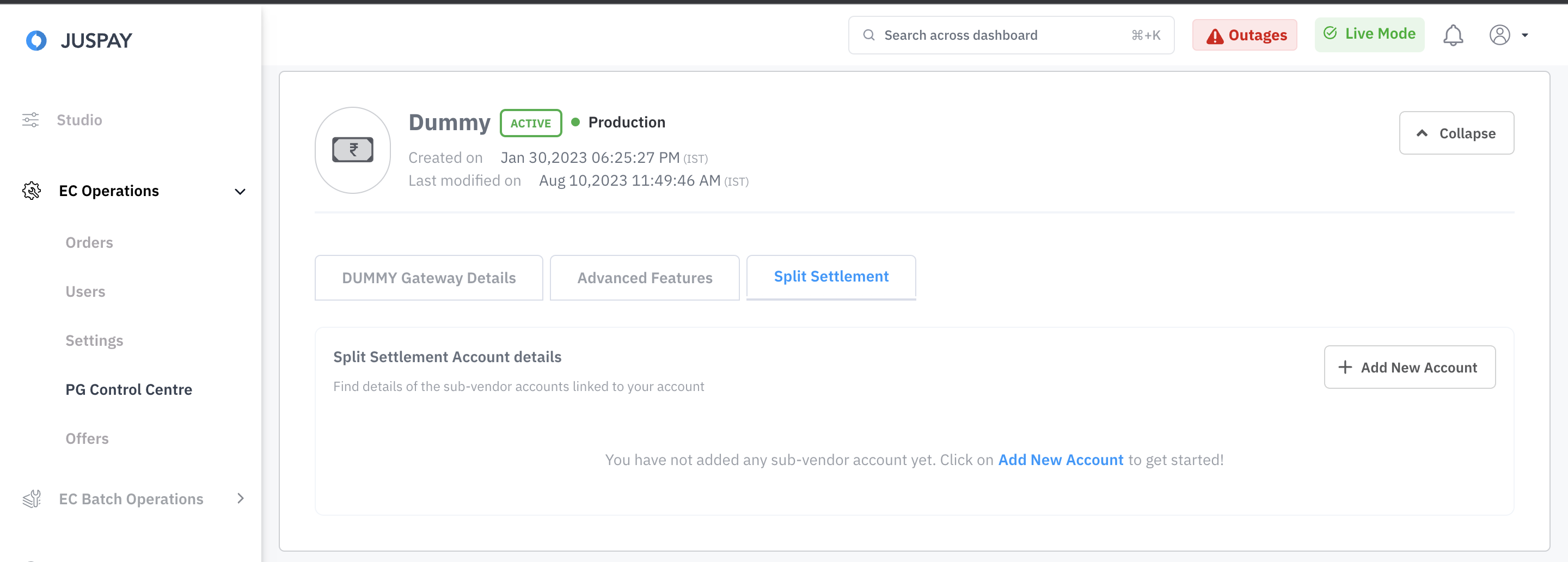
4. Juspay offers two ways to configure split settlement credentials on the Juspay Unified Dashboard:
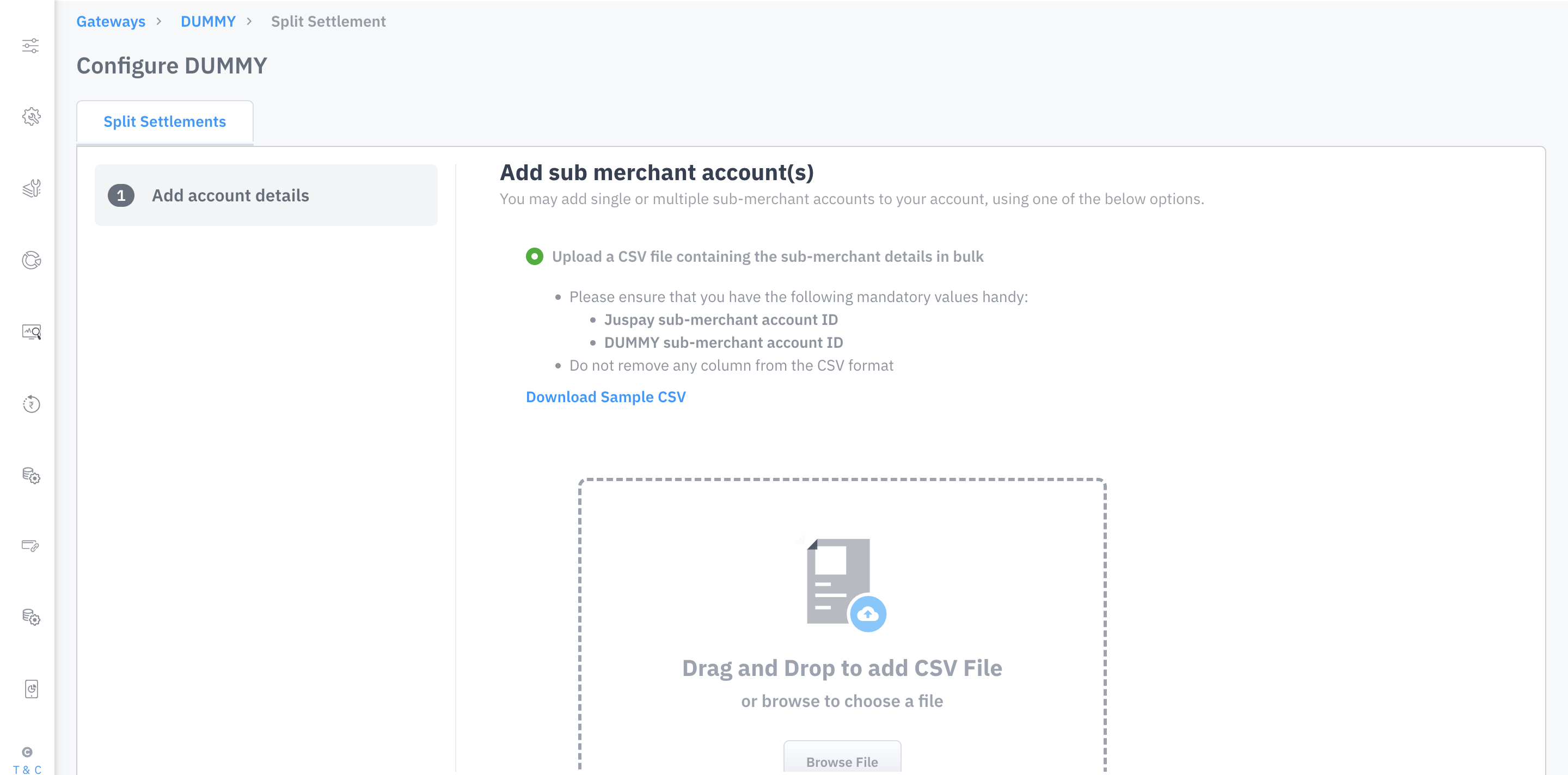
Type 1: Batch Upload option for multiple sub-merchant accounts details
Select Upload a CSV file containing the sub-merchant details in bulk option.
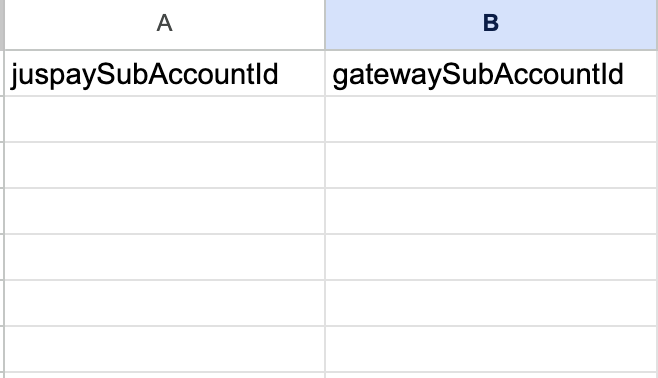
A modal will appear where the user can drag & drop a CSV file or browse the file from the local system in order to upload it. Only CSV format is allowed. The CSV should contain column names accepted by the Juspay system, i.e., juspaySubAccountId and gatewaySubAccountId. Please download the sample file and fill the same before uploading.
The format of information to be uploaded in the CSV file:
Type 2: By adding a single sub-merchant account details
Select the Add a single sub-merchant account option.
Enter the values for Juspay Sub Account Id and Gateway Sub Account Id field.
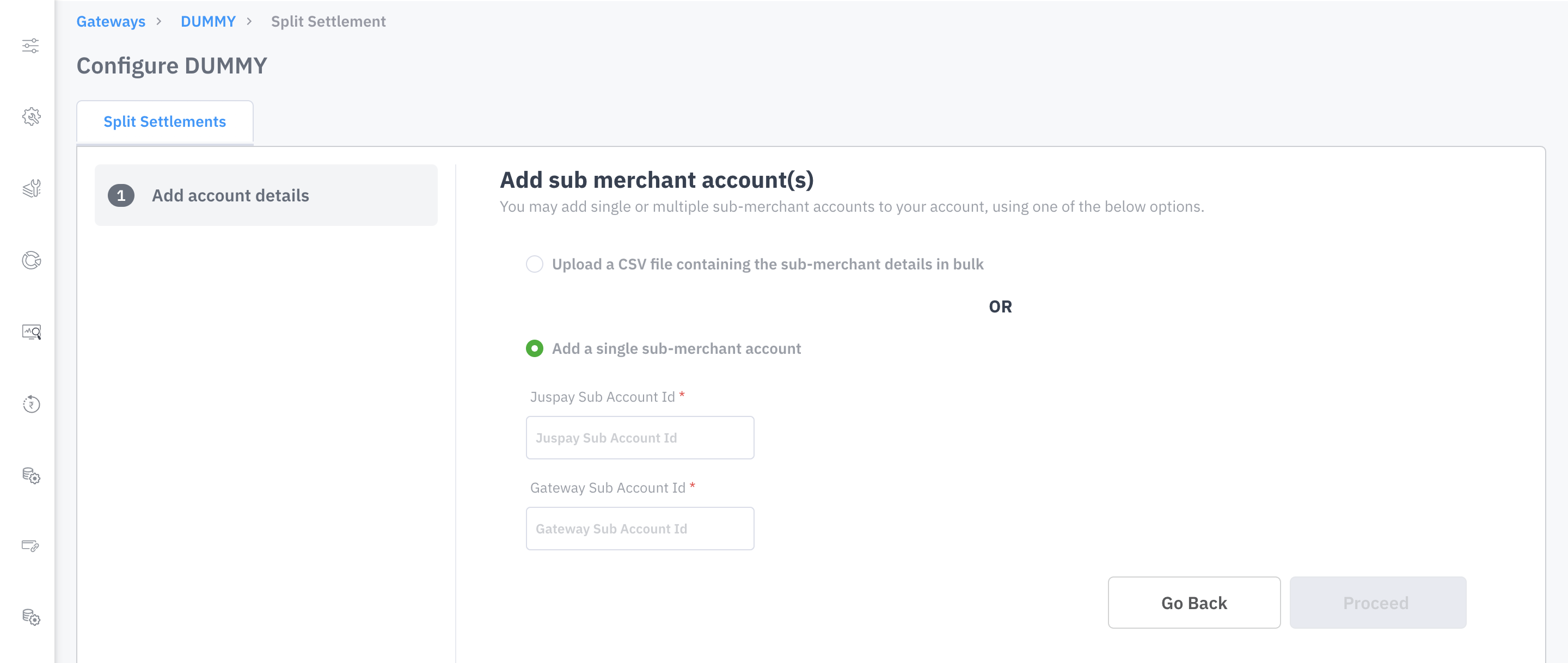
5. Click on Proceed button.
The account will be configured, and a success message will be displayed on the screen. The below video explains the entire process, please view once before proceeding.
.gif)
How to UPDATE Split Settlement credentials on the Dashboard ?
Choose the specific gateway for which Split Settlement credentials need to be updated.
On the Split Settlement Account Details tab, click on the account you wish to update.
A modal will appear where the user can update the credentials accordingly.
Click on the Update button to successfully update the gateway. The below video explains the entire process, please view once before proceeding.
.gif)
Please note if you want to activate more than two split settlement account under the Razorpay gateway, we kindly request that you notify us beforehand since the activation will require some internal changes at our end.