


Configuring SIMPL Wallet On The Juspay Unified Dashboard
The gateway Simpl can be configured from the Juspay Unified Dashboard directly. Please follow the below steps to configure the gateway :
Open gateways submodule from the PGCC module on the dashboard.
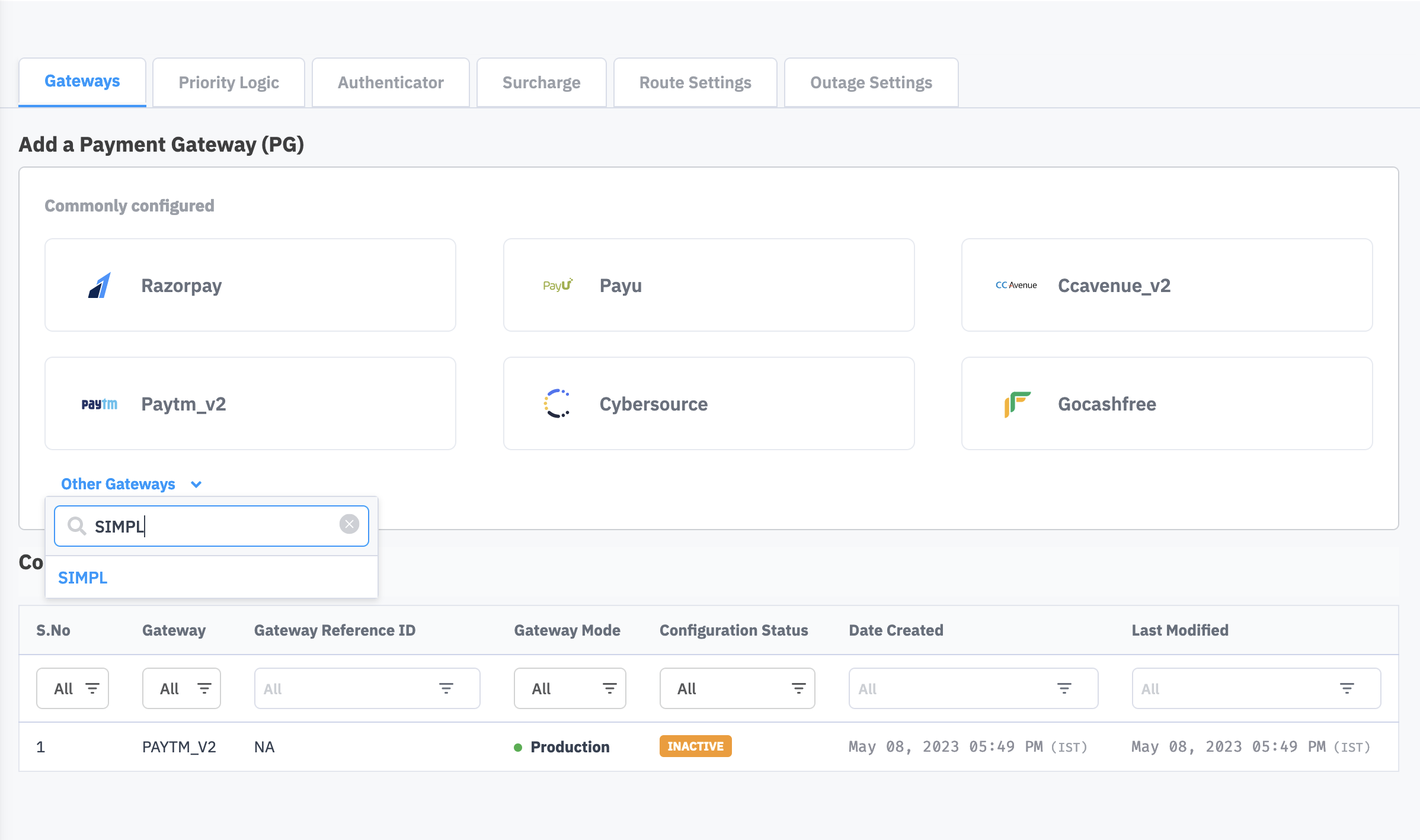
Select SIMPL from the drop down list available in the Add a Payment Gateway (PG) section.
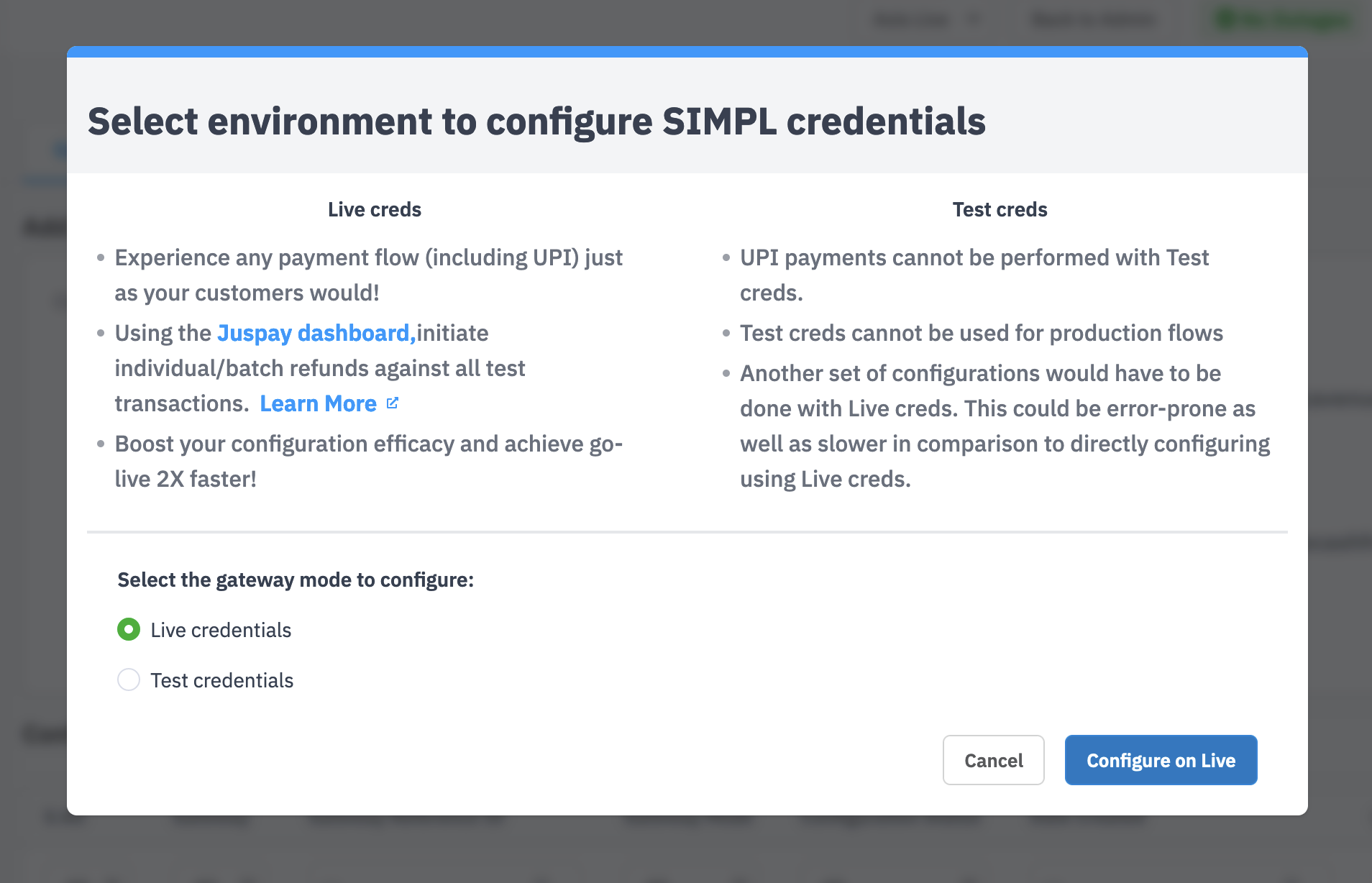
Select the environment i.e Live mode( Production)/ Test mode (Staging) to which the produced Gateway account credentials belongs to.
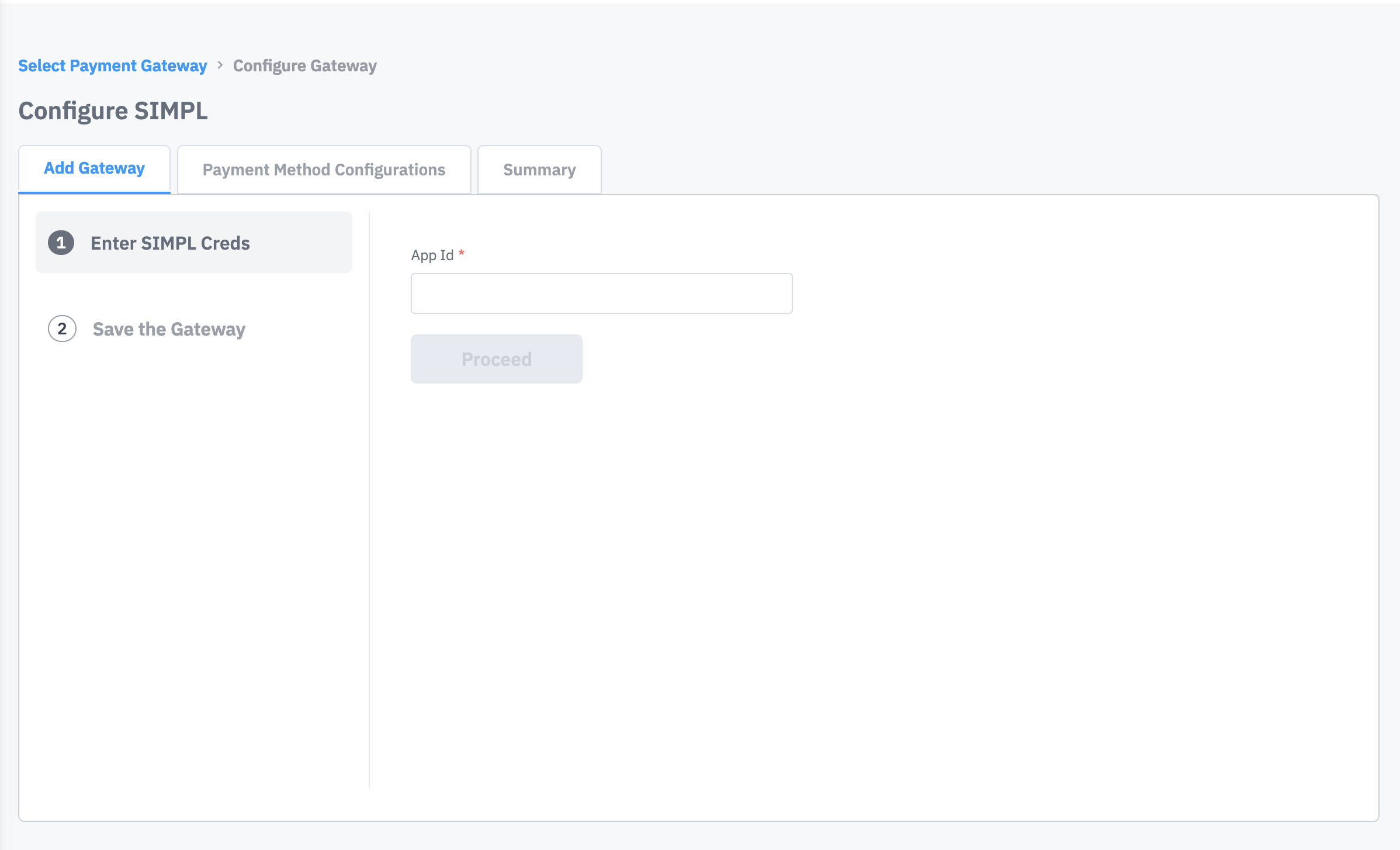
Enter the App Id.
 Note
NoteGateway reference id is required only in case where Multiple Simpl accounts needs to be configured.
Click on Confirm and save the gateway after thoroughly reviewing the credentials configured and Click on Proceed to Add Payment Methods.
Enable SIMPL as the payment methods in the Payment Method Configurations section.
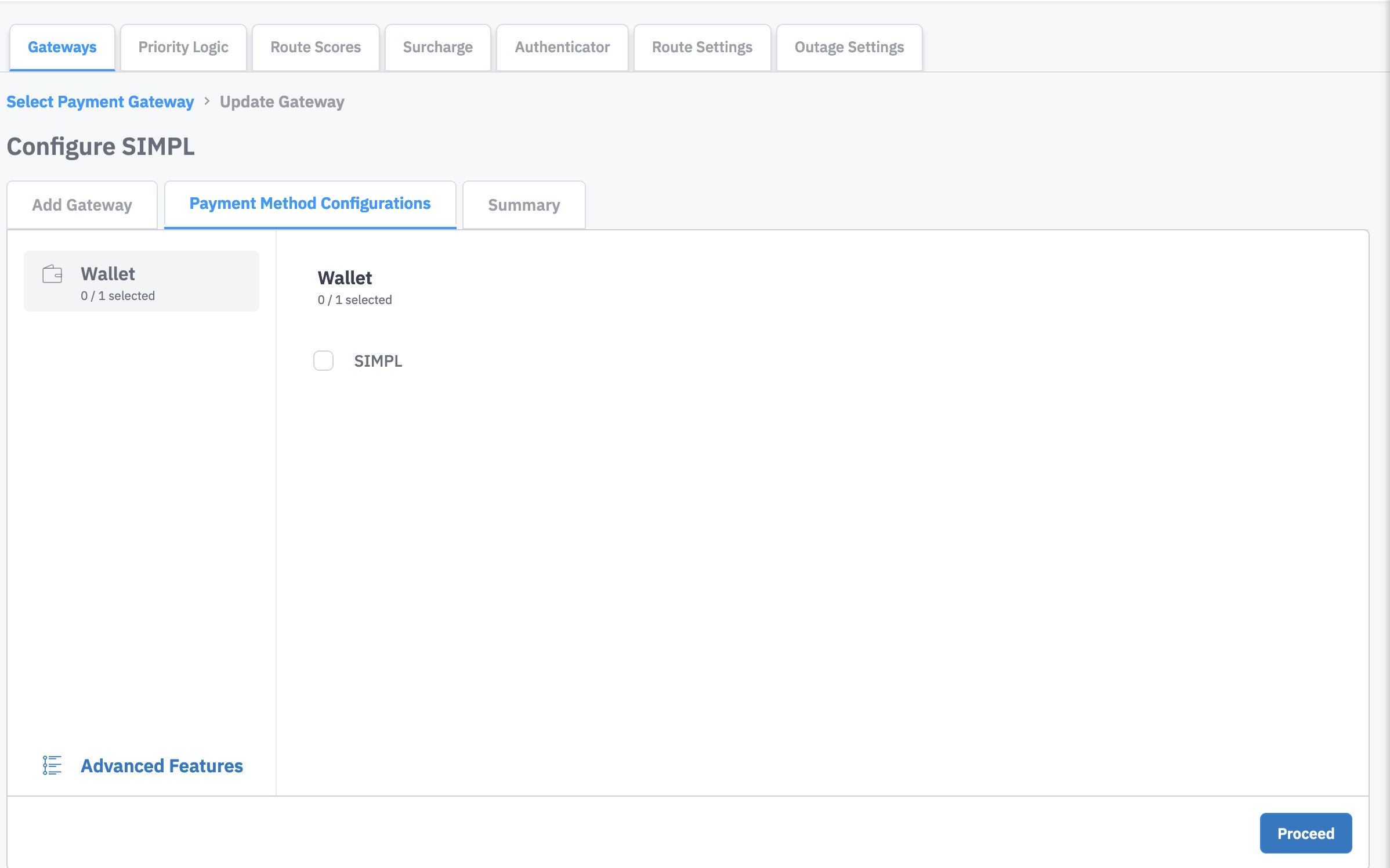
Click on proceed and select Yes, Enable it button on the Enable Payment Gateway dialog box. Please review the entire configured gateway details displayed in the summary page and click on the Finish button.
Gateway will be configured, and a Success message will be displayed on the screen.