


Twid_V2 (S2S Rewards) Onboarding and API Specification
1. Pre-requisites

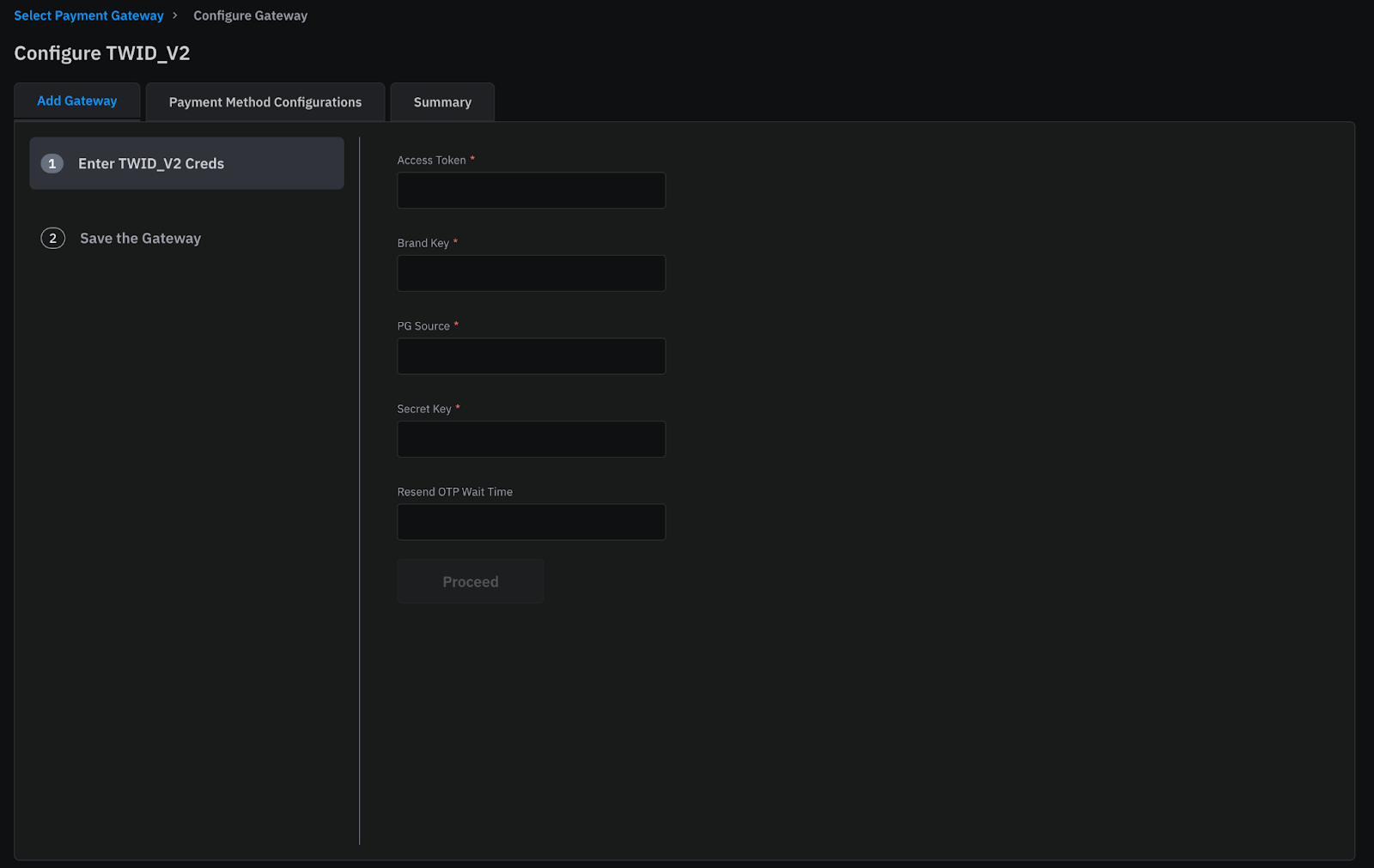
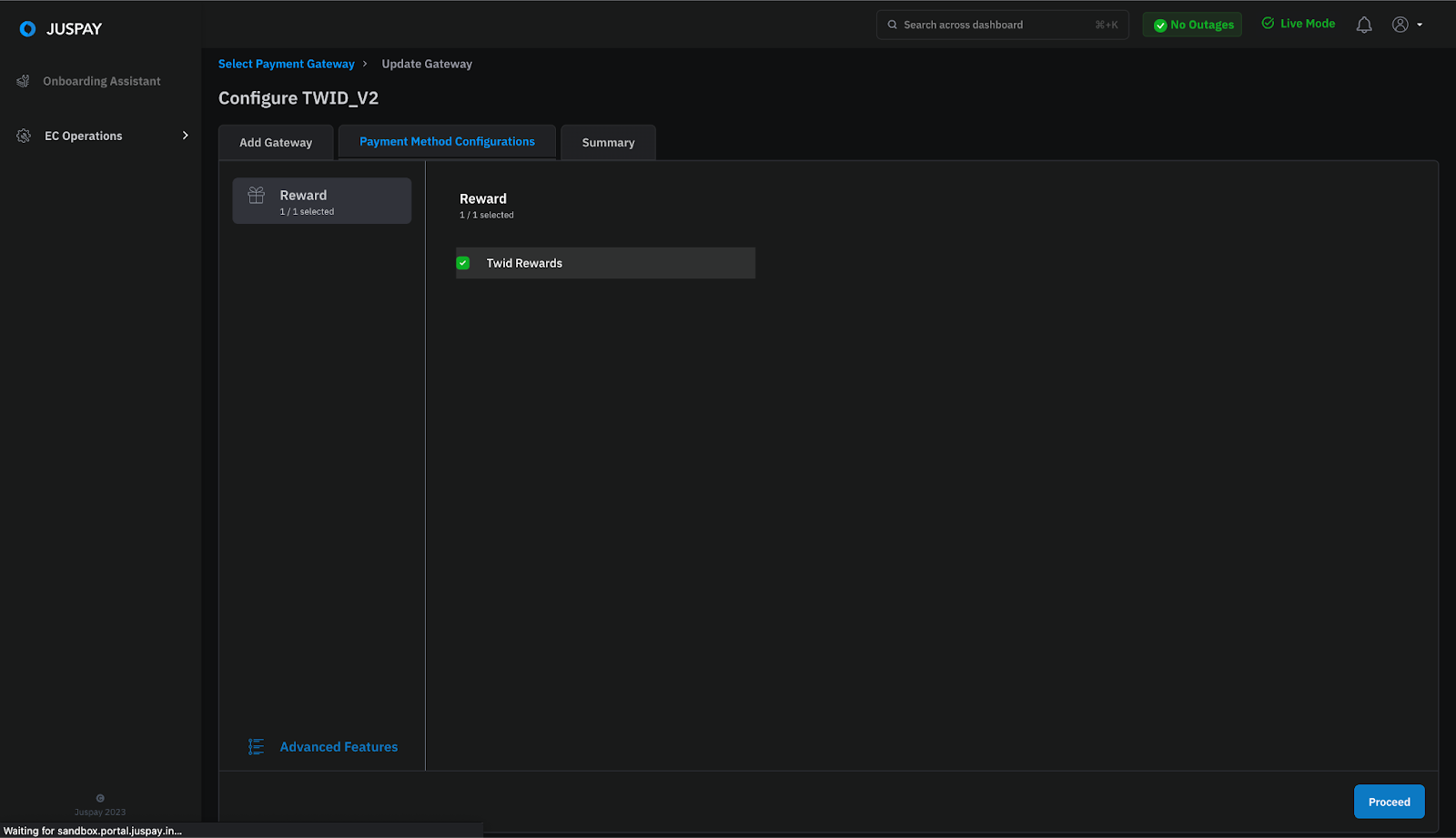
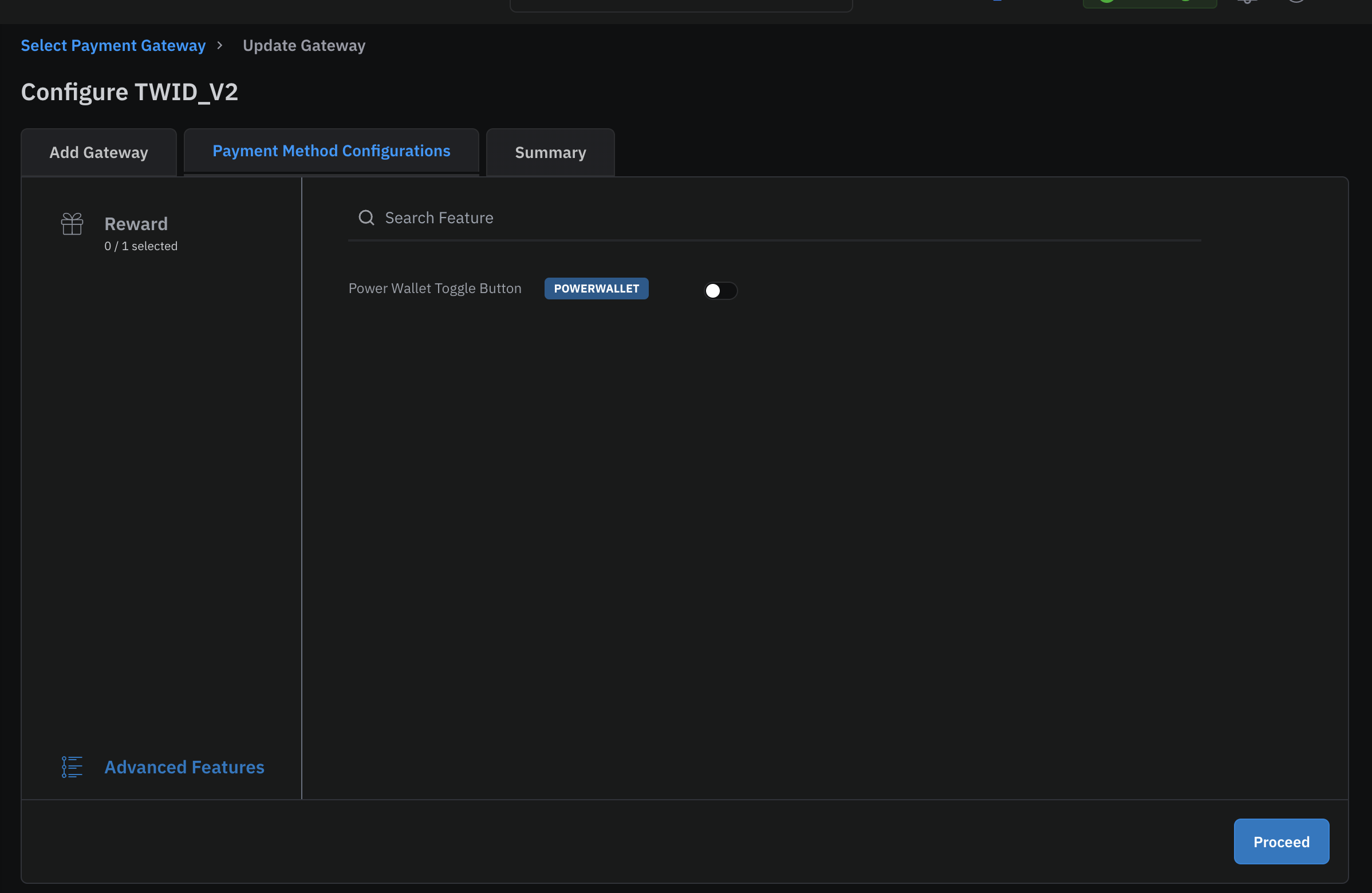
2. End-to-end User flow
.png)
.png)
.png)
.png)
3. Handling Eligibility Failure Cases
4. Sample Requests and Responses
With the existing implementation on Juspay , the transaction level details are available in the root structure of the orderStatus JSON block.
With Integration TWID_v2 and being a split transactions , you would get txn_list as an array block in which the 2 transactions (UPI + TWID). You need to make sure to consume the params from inside the txn_list array block.
Also, There will be a new status called as AUTO_REFUNDED case, in which your primary transaction fails, Juspay will auto-refund the TWID_v2 reward balance.
Order Status
Sample Webhook Response
Please find the sample webhook response.
Will i get txn_list for all the existing payment methods ?
Why should i incorporate a new status "AUTO_REFUNDED" ?
Why should i update my order Status version to 2024-01-01?
Will my webhooks also change ?
How does Juspay handle primary transaction pending status ?
Refund Calls
Refund requests (full/partial) can be initiated by a Juspay’s merchant at Transaction level or at Order level.
Given that Twid V2 transactions are always split between an existing Gateway and Twid rewards, the merchant can choose between one of the two provisions -
For Order based refunds,
a. merchant will have to pass order Id & refund amount to Juspay
b. each order would have a minimum of 2 transactions and Juspay internally handles the split refund initiation (full and partial), to both Twid and other configured gateway
c. Juspay will ensure checks for eligible refund amount, split calculation etc
d. Merchant will receive Juspay’s refund response accordingly (post PG processing) and is expected to handle the same (new key “split_refund_details”)
For Transaction based refunds
a. merchant would initiate refunds against all transaction Ids, with transaction Id and amount to Juspay
b. mechant will ensure the amount checks and the refund split for both full and partial refunds. This refund split will include an additional API call to Twid. Alternatively, split can also be calculated by first exhausting the gateway amount and then Twid amount (merchant to confirm with Twid).
c. Juspay’s refund response will remain the same as what merchants currently see for transaction based refunds. No additional handling required.
5. FAQs
|
Client's Frontend Version (New = Package 2.89 and above)
|
Merchant configured TWID Gateway (v1/v2)
|
Eligibility Resp from Juspay Backend
|
User Experience
|
|---|---|---|---|
Old
| V1
| V1
| Redirected to TWID page for payment
|
Old
| V2
| No Response
| TWID will not be shown
|
Old
| V1 & V2
| V1
| Redirected to TWID page for payment
|
New
| V1
| V1
| Redirected to TWID page for payment
|
New
| V2
| V2
| User will do split transaction
|
New
| V1 & V2
| V2
| User will do split transaction
|
6. Testing Scenarios
For the final step towards completing your TWID Integration, Kindly perform the below mentioned test cases
|
Test Scenario
|
Test Scenario Description
|
|---|---|
Order Status
| Handling of the Order Status response with txn_list block
|
Payment Methods Testing
| Kindly test for all the scenarios of Each payment methods giving Success, Pending and Failure cases.
|
TWID + Cards
| Kindly test for all the scenarios of Each payment methods giving Success, Pending and Failure cases.
|
TWID + NB
| Kindly test for all the scenarios of Each payment methods giving Success, Pending and Failure cases.
|
TWID + UPI
| Kindly test for all the scenarios of Each payment methods giving Success, Pending and Failure cases.
|
TWID + Wallet
| Kindly test for all the scenarios of Each payment methods giving Success, Pending and Failure cases.
|
TWID + Saved Payment Methods
| Kindly test for all the scenarios of Each payment methods giving Success, Pending and Failure cases.
|
Refunds
| Based on your use case, Initate OrderID or TxnID based refunds
|
Payment Response Handling
| Appropriate messaging to user in Success, Failure, Pending Transaction cases
|