


Snapmint Integration
The gateway Snapmint can be configured from the dashboard directly like any other gateway or payment method. Please follow the below steps to get the same implemented for your account.
Gateway Configuration
Step 1: Login to your Juspay Dashboard.
Step 2: Navigate to EC Operations » PG Control Center and select Gateways.
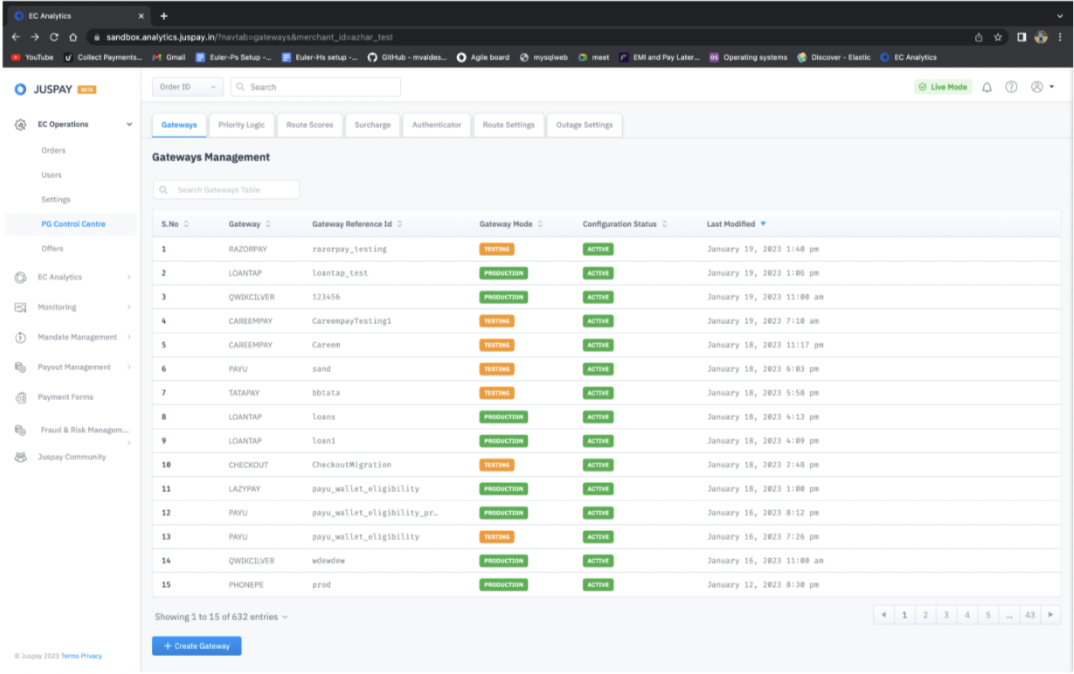
Step 3: Click on Create Gateway and select Snapmint from the available options.
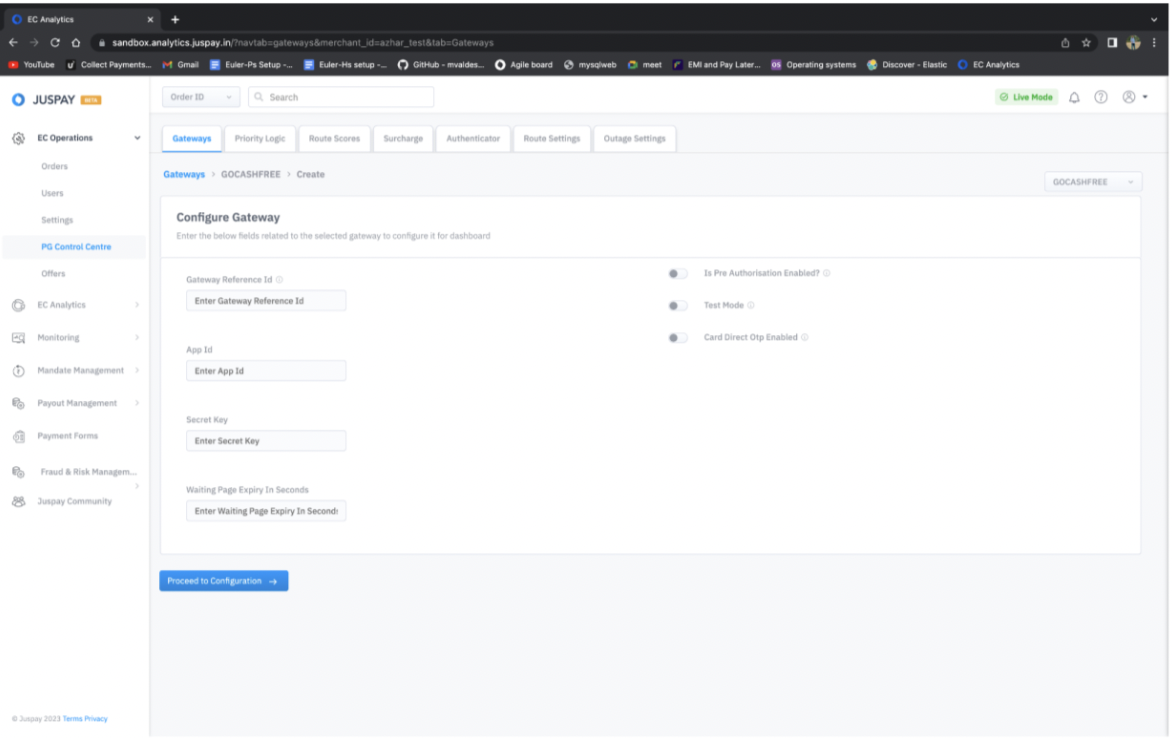
Step 4: Enter Gateway Credentials either in TEST or LIVE mode as per your requirement. All the fields mentioned here are mandatory apart from Gateway Reference ID.
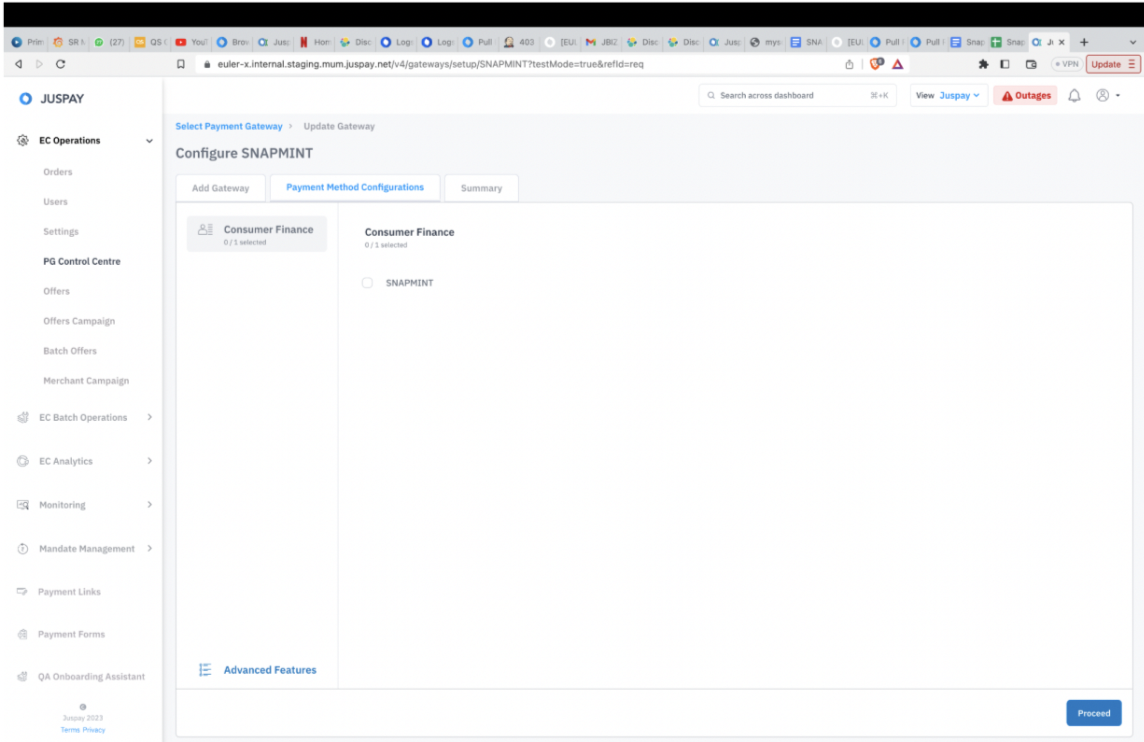
Step 5: Configure Payment method Type as Consumer Finance & payment method as Snapmint.
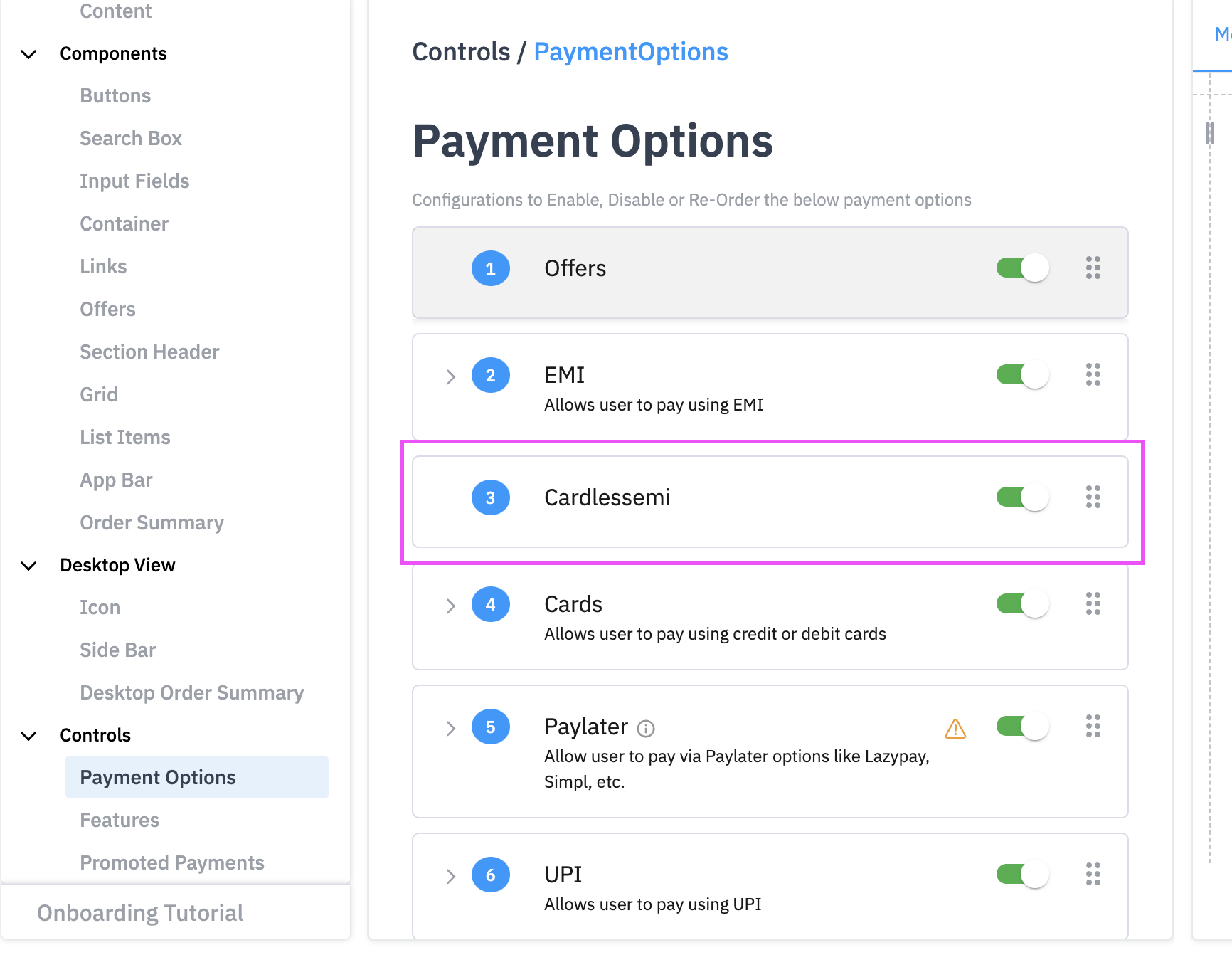
Session Payload Changes
Explanation of Metadata fields Snapmint details.
|
Fields
|
Explanation of Fields
|
|---|---|
metadata.SNAPMINT:snapmintMaxOrderValue
| Maximum order value processed by a merchant with Snapmint.
|
metadata.SNAPMINT:snapmintTotalOrderValue
| Total order value processed by a merchant with Snapmint.
|
metadata.SNAPMINT:snapmintMaxOrderValue
| Max of value of all orders placed with merchant
|
metadata.SNAPMINT:snapmintLast3Addresses
| String with max length 1000.Last 3 unique pincodes where orders were placed from the merchant
|
metadata.SNAPMINT:snapmintLastOrderDate
| Date(YYYYMMDD). Last order date for the user
|
Signature Based Integration Payload
Sample Order Status Payload
Testing Scenarios (User Flows)
|
Phone Number
|
Flow
|
OTP, PAN and UPI ID
|
|---|---|---|
7777788888
| OTP Only required
| OTP-1010, Payment gateway select UPI - 7777777777@paytm
|
7878787878
| OTP and Pan Required
| OTP-1010, Pan - APFPJ2575J Payment gateway select UPI - 7777777777@paytm
|
7878787879
| OTP, Pan and KYC Required
| OTP-1010, Pan - APFPJ2575J Payment gateway select UPI - 7777777777@paytm
|
8888888887
| Credit Reject
|
Analytics and Monitoring
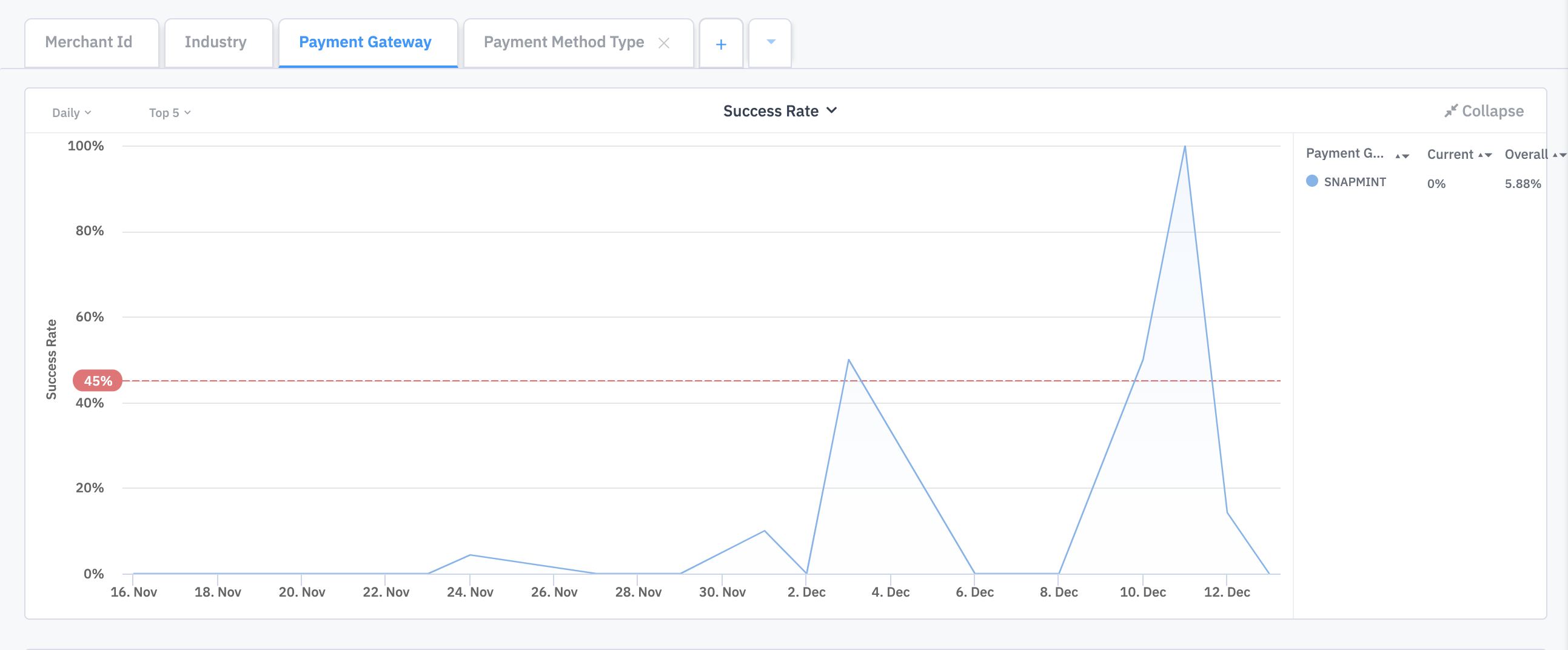
Merchants can use the Juspay Transactions Analytics Dashboard to check and analyze the volume and success rates of Snapmint transactions.
Merchants can use the Payment Gateway filter and select 'SNAPMINT' on the Juspay Transactions Analytics Dashboard to check the Success Rates.
Flows Supported by Snap:
1. Transaction initiation - EMI (1st tenure payment).
2. Transaction for PreAuth and Capture - Capture and Void.
3. Transaction Sync.
4. Refund.
5. Refund Sync.