


Payment Locking via Offers
Merchants can enable offers on the Pre-Payment (Order Summary) page using two approaches:
Merchant Discount
Pre-Applied Coupons
Both approaches ensure that the offer applied before payment is locked during the payment flow on Juspay’s Payment Page, maintaining a consistent offer experience for users.
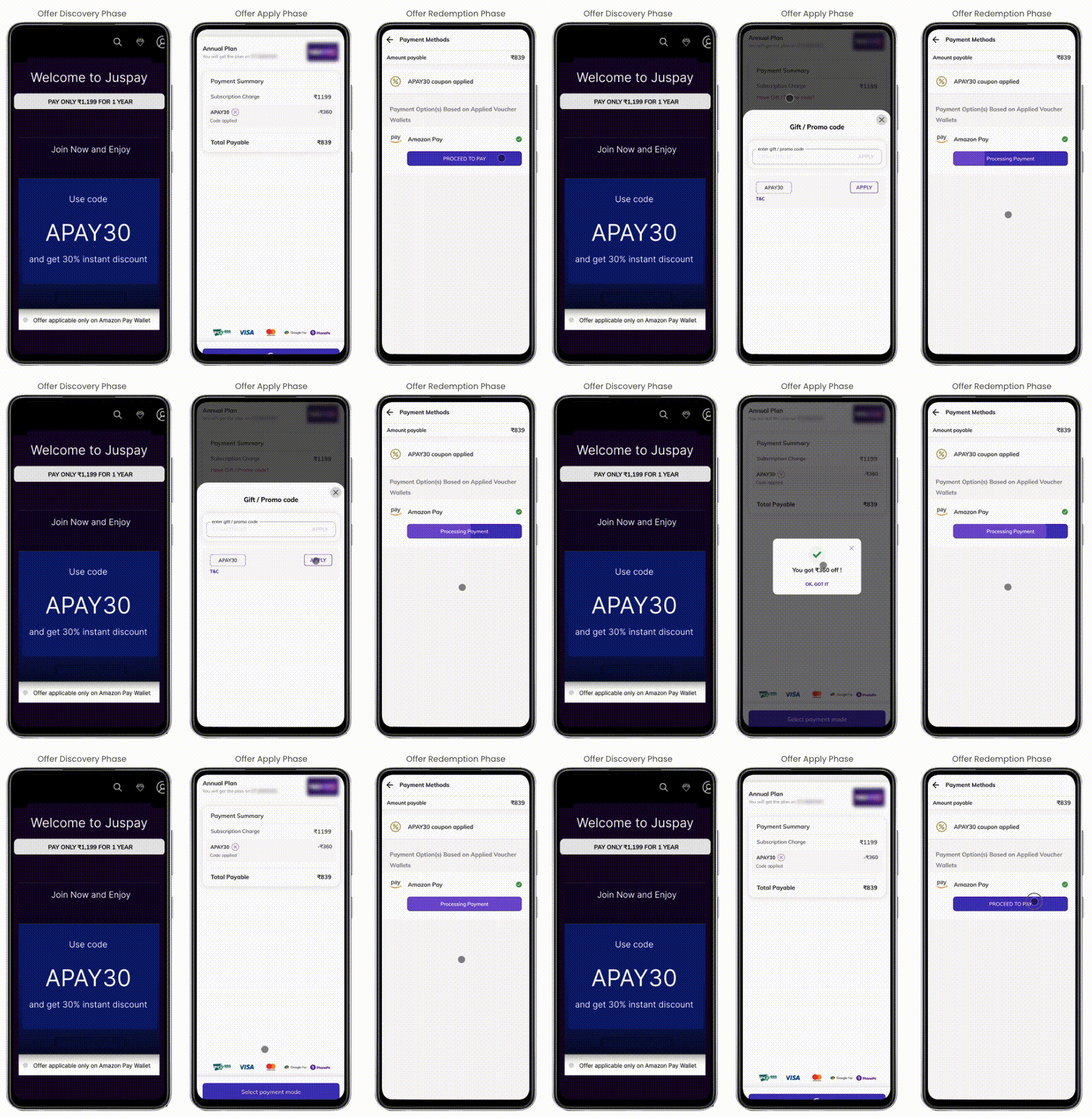
1. Merchant Discount
In this approach, the merchant handles all benefit calculations on the Pre-Payment page, while Juspay handles payment locking on the Payment page.
Configuration Steps
Configure Offer on Juspay Dashboard
Create the same offer (with the same offer code) on the Juspay Offers Dashboard.
Set:
Coupon-based Offer = Yes
Offer Benefits = Payment Locking via Offer
Select the payment instruments for which the offer should apply.
Include Offer Code in Order Payload
Pass the offer code in the order_details payload when creating the order.
Payment Page Behavior
The Juspay Payment Page displays a “Coupon Applied” banner.
Payment Locking occurs automatically based on the configured offer details.
Users cannot remove or change the offer from the payment page. To modify or remove it, they must return to the Pre-Payment page.
Offer Validation
During the transaction, the offer_id is included in the /txns call and validated on Juspay’s backend.
If the offer validation fails, a Retry Popup appears:
The popup allows users to retry the payment on the same page with the applied offer.
A corresponding event notification is also sent to the merchant when the retry popup is triggered.
2. Pre-Applied Coupons
In this approach, the merchant uses the Juspay listOffers API on the Pre-Payment page to show applicable offers to the user.
Flow Overview
The user views and applies an offer on the Pre-Payment page.
The discounted amount is displayed there, but the merchant still sends the original order amount and applied offer details in the order_details payload to Juspay.
On the Juspay Payment Page:
The Coupon Applied banner is displayed.
Benefit Calculation and Payment Locking occur automatically based on the dashboard configuration.
Users cannot remove the offer on the payment page — they must go back to the Pre-Payment page to modify or change it.
Offer Validation
The offer_id is passed in the /txns call for backend validation.
If validation fails:
The Retry Popup is displayed with an option to retry payment using the same offer.
A retry event is also triggered and sent to the merchant.