


Payment Collection Links
This feature enables merchants to receive UPI QR and UPI Intent links as part of the server-to-server order creation process, enhancing the payment flexibility and efficiency for both merchants and their customers.
This streamlines payments by providing two distinct methods for completing transactions:
QR code for physical point-of-sale interactions, particularly useful for delivery agents
UPI Intent link for digital communications, optimized for platforms like WhatsApp and SMS.
Payment Methods Overview
1. UPI QR Code: Upon creating an order via a server-to-server call, the merchant receives a UPI QR code link. This link can be loaded in any web-view which will display scannable QR. The QR code facilitates easy, contactless payments, ideal for delivery scenarios or in-person transactions.
Use cases - Delivery, Agent propelled transactions, POS interactions
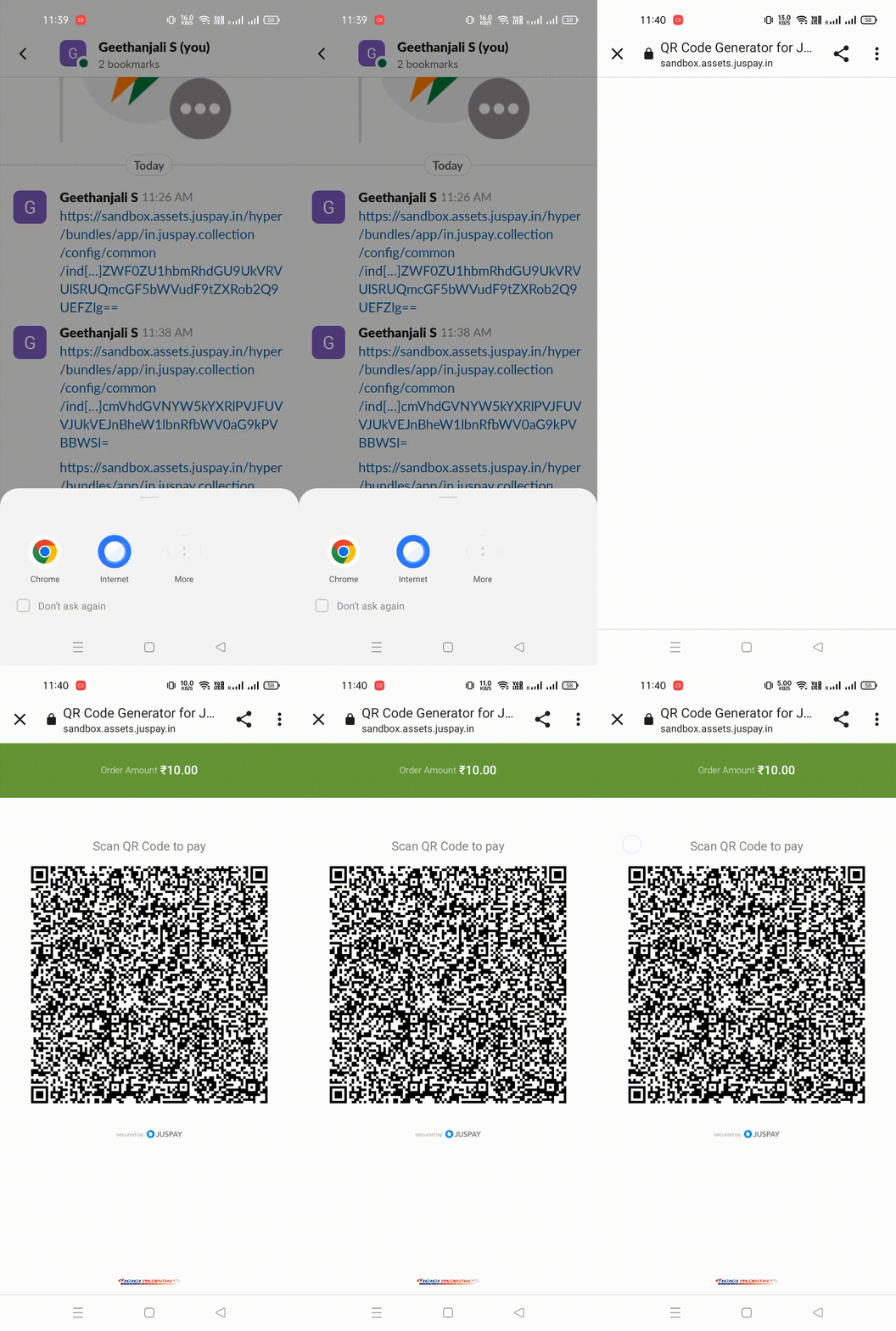
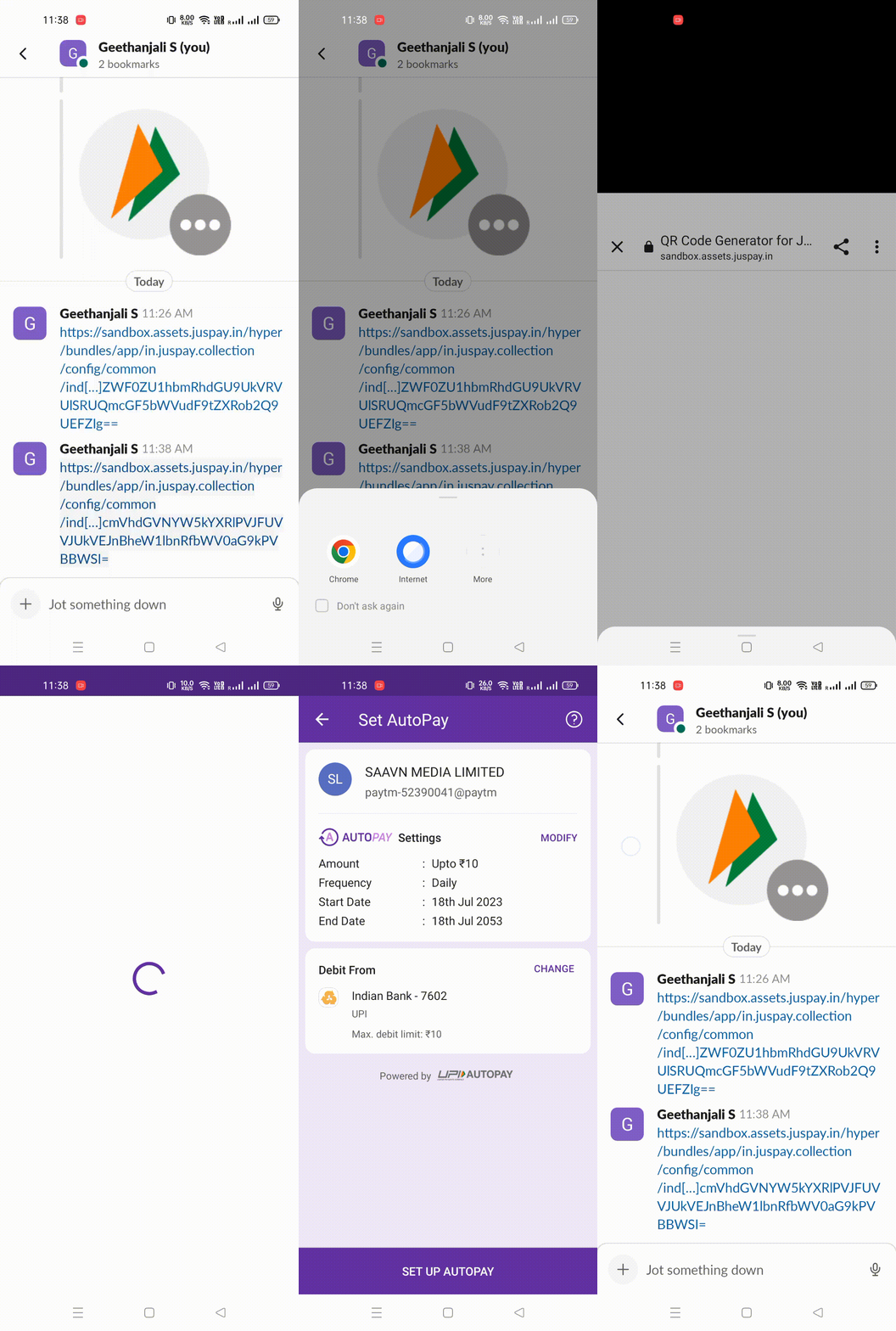
2. UPI Intent Deeplink: Based on request, UPI Intent link gets generated. This link can be shared through digital communication channels such as WhatsApp or SMS. When clicked, the link triggers the opening of any UPI-compatible application installed on the customer's mobile device.
Use cases - SMS or WhatsApp marketing campaigns, retargeting
How does it work?
Order Creation API Call: Merchants initiate an order by making a server-to-server API call, including the necessary order details.
                curl --location --request POST 'https://sandbox.juspay.in/orders' \
--header 'Content-Type: application/x-www-form-urlencoded' \
--header 'version: 2019-07-01' \
--header 'Authorization: Basic XXXX' \
--header 'Cookie: tokenization_consent_ui_presented_mandate_juspay=1' \
--data-urlencode 'order_id=orderIdIs669185' \
--data-urlencode 'amount=100' \
--data-urlencode 'customer_id=cth_nfhDAjJf8HmnZ1AK8' \
--data-urlencode 'return_url=' \
--data-urlencode 'description=Sample description' \
--data-urlencode 'options.get_client_auth_token=true' \
--data-urlencode 'options.get_payment_collection_link=1' \
--data-urlencode 'payment_collection_link_details={"supported_payment_methods" : ["PAY","QR"], "expiry_details" : {"payment_method" : "PAY", "expiry_in_mins" : "1600","payment_method" : "QR", "expiry_in_mins": "5"}}'
Supported_payment_methods to be sent as QR and PAY as per use case.
For each payment method merchants can also pass expiry which would mark the expiry of the links from the time of creation.
Receiving Payment Links: The API response includes both the UPI QR code link and the UPI Intent link, generated based on the order details provided.
                {
   "status": "CREATED",
   "status_id": 1,
   "id": "ordeh_b909aee2758c44579a4638e727844c21",
   "order_id": "orderIdIs669185",
   "links": {
       "payment_collection_links": {
           "QR": "https://sandbox-assets.juspay.in?payload=Im9yZGVyX2lkPWp1c3BheTEyMTEwJm1lcmNoYW50X2lkPWF6aGFyYW1pbiZwYXltZW50X2NvbGxlY3Rpb25fbGlua19hdXRoX3Rva2VuPXBjbF90a25fNzVjNDUxZmNjMjljNGFlMDg1NjcwZmExYjFmMWEzYzMmcGF5bWVudF9jb2xsZWN0aW9uX2xpbmtfYXV0aF90b2tlbl9leHBpcnk9MjAyMy0wNi0yNlQxMzoxODowMFomb3B0aW9ucy5jcmVhdGVNYW5kYXRlPVJFUVVJUkVEJnBheW1lbnRfbWV0aG9kPVFSIg==",
           "INTENT": "https://sandbox-assets.juspay.in?payload=Im9yZGVyX2lkPWp1c3BheTEyMTEwJm1lcmNoYW50X2lkPWF6aGFyYW1pbiZwYXltZW50X2NvbGxlY3Rpb25fbGlua19hdXRoX3Rva2VuPXBjbF90a25fNzVjNDUxZmNjMjljNGFlMDg1NjcwZmExYjFmMWEzYzMmcGF5bWVudF9jb2xsZWN0aW9uX2xpbmtfYXV0aF90b2tlbl9leHBpcnk9MjAyMy0wNi0yNlQxMzoxODowMFomb3B0aW9ucy5jcmVhdGVNYW5kYXRlPVJFUVVJUkVEJnBheW1lbnRfbWV0aG9kPUlOVEVOVCI="
       }
   }
}
Distributing Links: Merchants can then distribute these links as needed:
Display or load UPI QR link for physical transactions.
Embed the UPI Intent link in digital communications for remote payments.
Transaction Completion: Customers use their preferred UPI app to scan the QR code or click the Intent link, completing the payment process.