


GooglePay - Tokenized Card and UPI
All prerequisites and authorization required for Google Pay shall be completed by merchant.
Account creation with Google Pay: Refer Google Pay Website for account creation process

Whitelisting of merchant VPA at Google Pay end
Additional prerequisites for Google Pay Tokenized cards flow:
Submit designs and ensure that the payment page user experience for GPay tokenized cards flow is approved by Google team
Your application’s domain name needs to be whitelisted and enabled for the Tokenized cards flow on Google Play console
Dependencies:
Ensure that dependency is added for the GooglePay SDK in your build.gradle dependencies section
Flows:
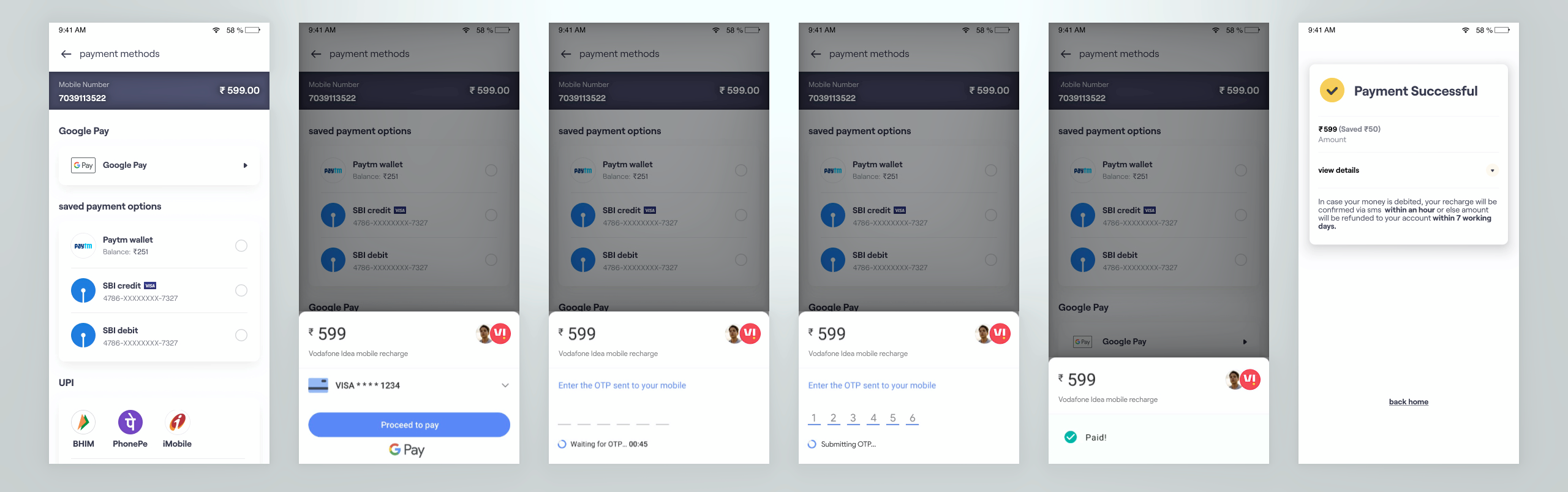
.png)
tep 1 - Order creation
CreateOrder on Juspay Servers.
Step 2 - Displaying Gpay option on payment page
The GPay in-app flow is allowed only when four conditions are satisfied:
Gpay app is installed,
User is registered,
Bank account is linked and
Gpay app version is compatible for the flow.
Scenario 1: If the preference is to use only Gpay in-app flow, the merchant shall perform isDeviceReady call (refer code snippet on the right) for the current device and display GooglePay on UI only if it isDeviceReady response is true.
Scenario 2: If the preference is to use Gpay in-app flow along with UPI Intent as fallback option, then the merchant shall check whether GPay app is present on user device and accordingly display the GPay option. Pls use the List available UPI Apps call for this operation. The isDeviceReady call is not relevant for this scenario.
Step 3 - Initiate wallet transaction
Use walletTxn operation to initiate GooglePay. Please ensure that you pass below params, specifically for GooglePay in-app flow
paymentMethod :: GOOGLEPAY
sdkPresent :: ANDROID_GOOGLEPAY
allowedMethods :: ["UPI","CARD"] (Pass UPI or CARD or both the flows to whitelist the flows that must be allowed)
useFallback :: true/ false (if passed as true, user shall fallback to UPI intent flow, when GPay app version does not support in-app flow, default value will be true)
NoteEnsure that below Gpay configs are added at Juspay end-
Enable/ Disable fallback flow
Choose the fallback flow required (UPI Intent)