


Gateway Configuration
Merchant can configure their payment gateway accounts on Juspay using this PG Control Centre under Payment module on the Juspay Dashboard .
.
After procuring credentials from chosen Gateways/ Payment Service Provider (PSP), merchants need to configure those credentials here to route transactions via Juspay.
1. Steps to configure a Gateway.
Step 1.1
Access the Gateways Module
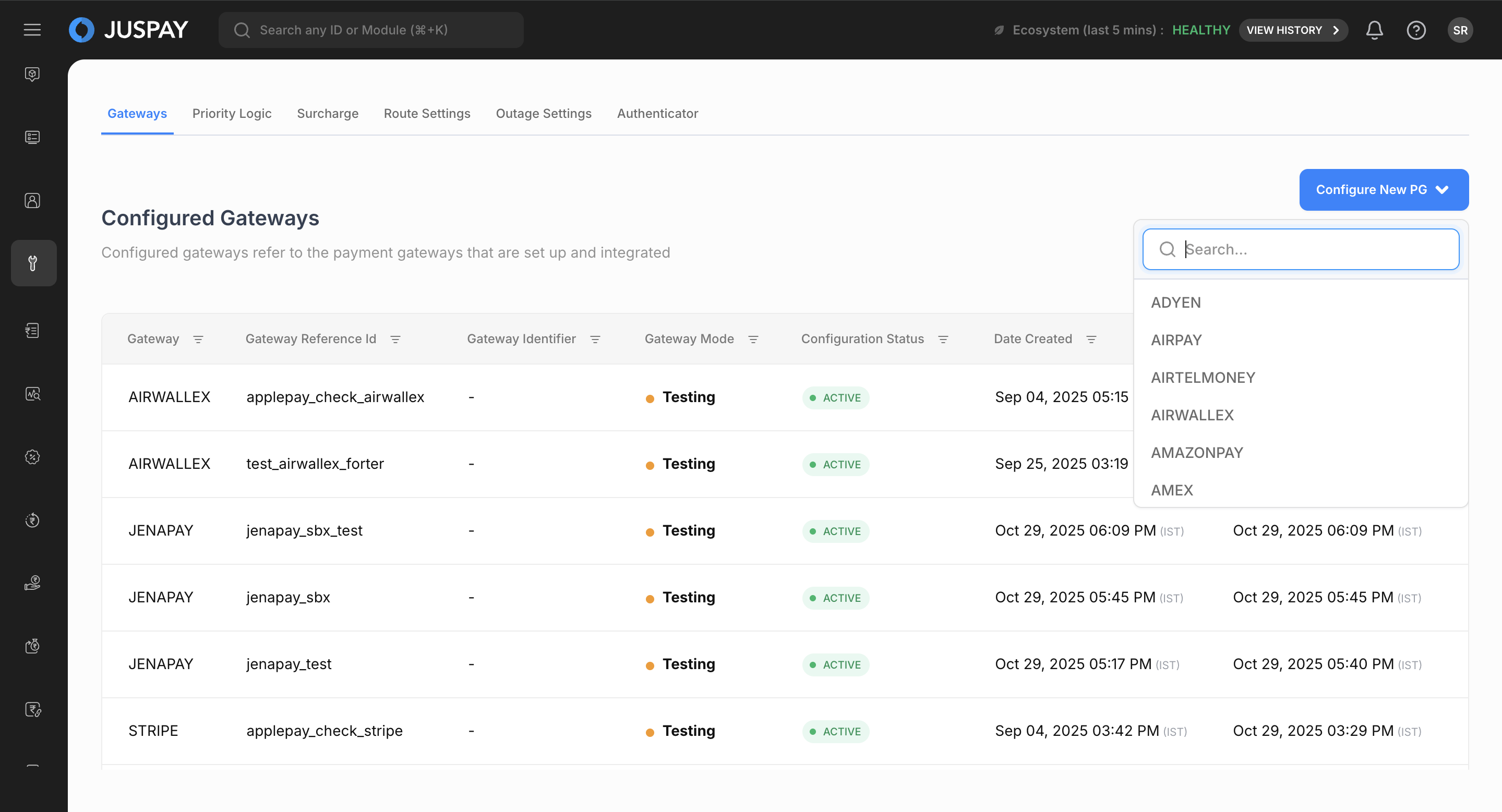
Step 1.2
Select Environment
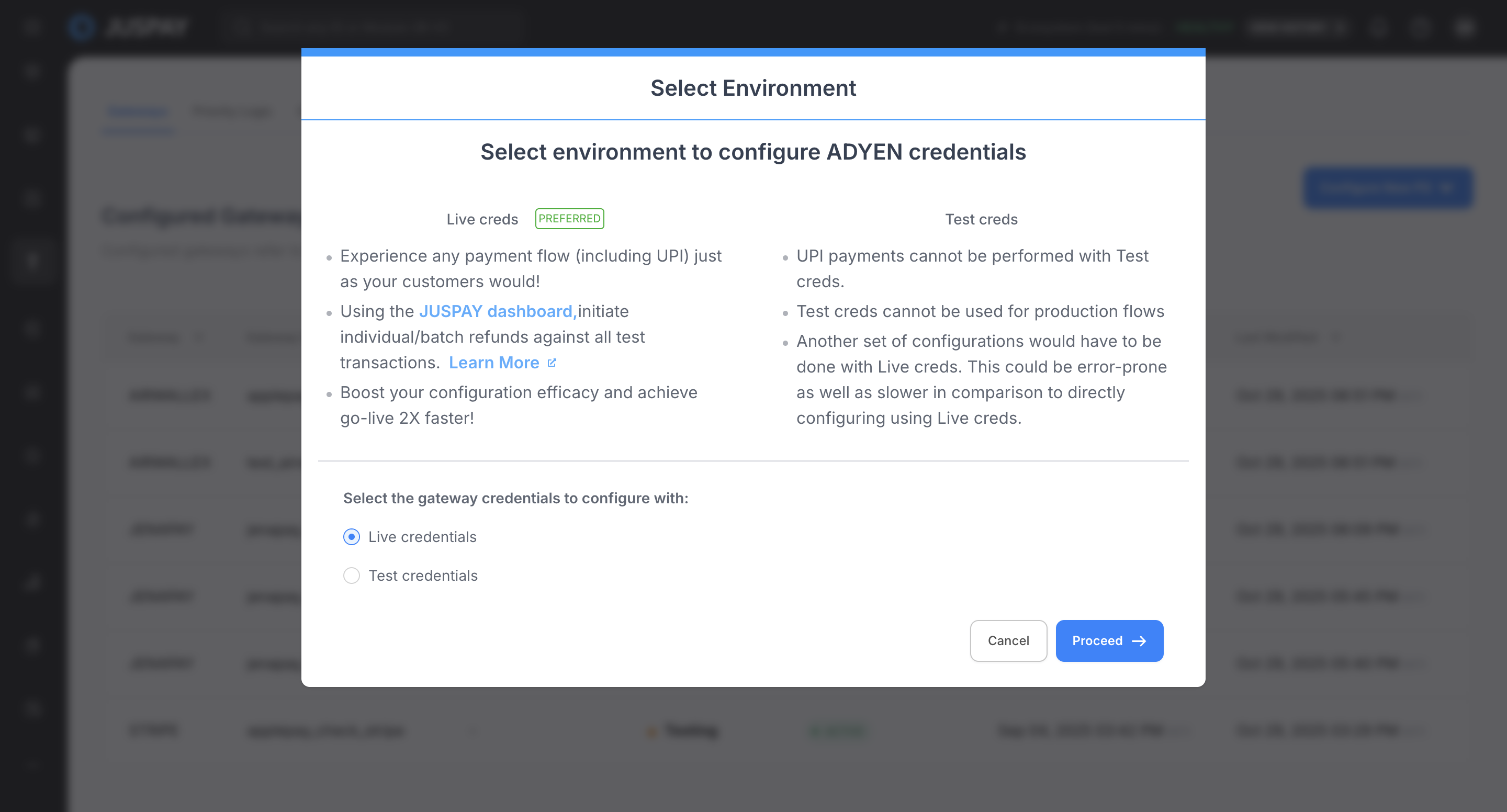
Step 1.3
Assign a Gateway Reference ID
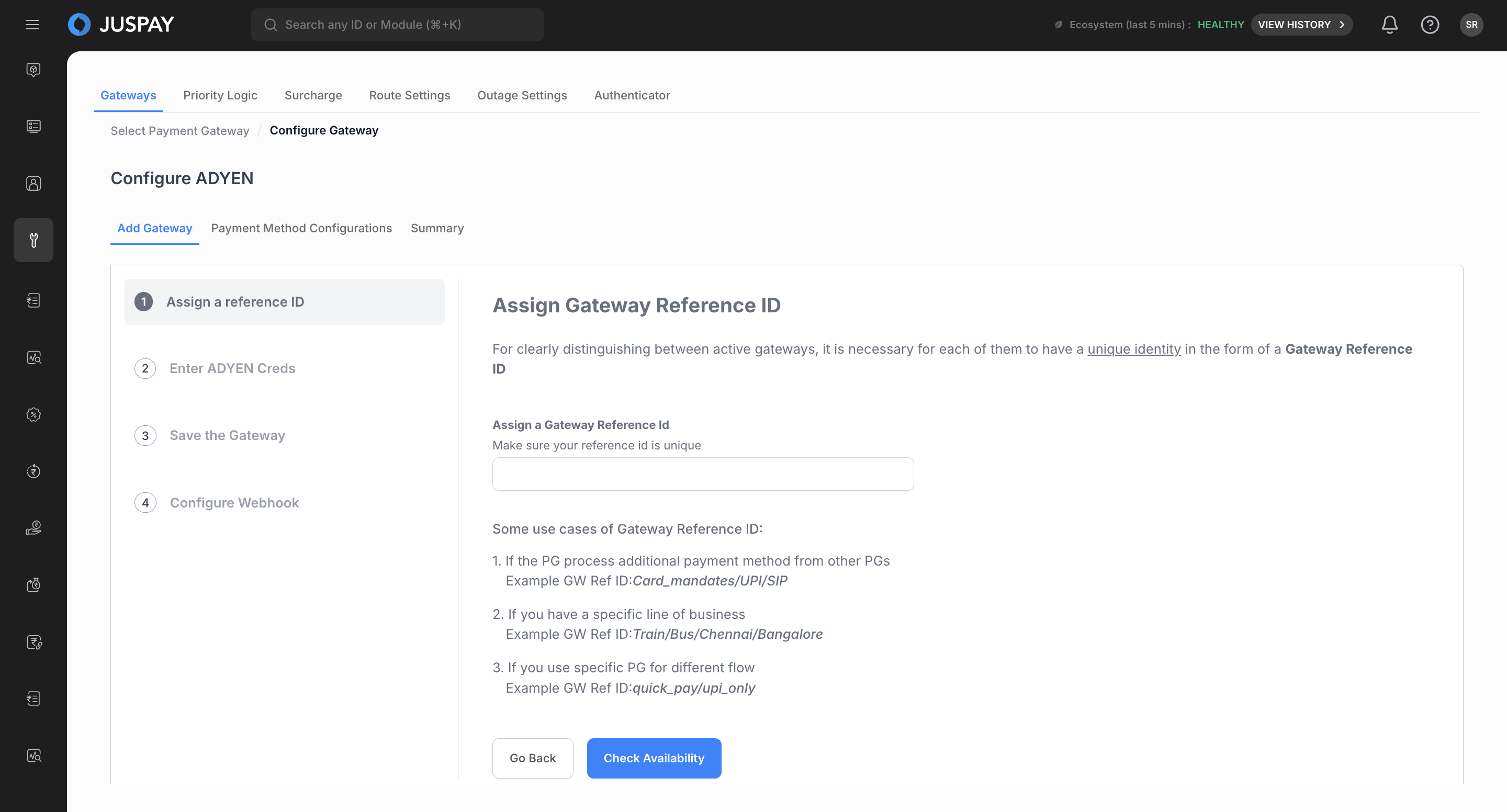
Step 1.4
Enter Gateway Credentials
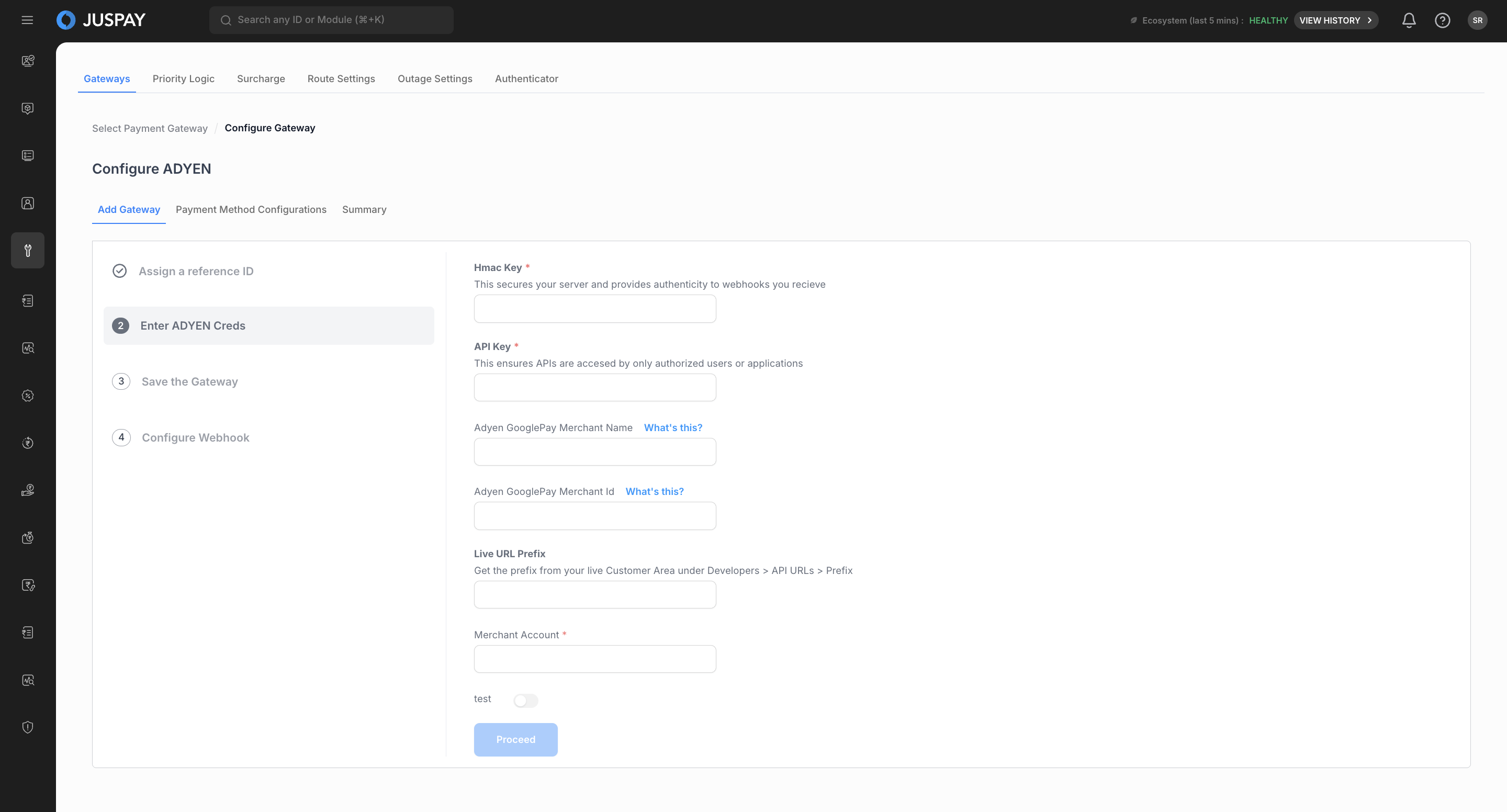
Step 1.5
Review and Save
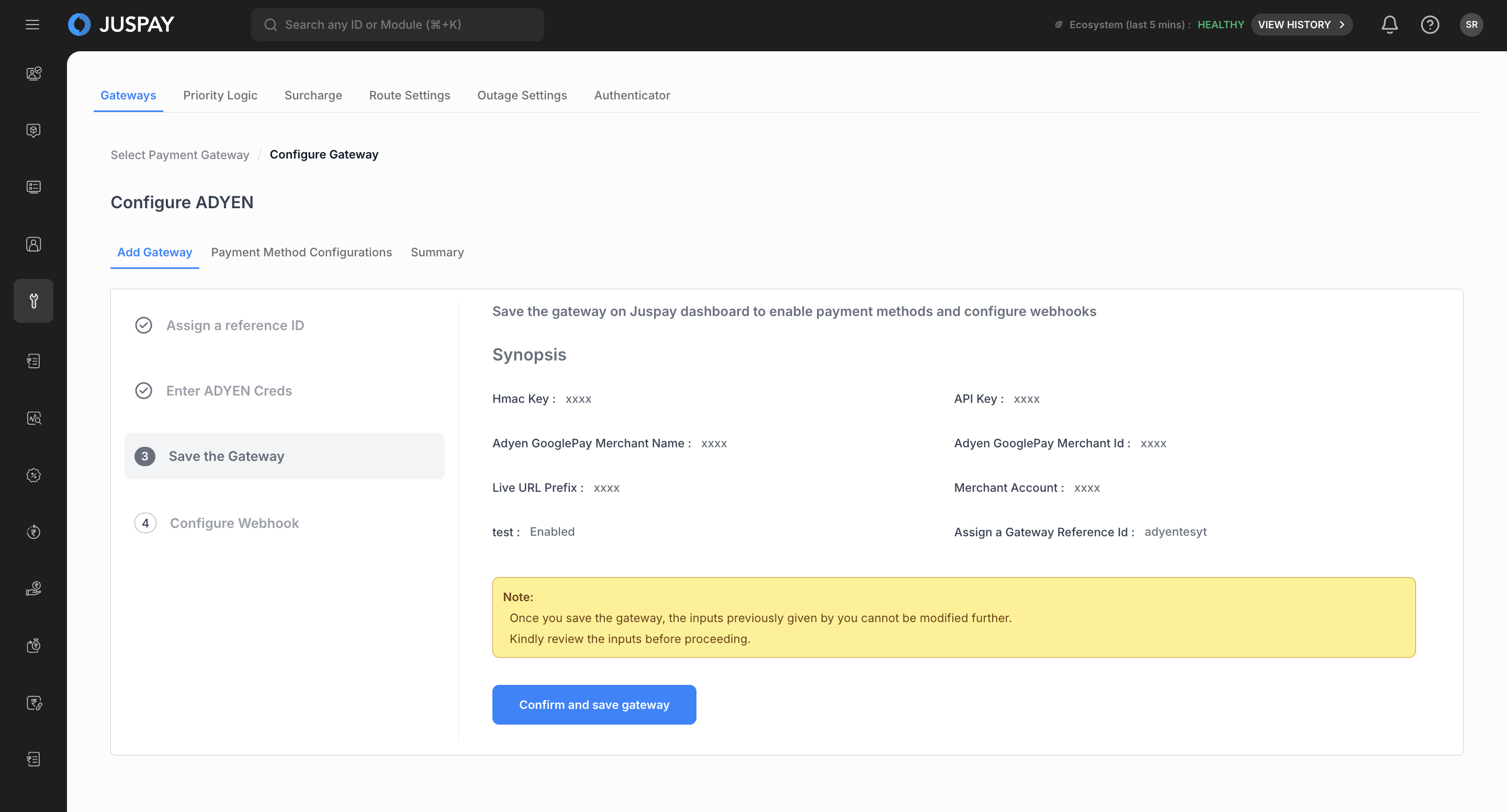
Step 1.6
Webhook Information
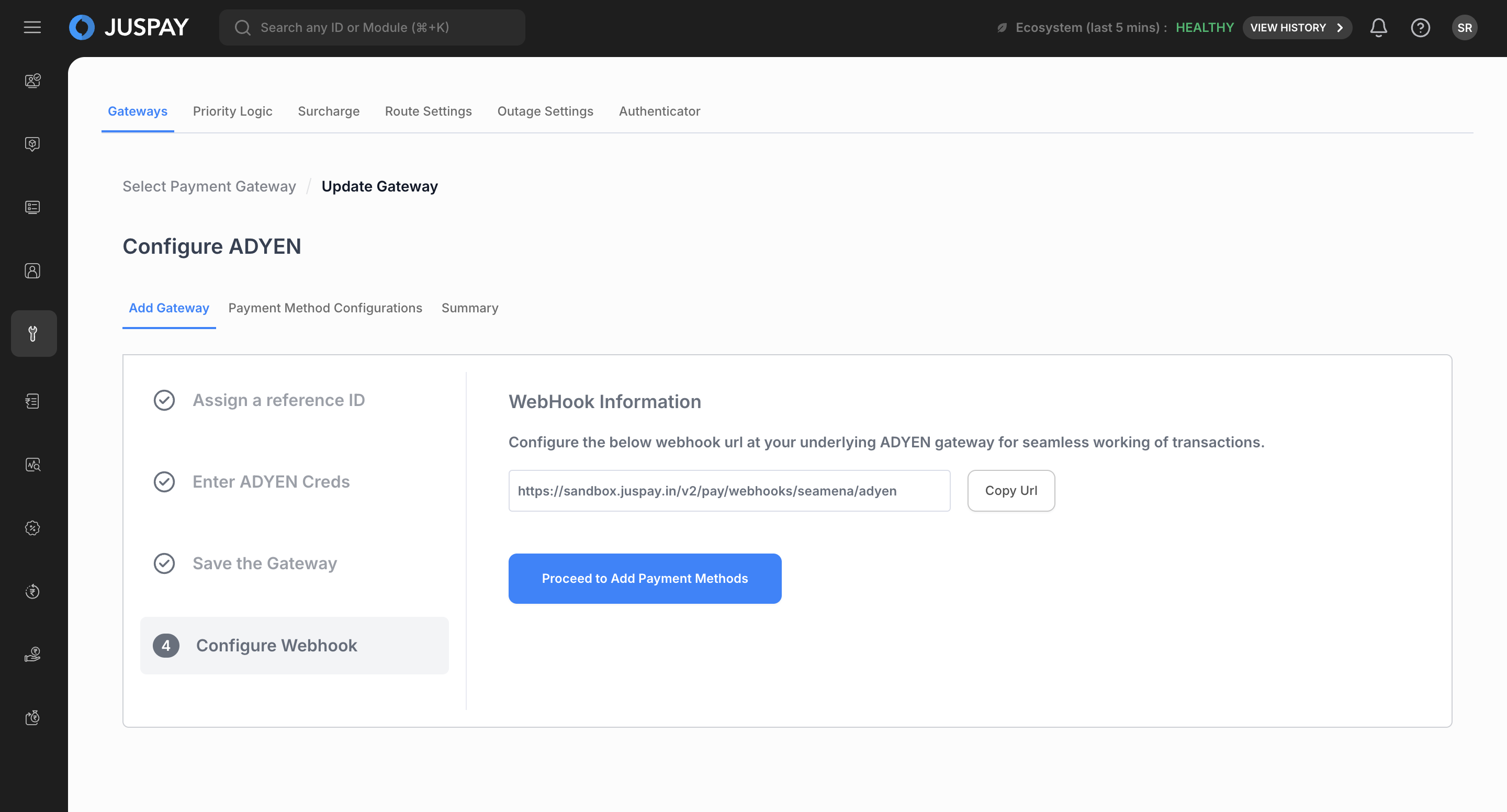
Step 1.7
Payment Method & Currency Configuration
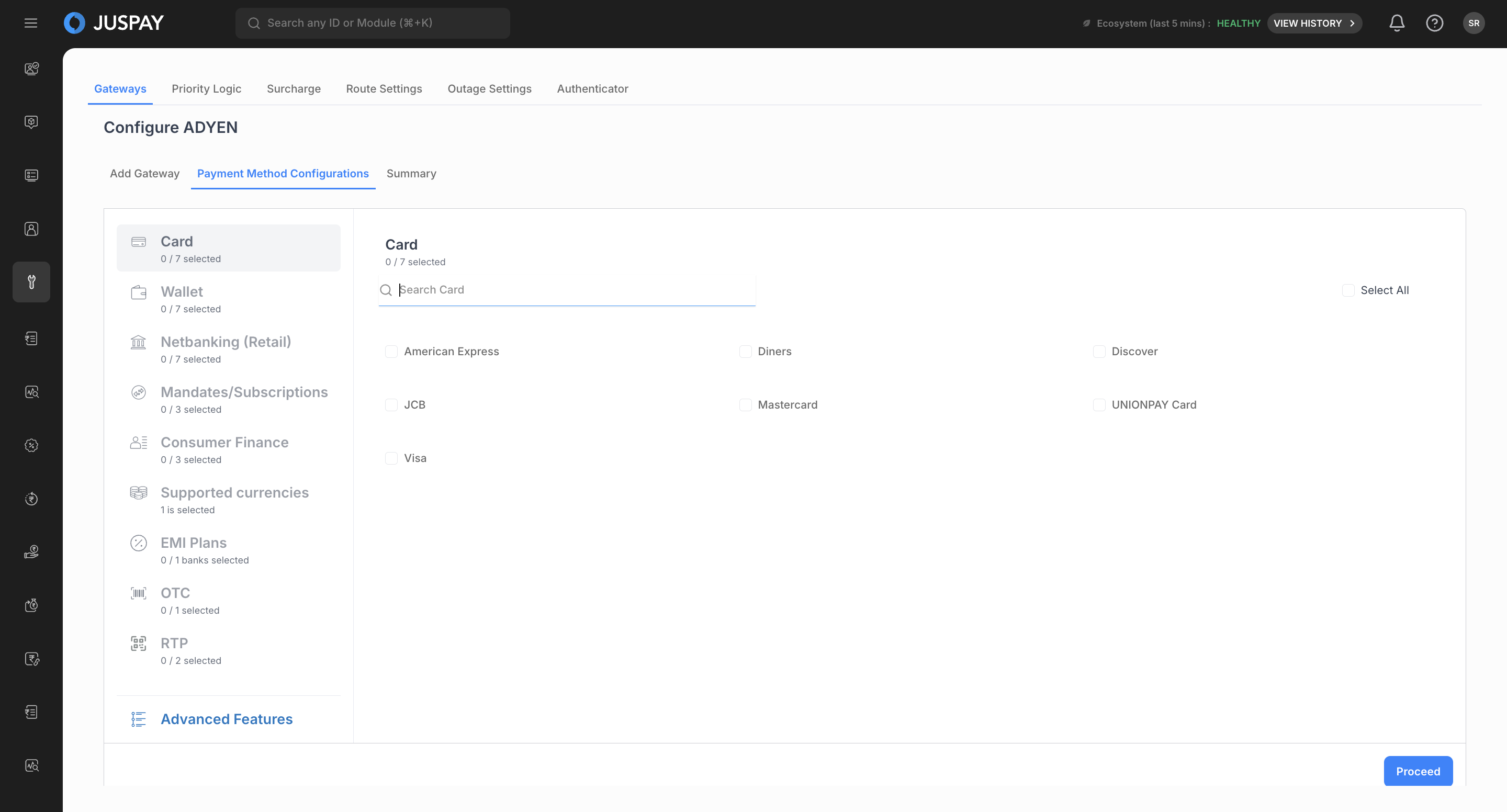
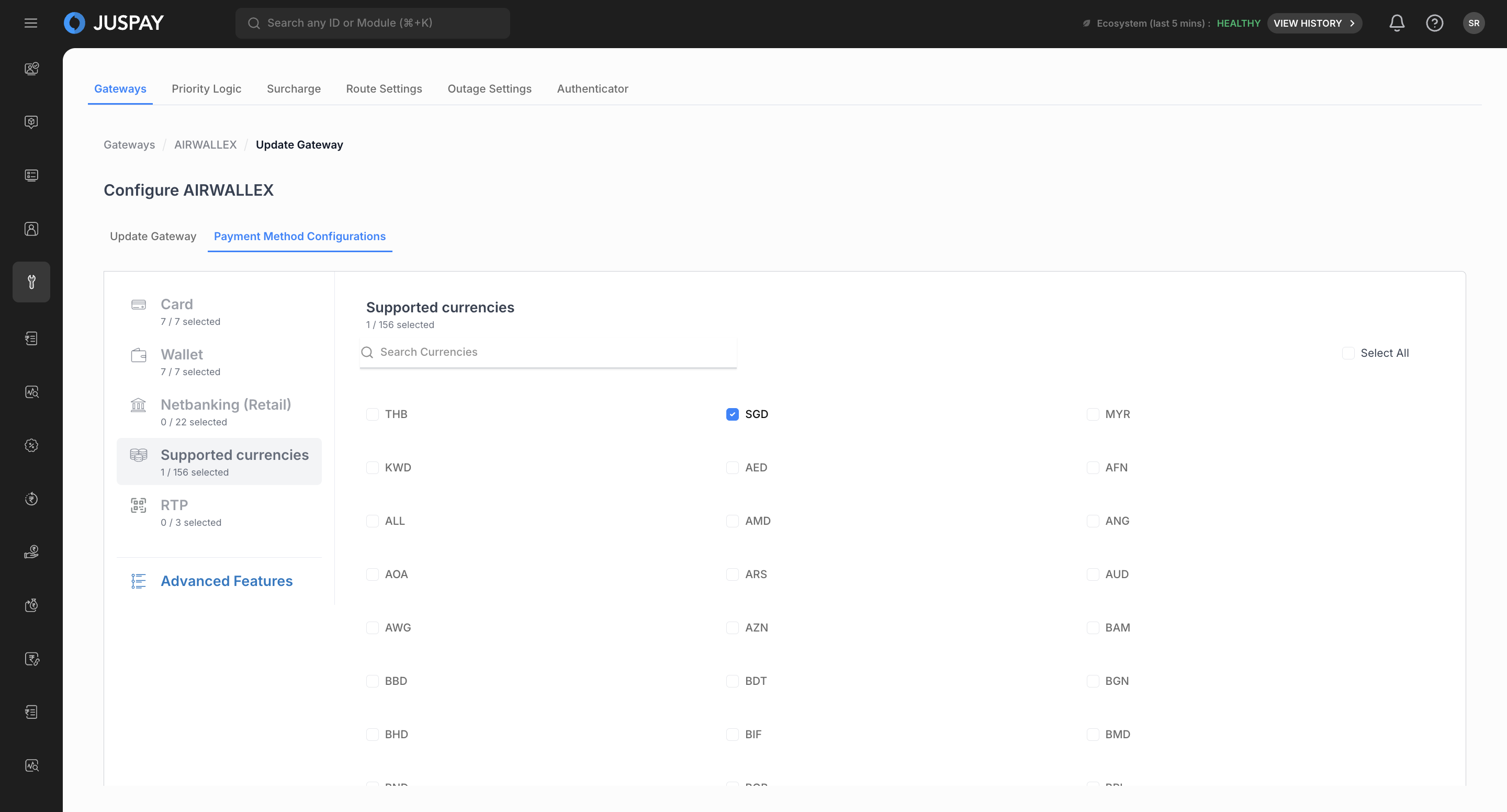
Step 1.8
Configuring Advanced Features
Step 1.9
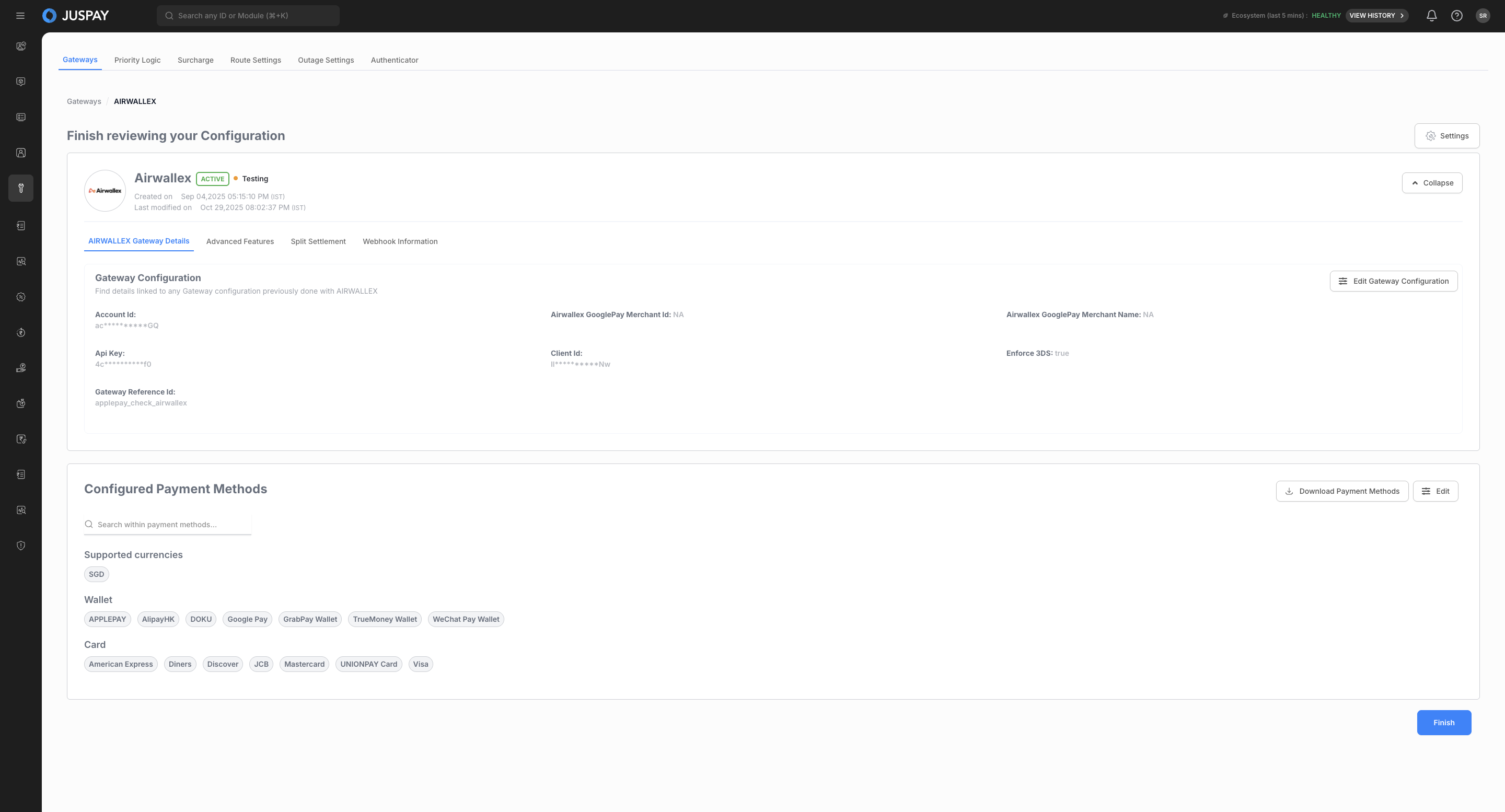
Review and Finish
2. Steps to Update a Configured Gateway.
Follow the steps below
3. Steps to Enable/Disable and Delete a Gateway.
Follow the steps below
Important Notes for SEA Merchants
Note
Ensure your PSP credentials are region-specific (e.g., Xendit Indonesia, Stripe Singapore, 2C2P Thailand).
Verify API keys correspond to your live or sandbox environment.
Always test gateway integrations using sandbox mode before enabling live transactions.
Contact SEA Support for help with configuration, credential validation, or account linkage.