


Merchant's in-house Wallet
 This feature allows merchants to integrate their in-house wallets through a front end Contract in a simplified integration compared to backend API Integration.
This also enables us to reduce back and forth between merchant and Juspay.
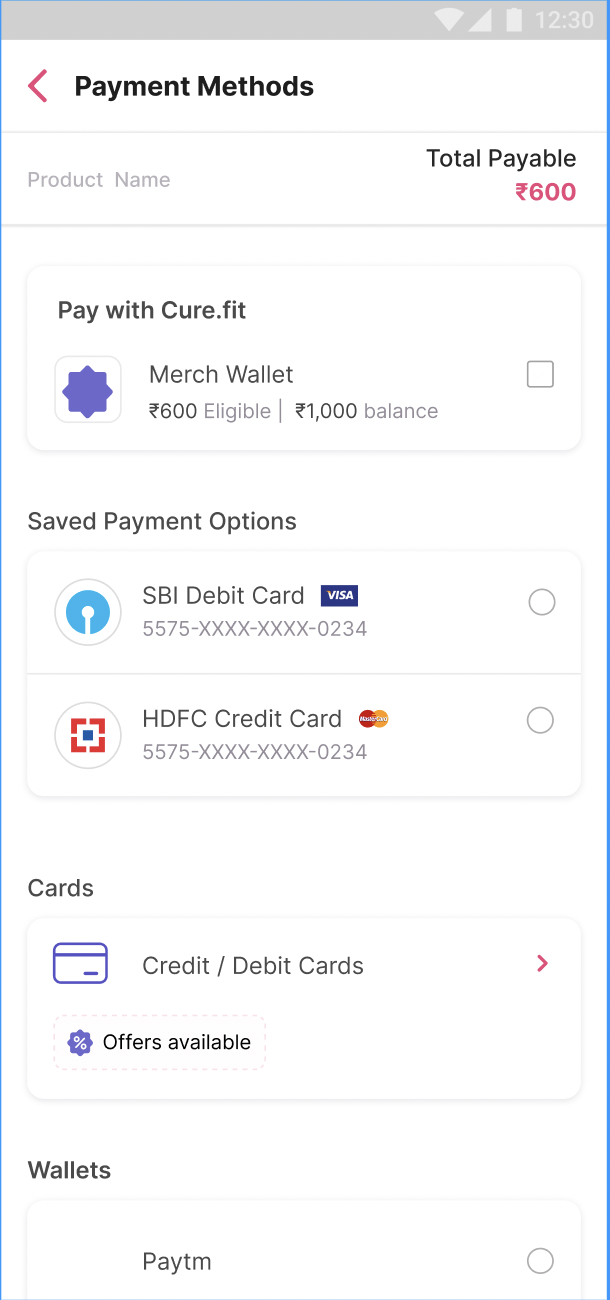
Merchant's wallet will be displayed on Juspay Payment Page and the user can select this wallet along with other payment methods if required.
To avail in-house wallet, enable the wallet option via Merchant Container gateway on the Juspay dashboard.
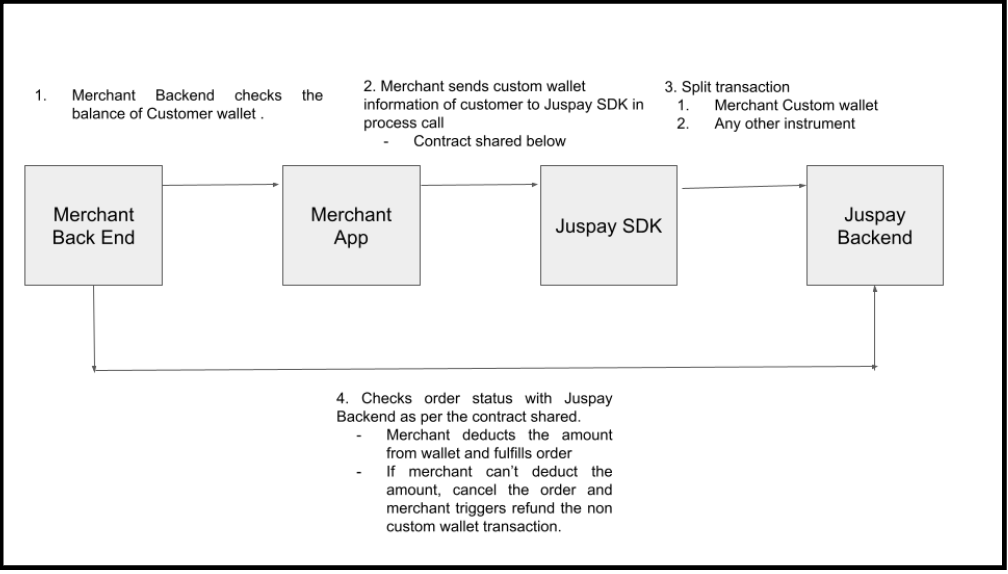
Flow Diagram:
Payload Structure
Payload Example
Scroll inside to view more
|
Primary Payment Method Status (UPI, CARD, WALLET, NB, COD)
|
Secondary Payment Method
|
Overall Order Status
|
|---|---|---|
TERMINAL FAILURE STATE (AUTHENTICATION_FAILED, AUTHORIZATION_FAILED)
| MERCHANT CONTAINER (TO_BE_CHARGED)
| AUTHENTICATION_FAILED, AUTHORIZATION_FAILED,. etc
|
PENDING STATE (NEW, STARTED, PENDING_VBV, VBV_SUCCESSFUL, AUTHORIZING) Item
| MERCHANT CONTAINER (TO_BE_CHARGED)
| PENDING_VBV, PENDING_AUTHENTICATION,. etc
|
TERMINAL SUCCESS STATE (CHARGED)
| MERCHANT CONTAINER (TO_BE_CHARGED)
| PARTIAL_CHARGED
|
COD_INITIATED
| MERCHANT CONTAINER (TO_BE_CHARGED)
| TO_BE_CHARGED
|
order amount = merchant container amount
| MERCHANT CONTAINER (TO_BE_CHARGED)
| TO_BE_CHARGED
|
order amount = merchant container amount
| MERCHANT CONTAINER 1 (TO_BE_CHARGED) + MERCHANT CONTAINER 2 (TO_BE_CHARGED)
| TO_BE_CHARGED
|
Order Status
To check the order status of a merchant container, please consult the following link.