Qwikcilver Documentation
Gift cards feature allows merchants to enhance user engagement by integrating gifting experience including corporate gifts, personal gifts and personalised offers from merchants.
Key Features :
Check Gift card balance.
Allows the customer to pay the entire order with a single gift card.
Allows the customer to pay with multiple gift cards
Allows customer to pay with 1 traditional instrument (NB, Cards, Wallets , UPI) and multiple gift cards.
1. Gateway Configuration

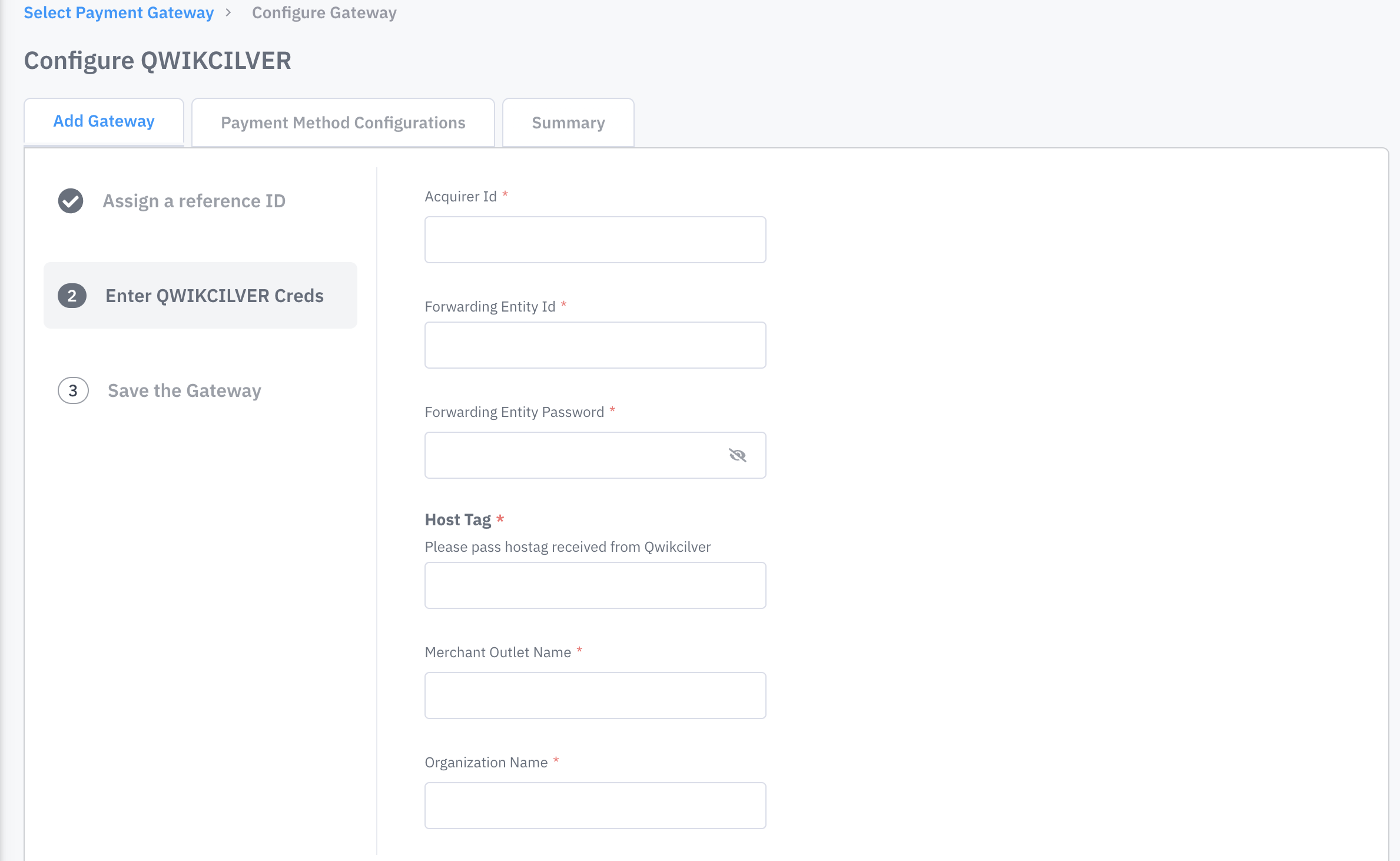
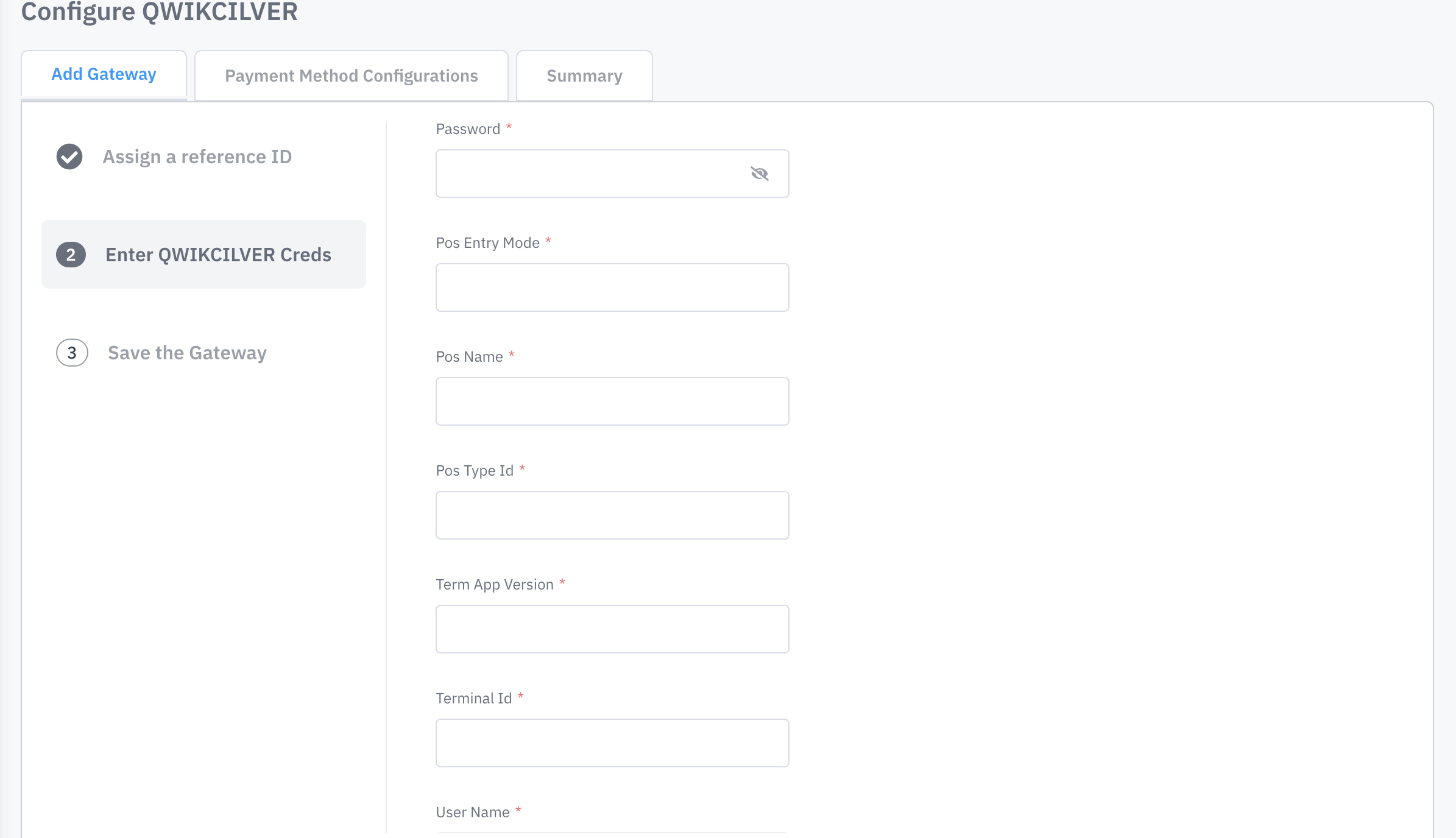
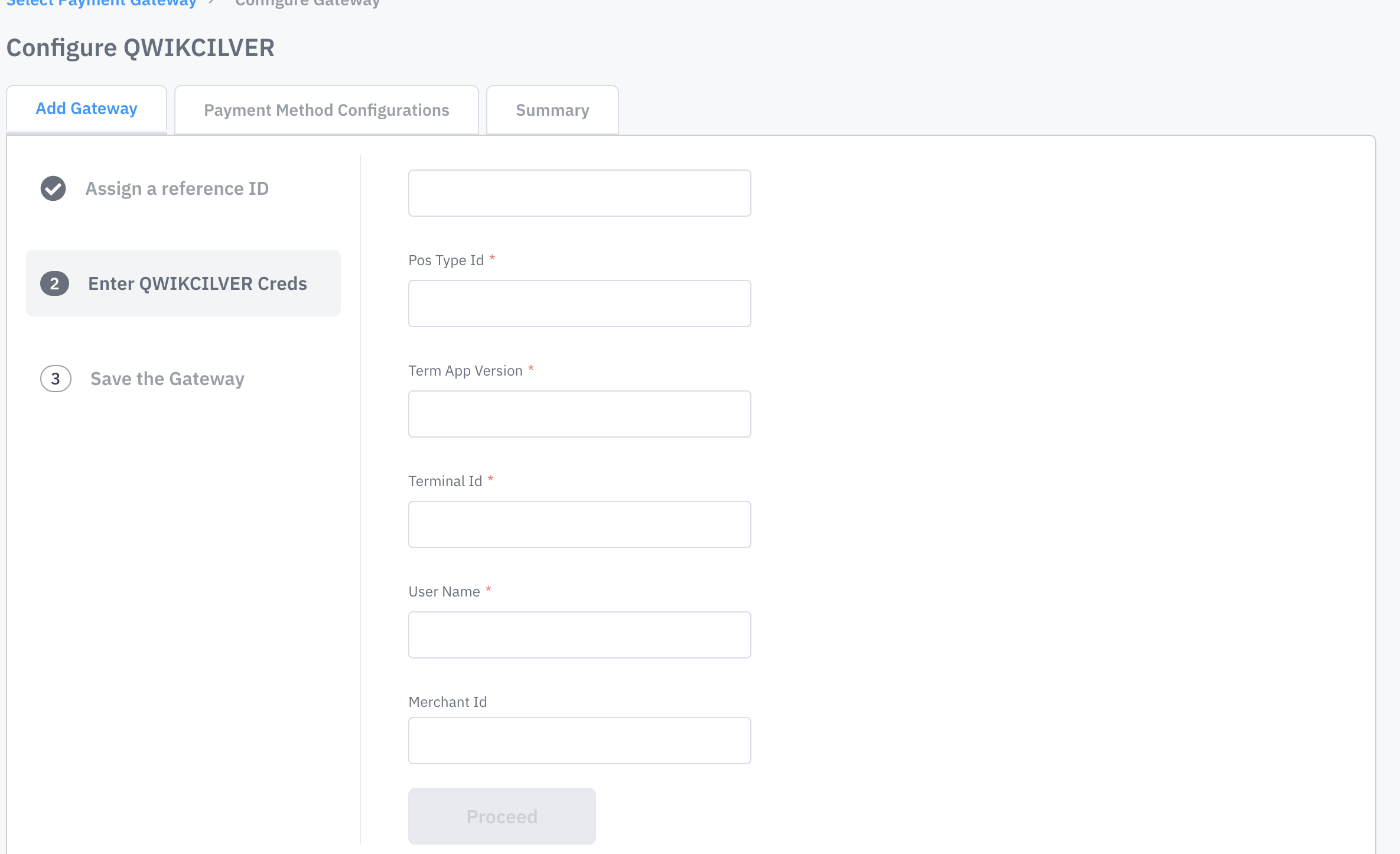
Payment Method Configuration
Select QWIKCILVER Gift Cards from payment Method Configurations

2. End-to-end User flow
.png)
.png)
Juspay has the mechanism to re-try the Qwikcilver transaction if the Capture fails for the first time.
We have also implemented idempotency for this flow.
3. Sample Requests and Responses
Check Gift Card Balance Payload
Transaction Payloads
Order Status Handling Changes
In the current Juspay implementation, transaction details such as payment method ,txn_id and other details are present in the root structure of the orderStatus JSON block.
However, in the integration with Qwikcilver, which involves split transactions, you will find a txn_list as an array block containing the two transactions (UPI + Qwikcilver). It is essential to extract parameters from within the txn_list array block. A sample response is attached below for reference.
Refund Calls
Refund requests (full/partial) can be initiated by a Juspay’s merchant at Transaction level.
Given that Qwikcilver transactions are always split between an existing Gateway and Qwikcilver Gift Cards.
For Transaction based refunds
A. Merchant would initiate refunds against all transaction Ids, with transaction Id and amount to Juspay
B. Merchant will ensure the amount checks and the refund split for both full and partial refunds.
C. Juspay’s refund response will remain the same as what merchants currently see for transaction based refunds. No additional handling required.
Request
Response
4. Testing Scenarios
For the final step towards completing your Qwikcilver Integration, Kindly perform the below mentioned test cases
|
Test Scenario
|
Test Scenario Description
|
|---|---|
Transction with 1 Gift Card
| Kindly perform Successful , Failure Transactions
|
Transctions with 1 Gift Card + Card
| Kindly test for all the scenarios of Each payment methods giving Success, Pending and Failure cases.
|
Transactions with 1 Gift Card + UPI
| Kindly test for all the scenarios of Each payment methods giving Success, Pending and Failure cases.
|
Transactions with 1 Gift Card + NB
| Kindly test for all the scenarios of Each payment methods giving Success, Pending and Failure cases.
|
Transactions with 1 Gift Card + Saved Payment method
| Kindly test for all the scenarios of Each payment methods giving Success, Pending and Failure cases.
|
Add Multiple Gift cards (If use case exists)
| Kindly perform Successful , Failure Transactions
|
Note: These test cases as part of Basic test cases, We request merchants to do extensive testing for all available payments methods available for your MID.
5. Limitations
Juspay is not supporting Offers on traditional instruments if Gift card is added
Refund is to be done at a txn level and not at an order level. If two txns are done for an order and full refund has to be executed, refund API (attached above) to be hit twice with TxnID for each.