JWT Webhooks
For enhanced security, Juspay provides JWT encryption support for webhooks. Merchants already familiar with JWT for API calls can now opt for the feature to encrypt call backs also.
Webhook Payload
Webhook payload can be signed then encrypted to provide confidentiality and integrity. Signed and encrypted payload will be of below format
For a detailed list of webhook events and sample decrypted payload please refer here. 
You can also refer to the sample code to see how to decrypt JWT payload
Enable JWT webhooks from the Dashboard
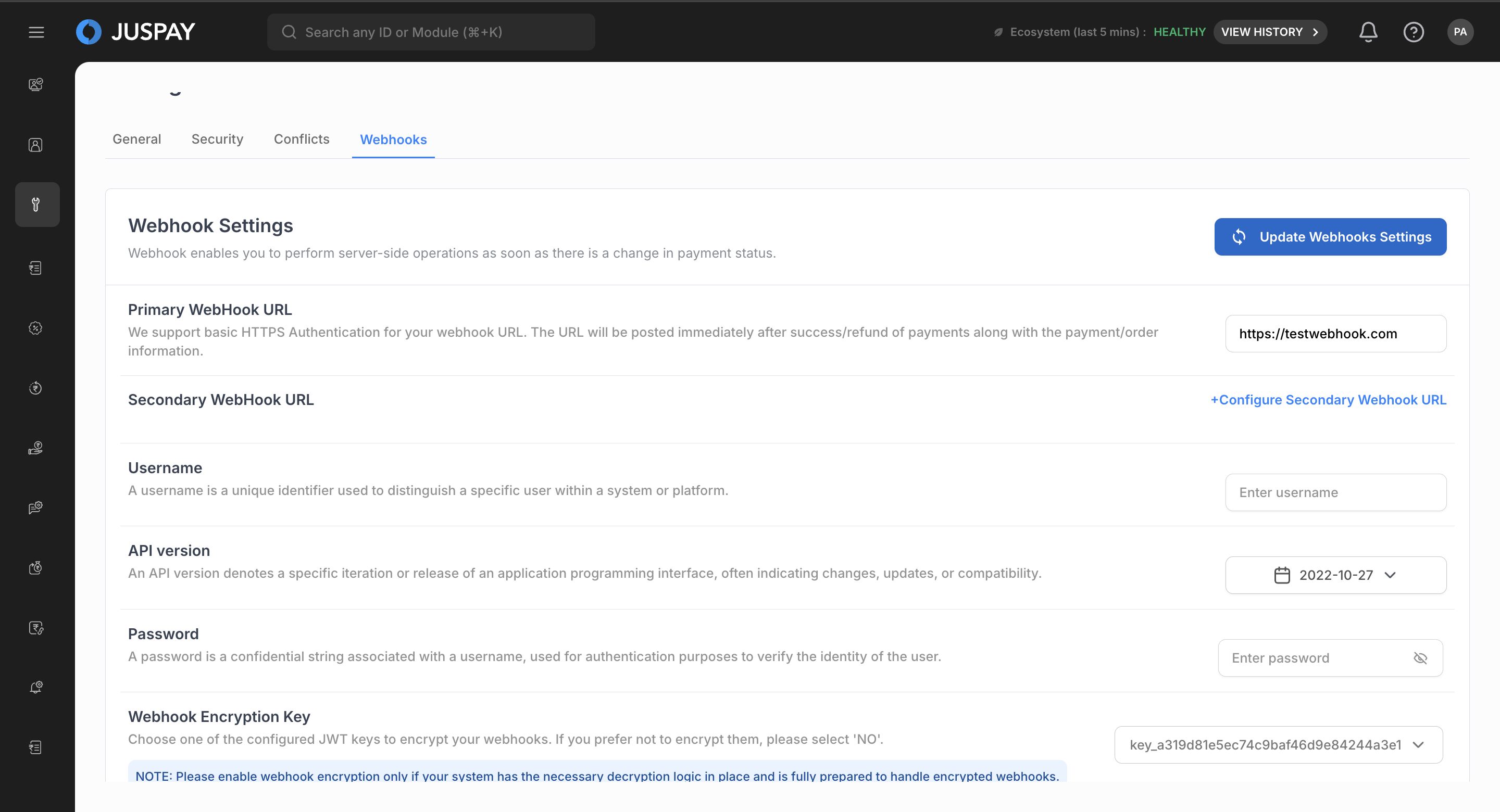
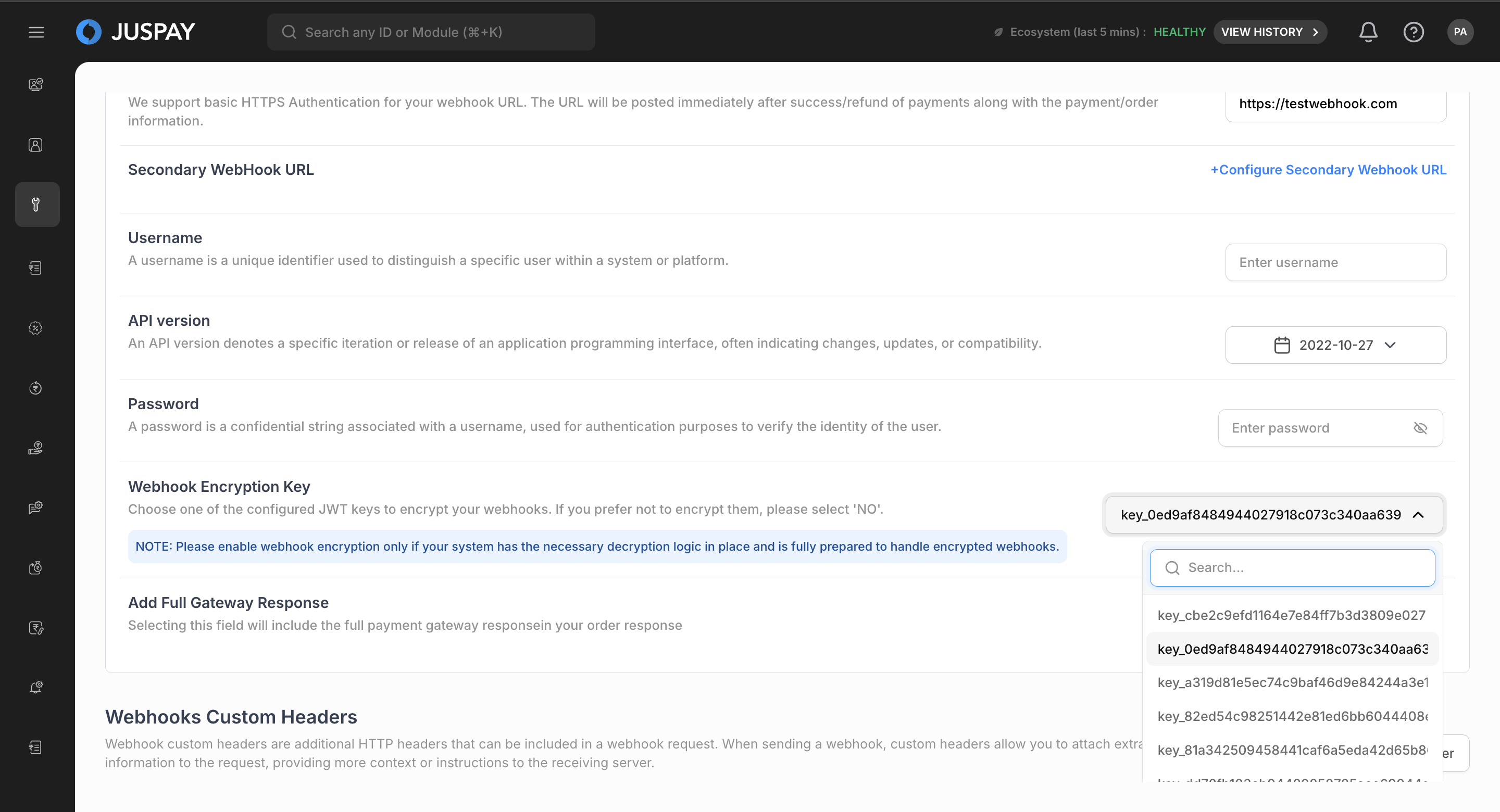
You can enable JWT encryption for webhooks through the dashboard in the settings module under the webhooks tab.
If you are planning to migrate from the existing auth method to JWT and JWT webhooks, please ensure backwards compatibility of webhooks. Once JWT webhooks is enabled and is activated we will start encrypting the webhooks.
Steps to enable JWT encryption from the dashboard -
Find Webhook Encryption Key selector under the webhook settings tab (Payments → Settings → Webhooks)
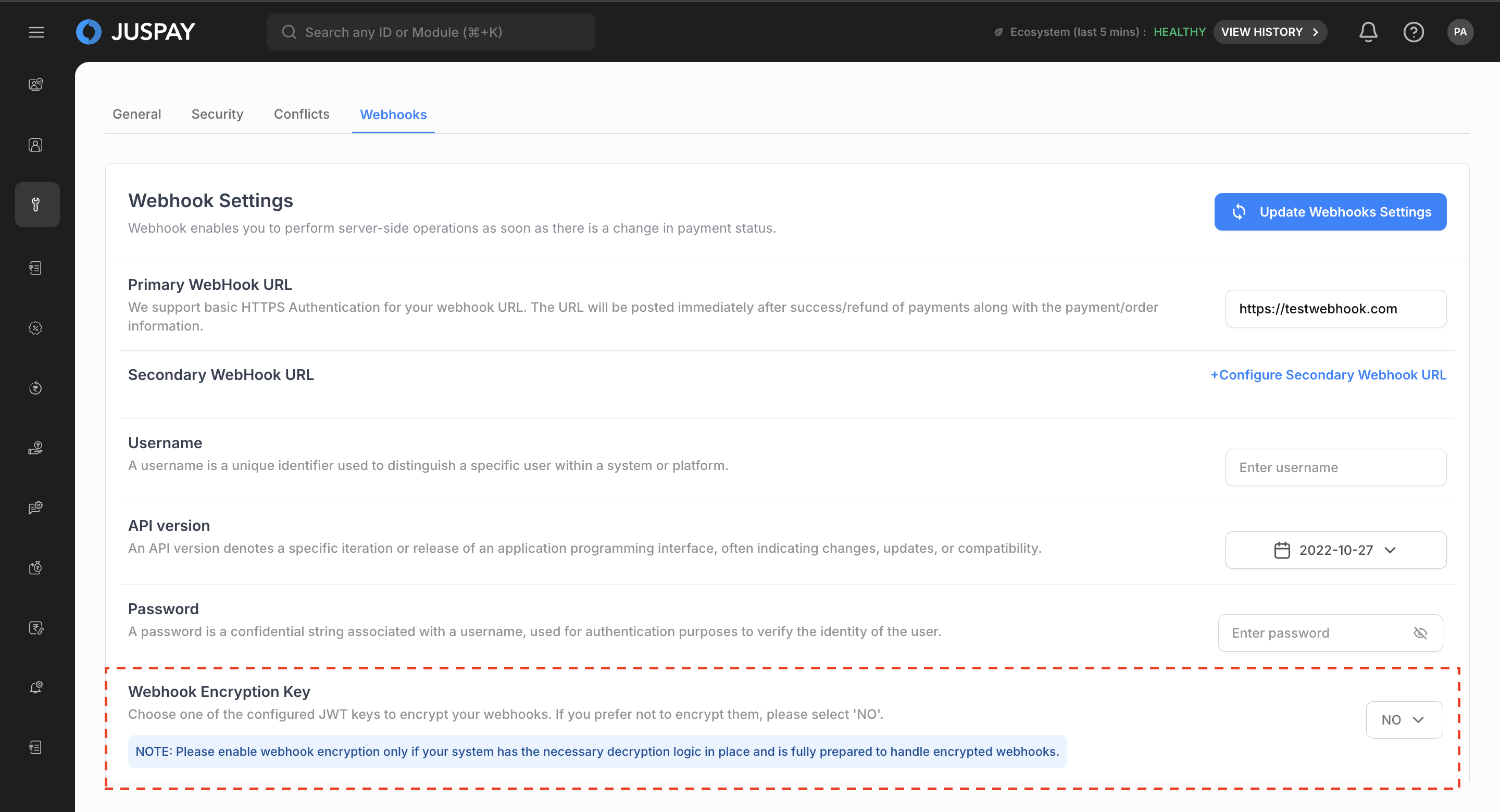
Choose the UUID of the JWT key you plan to use for encrypting webhooks
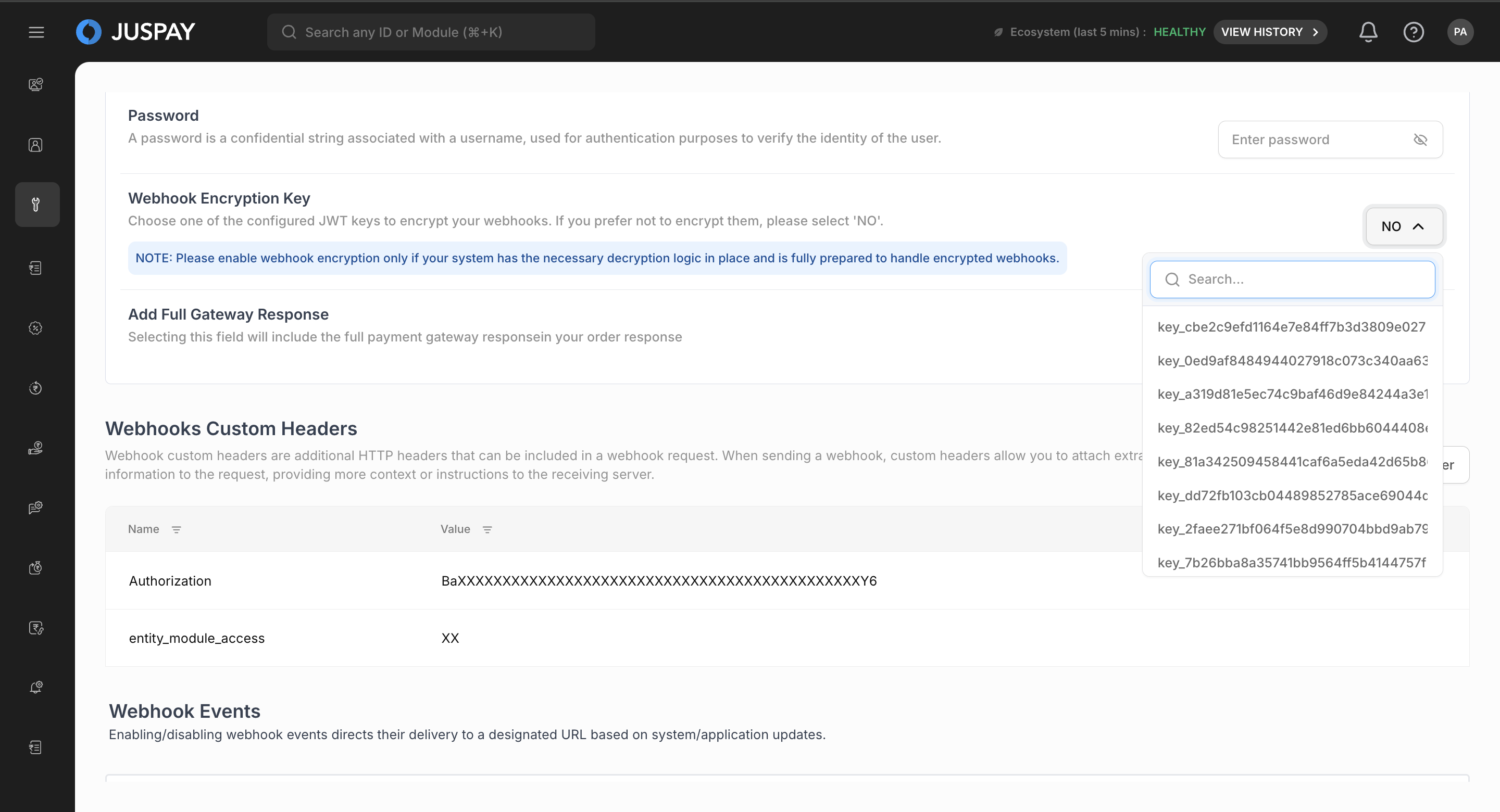
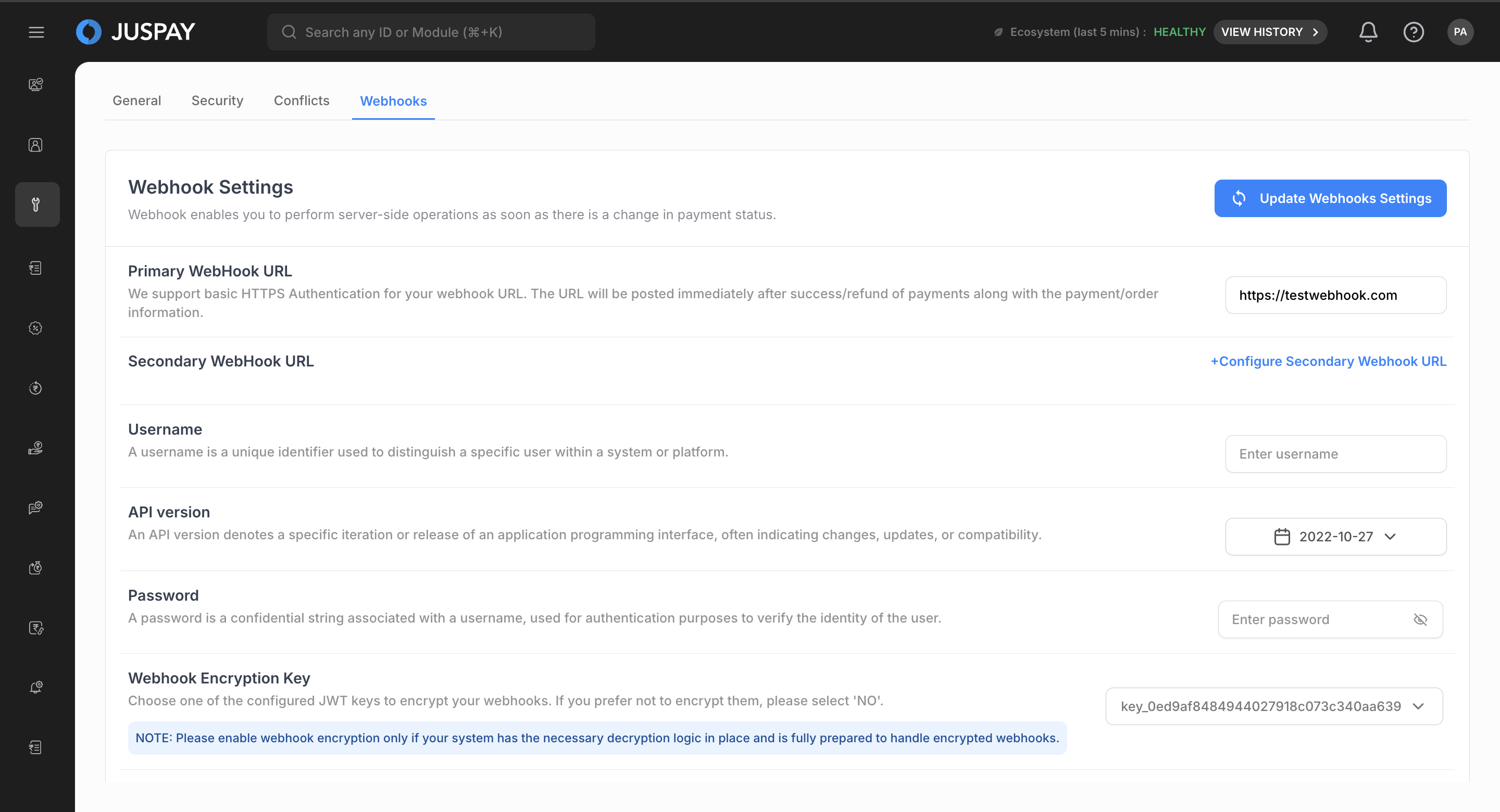
Click the Update Webhook Settings button to confirm your selection
Key Rotation
For security purposes, it is advisable to rotate your API keys at least every 90 days. To update the JWT key used for webhook encryption from the dashboard, please follow these steps:
In the Webhook Encryption Key selector (Payments → Settings → Webhooks), select the UUID of the new key intended for webhook encryption
Click the Update Webhook Settings button to confirm your selection