


Retry
How the Retry Feature Works?
Juspay's Retry feature enhances transaction success rates by intelligently routing payments through gateways with optimal health. If a transaction fails, the retry mechanism analyzes the failure reason, assesses eligible payment methods, and displays a configurable retry screen to the user.
Key Highlights of the Retry Feature:
1. Dynamic Retry Screen
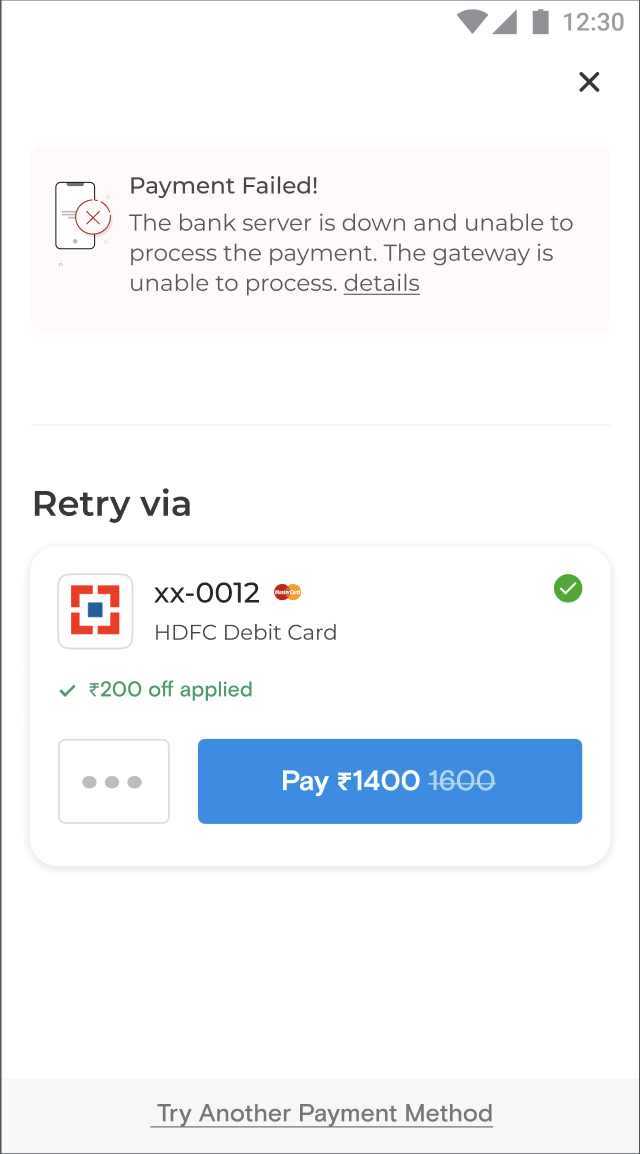
Users are shown a retry screen with alternative payment options and the failure reason instead of a plain error message.
Configurable options include:
Preferred payment methods (e.g., cards, UPI, wallets).
Retry attempts allowed.
Payment method order.
2. Supported Payment Methods
Card Transactions: Retry by brand (e.g., VISA, Mastercard, Rupay).
UPI Transactions: Supports UPI Collect and UPI Intent.
UPI Collect: Retry via UPI handles (e.g., @ybl, @okaxis, @oksbi).
UPI Intent: Retry based on app availability (e.g., GPay, Paytm, PHONEPE).
Wallet Transactions: Linked and unlinked wallets (e.g., Paytm, Mobikwik, LazyPay, Simpl).
Consumer Finance: Supports pay-later options (e.g., ICICI PayLater, EPAYLATER).
In-App Payments: Retry for specific In-Apps-Wallets.
Cash on Delivery (COD): Offers offline payment retries.
3. Retry Configuration
Merchants can customize the retry feature based on:
Number of retries: Set the number of times the retry screen or popup is displayed to the user, showcasing preferred payment methods.
Payment method priority: Optimize the retry screen by prioritizing the order in which payment methods are displayed. For instance, linked wallets can be shown first, followed by unlinked wallets, to enhance user convenience.
Linked wallets: Linked wallets enable one-click payments, significantly boosting success rates. The retry screen can also be configured to display only linked wallets for a streamlined payment experience.
Payment Method Type: Enable the type of payment method to be shown (e.g., CARD, UPI, WALLET, CONSUMER_FINANCE, InApp, CASH_ON_DELIVERY).
Instrument subtype: Tailor retries to specific options (e.g., Visa, LazyPay).
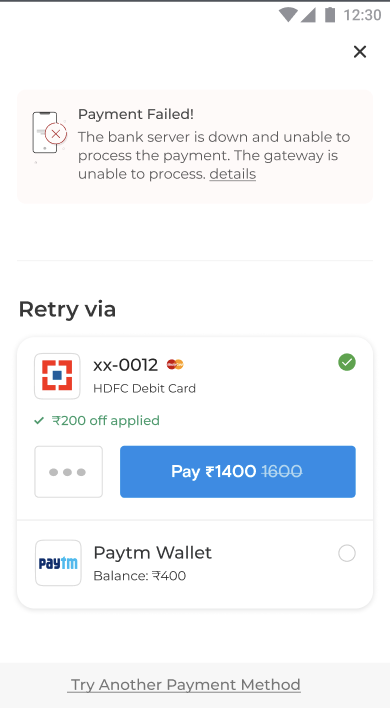
Number of Options: Define the number of retry payment method options to be shown. Configure up to 2 retry payment options to ensure a seamless and non-overwhelming user experience.
4. Logic and Eligibility Checks
Before showing a payment option on retry screen, Juspay ensures:
User Eligibility checks:
Before displaying a payment instrument, eligibility checks are performed for wallets and BNPL (Buy Now, Pay Later) options. These checks verify user eligibility and ensure sufficient balance for the specific order.
For UPI apps, the retry process verifies the app's availability on the user's device. Only eligible and accessible payment instruments are displayed on the retry pop-up, ensuring a seamless payment experience
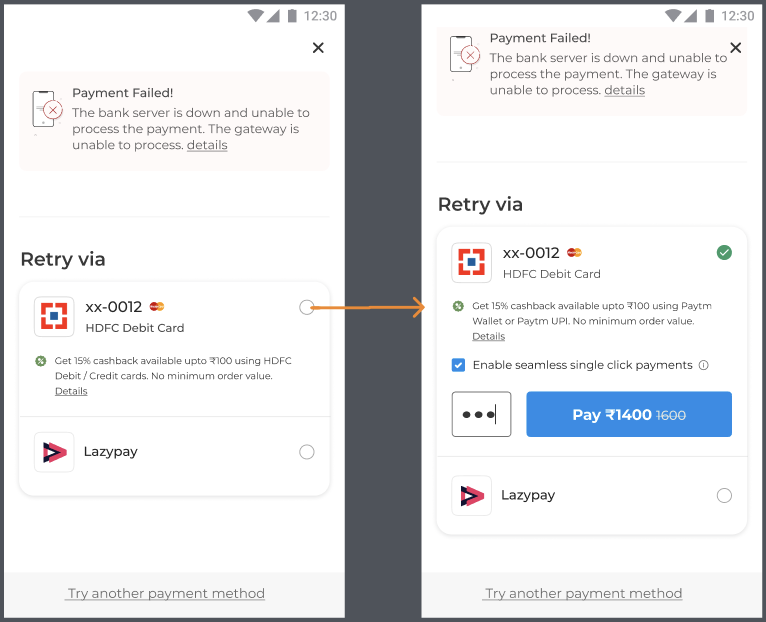
Offers and Mandates: Relevant messages will be displayed to users if the chosen payment instrument supports offers or mandates.
Surcharge: If the selected payment method includes additional charges, the same surcharge logic will be applied on the retry screen, with a clear description of the extra charges displayed to the user.
Payment Locking: When specific payment methods are locked on the payment page, only those options will be displayed on the retry screen, subject to eligible retry logic.
Downtime or Fluctuation: Payment methods experiencing downtime or technical fluctuations will not appear on the retry screen, preventing users from selecting options that may result in further delays or failures.
Easy Retention Route: If the user presses back, cancels the retry pop-up, or selects "Try with another payment method," they will be seamlessly navigated back to the payment page with all available payment options, ensuring a smooth and flexible user experience.
5. User Experience Enhancements
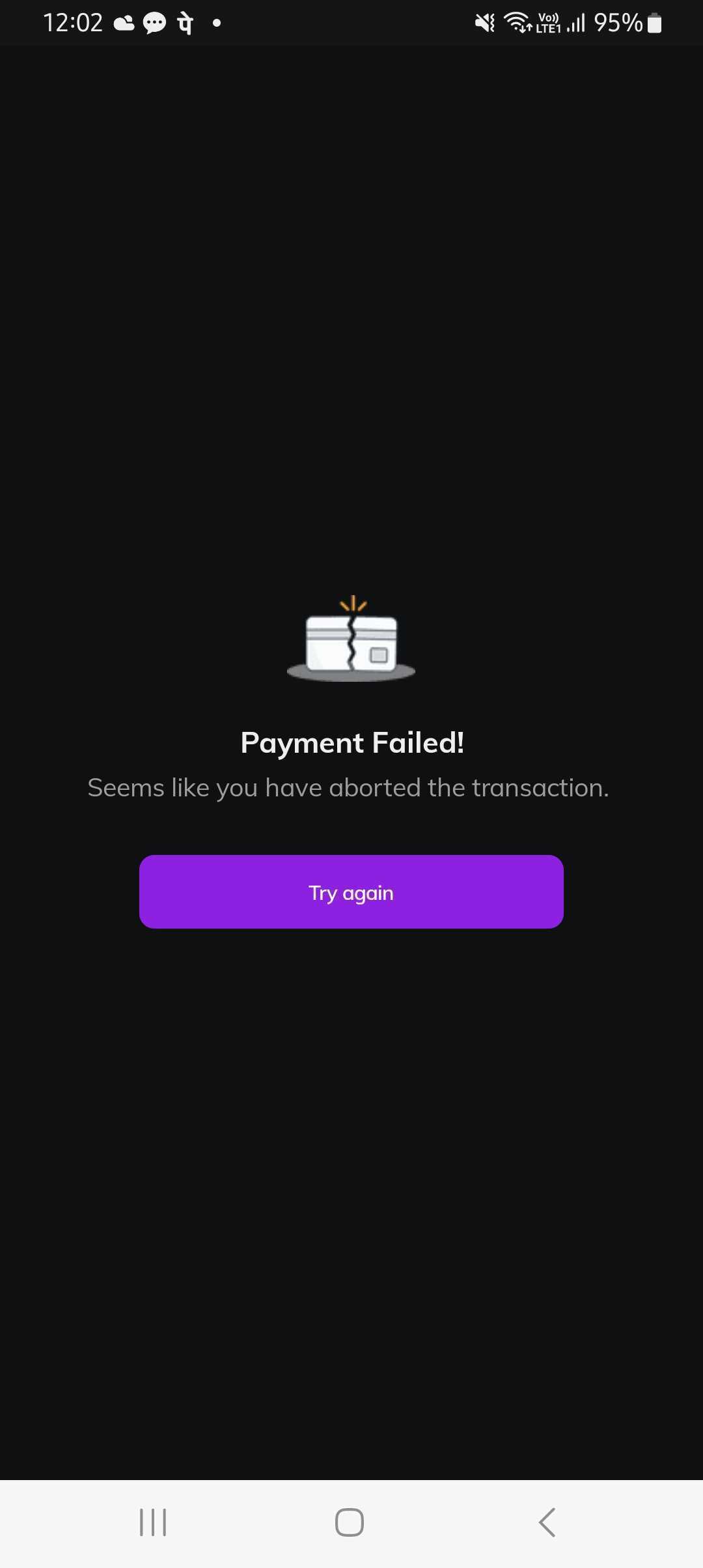
Fallback to Payment Page: If no payment instrument passes the eligibility checks for Retry, the user will be redirected to the standard payment page. Here, they can access the full list of available payment options to complete their transaction.
Retry Limit: Users can exit the payment retry screen only after all retry attempts are exhausted. Allowing multiple retries increases the chances of a successful payment, minimizing the need for refunds and reconciliation.
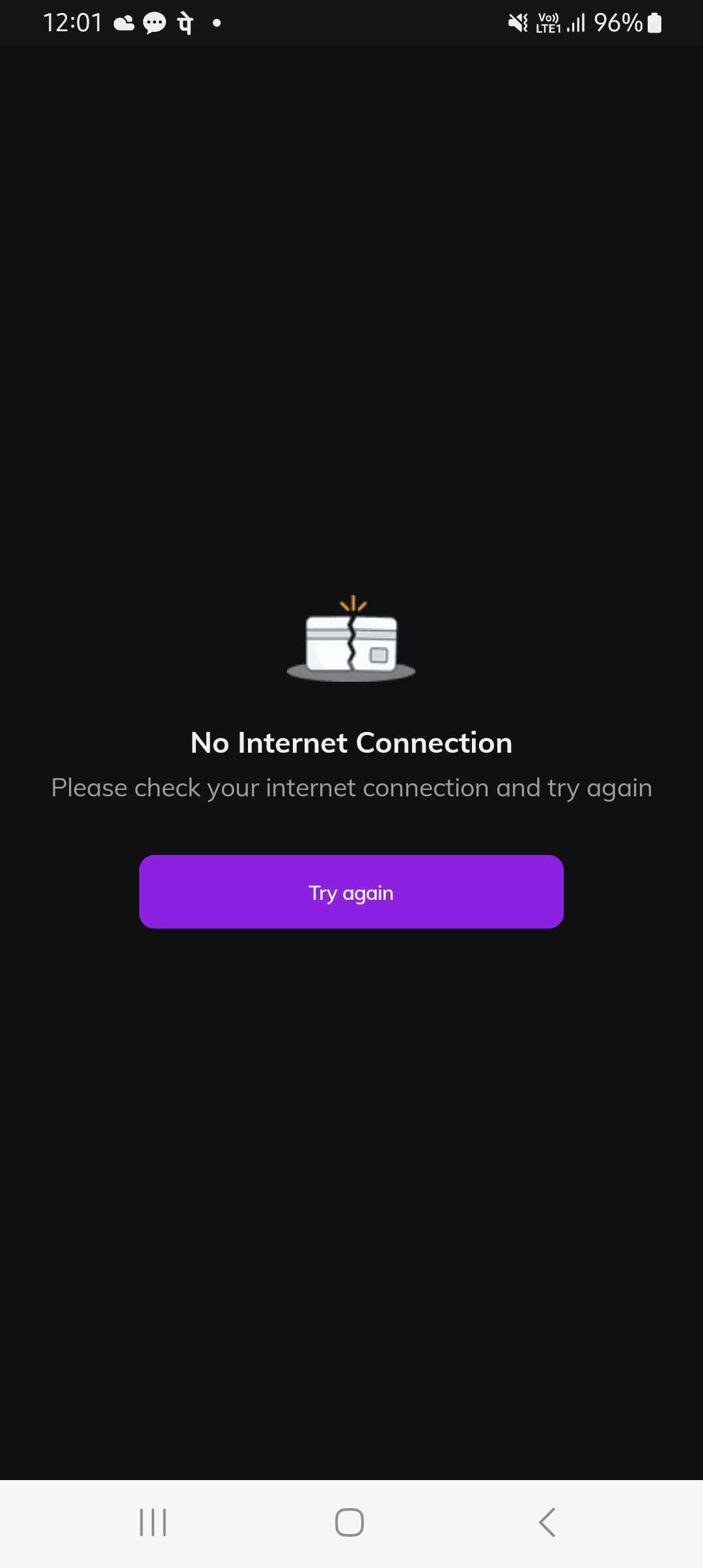
Connectivity Issues: If there is no internet or connectivity problem, users will see a retry screen with a prompt message explaining the issue.
Not Supported: EMI and reward payment methods are excluded.
Platform-Specific: On the web, the "new tab" flow is required for retries.
Outages: Payment methods under maintenance or outage will not appear.
UI/UX Designs:
Option 1: Displaying Saved Cards with Offer Eligibility
Option 2: Showing Up to 2 Recommended Payment Options on Retry Flow
Option 3: Retry screen with Offers Views - Cashback, Coupons
Option 4: Retry screen with order amount and the payment options with Sub-header
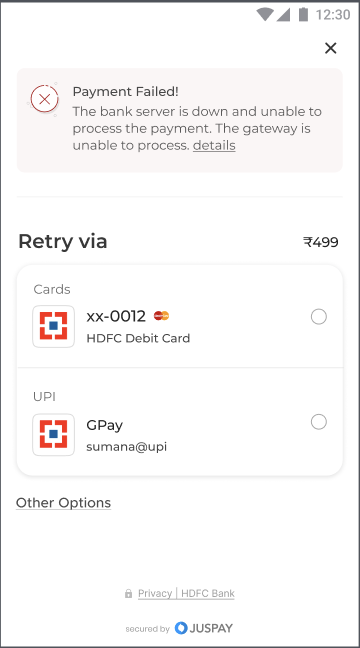
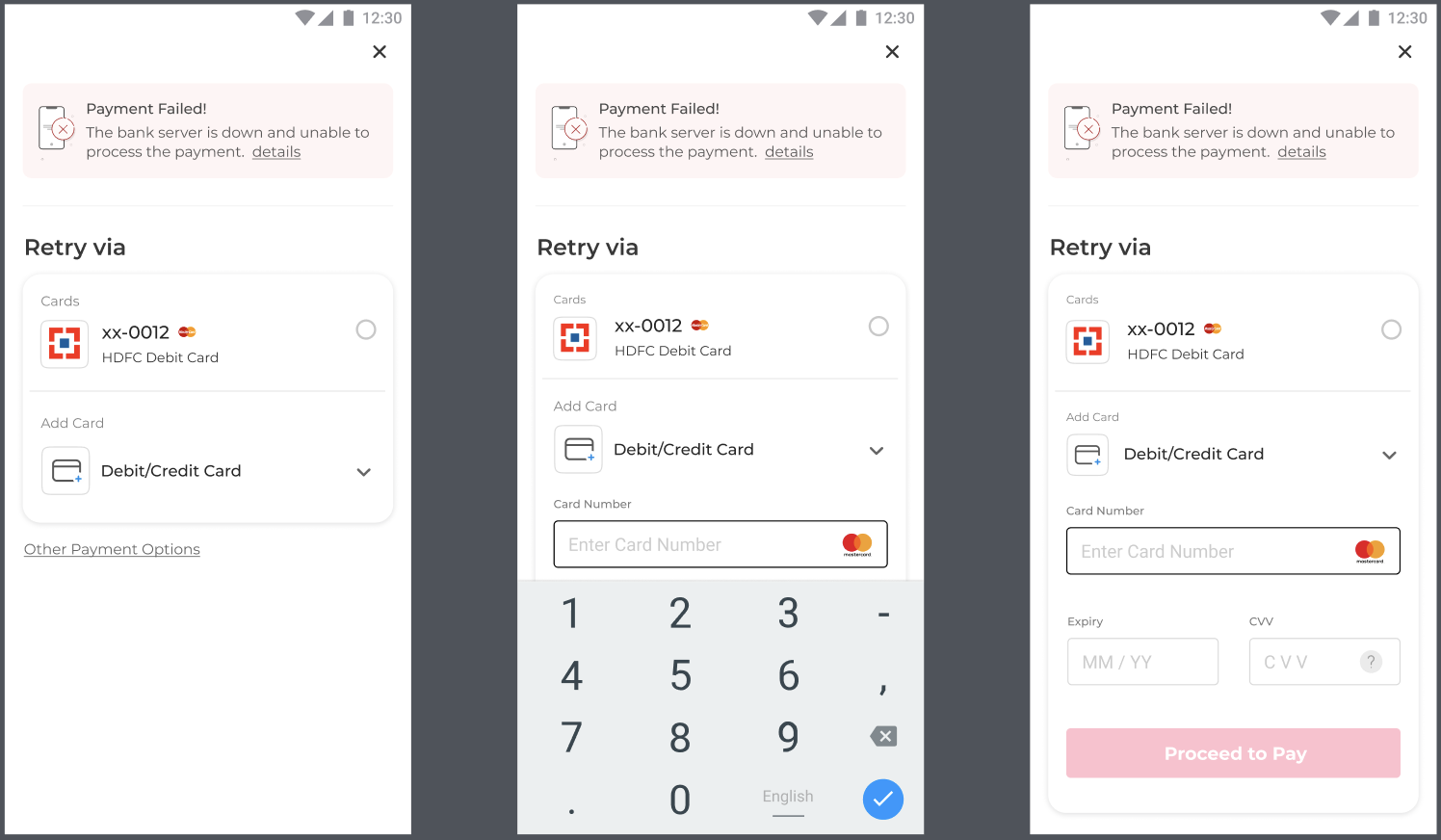
Option 5: Retry screen showing Add Card and saved card payment option
Option 6: If payment methods enabled for retry is not eligible, user is provided with option to navigate to the main payment page.
Option 7: Incase of internet connectivity issues, user are shown with prompt message for the transaction retry
Analytics
Use SDK Analytics module on the Juspay Analytics Dashboard to get to know the total retry screen shown,total retried transactions and successful retired transactions