


BHARATX PAY IN 3
Gateway Configuration:
1. Configure the sandbox gateway credentials on your Sandbox environment / Configure and enable Production Credentials on your Production Environment
Note
Sandbox URL : https://sandbox.portal.juspay.in Production URL : https://portal.juspay.in
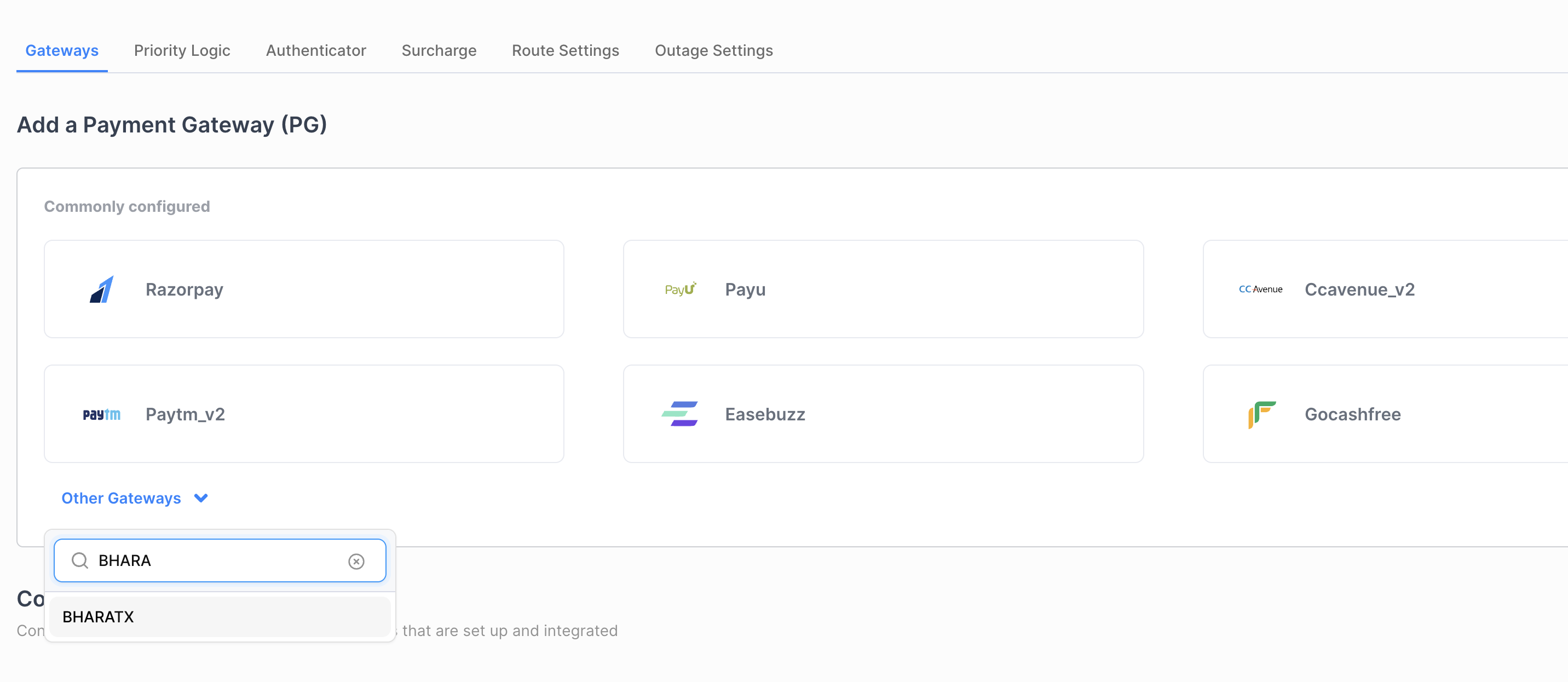
Step 1
Configuring a new gateway account for BHARATX on the Juspay Dashboard
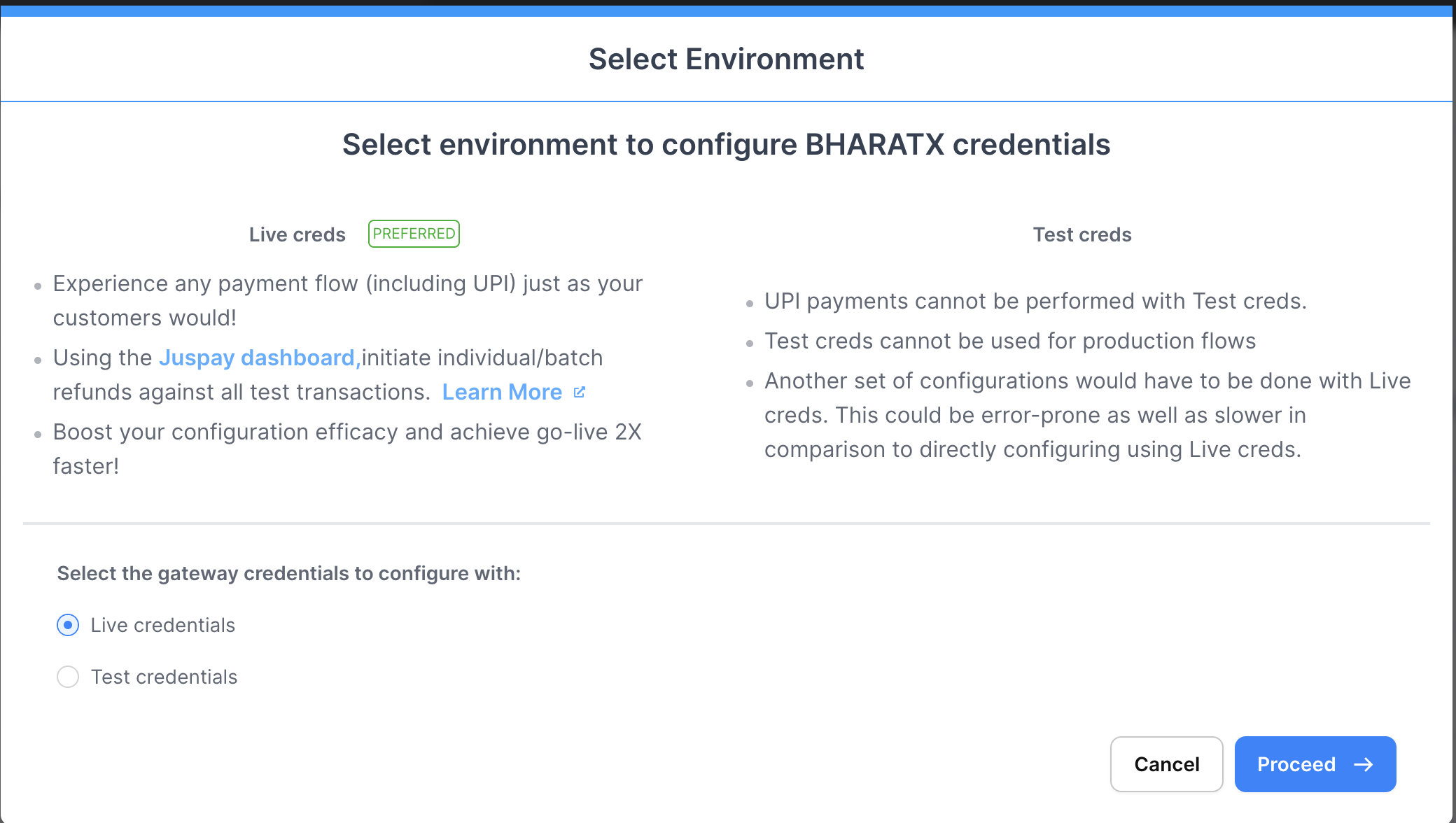
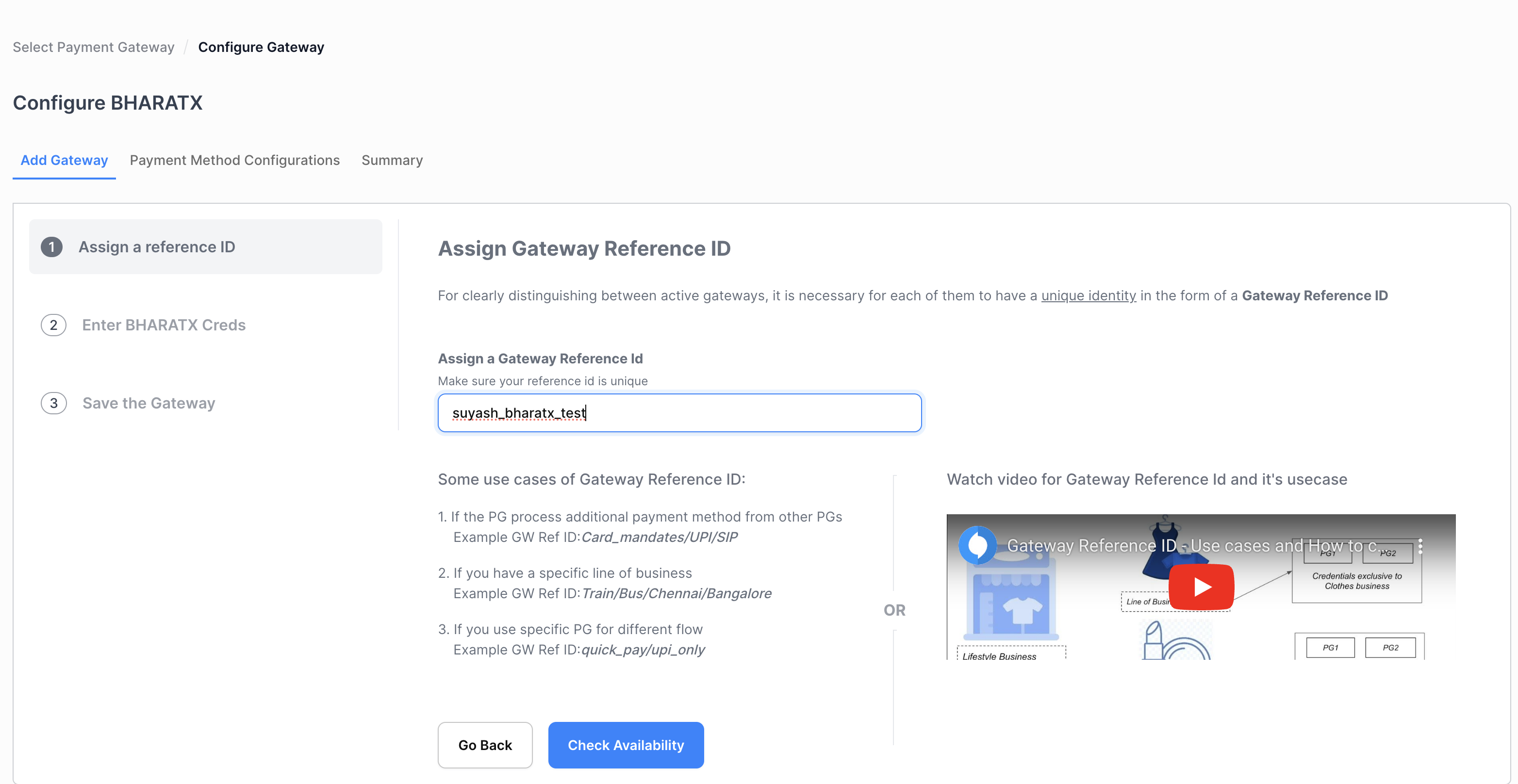
Step 2
Adding Gateway Credentials
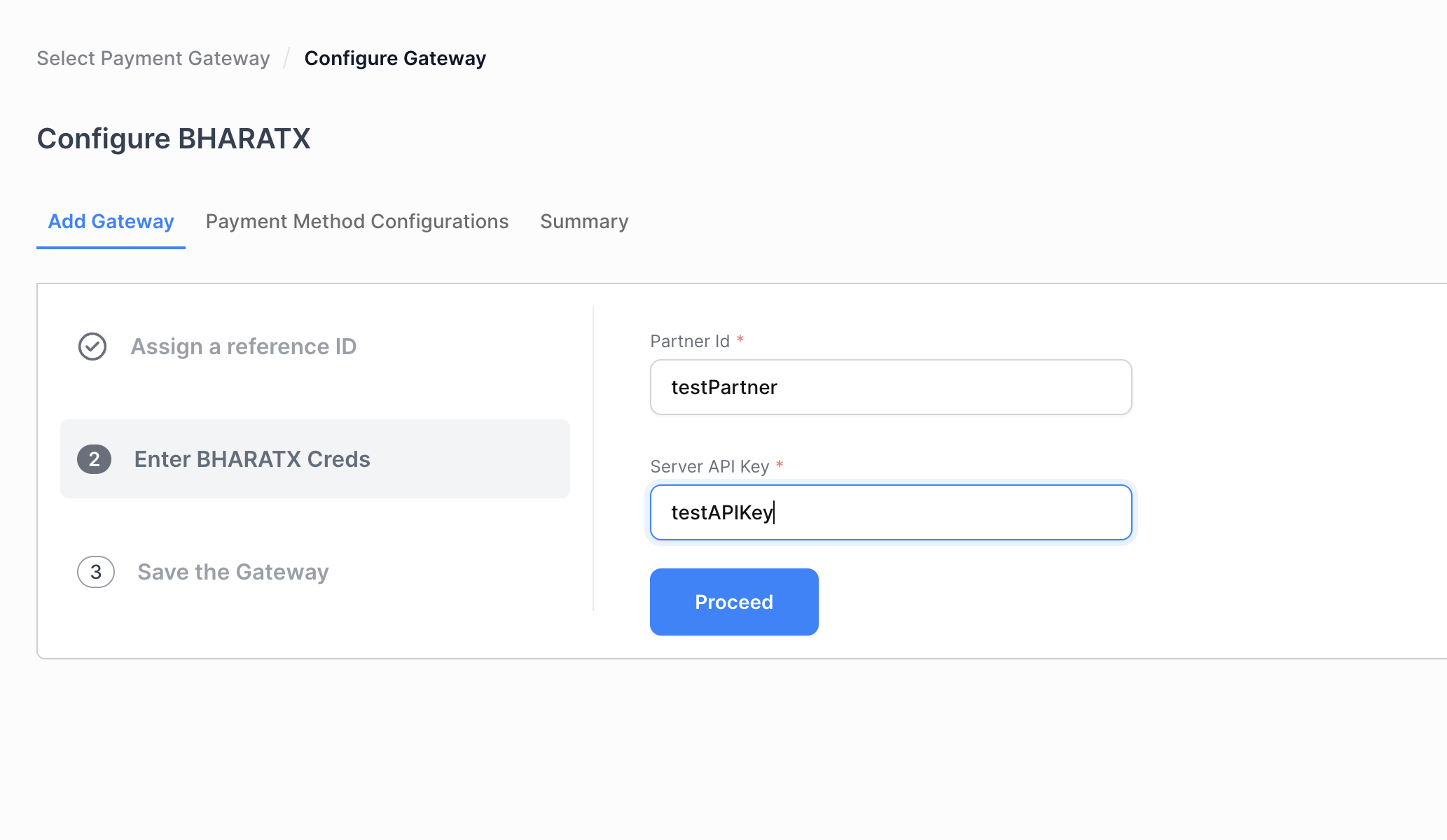
Step 3
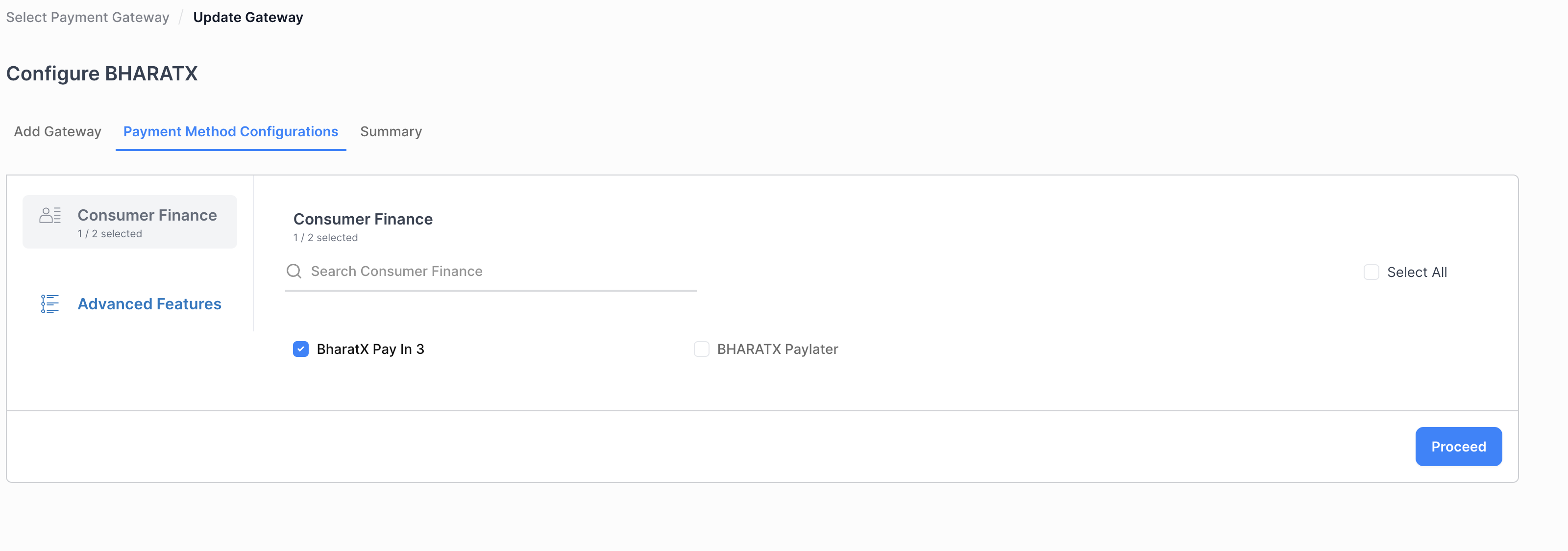
Saving the gateway credentials and proceeding to add payment method Select BHARATX Pay in 3 payment method
Sample Requests and Responses
Eligibility
Sample Request:
                curl --location 'https://sandbox.juspay.in/customers/cth_v3983WvKa6qZrQzc/eligibility' \
--header 'Content-Type: application/x-www-form-urlencoded' \
--header 'Authorization: Basic QkYyMjQ0RDIyODQ0NzU1OTdFOEVDODlCQjY0N0NCOg==' \
--data-urlencode 'amount=1000' \
--data-urlencode 'gateway_id=275' \
--data-urlencode 'gateway_reference_id=suyash_bharatx'
Sample Response :
                {
    "payment_methods_eligibility": [
        {
            "status": "SUCCESS",
            "payment_method": "BHARATX",
            "payment_method_type": "CONSUMER_FINANCE",
            "is_eligible": true,
            "description": "BharatX Pay In 3"
        },
        {
            "status": "NOT_ACCESSIBLE",
            "payment_method": "BHARATXPAYLATER",
            "payment_method_type": "CONSUMER_FINANCE",
            "is_eligible": false,
            "description": "BHARATX Paylater"
        }
    ]
}
Note
If Gateway Ref ID based logic is enabled
Order Create
Sample Request :
                curl --location 'https://sandbox.juspay.in/ecr/orders' \
--header 'version: 2019-06-14' \
--header 'Content-Type: application/x-www-form-urlencoded' \
--header 'Authorization: Basic RThGQjJCMDBDODA5NDU3RkE5MzU2RDIxMzI1QUYxRDU6' \
--data-urlencode 'order_id=test_1687852457' \
--data-urlencode 'amount=6' \
--data-urlencode 'currency=INR' \
--data-urlencode 'customer_id=anirudh007' \
--data-urlencode 'metadata.BHARATX%3Agateway_reference_id=suyash_bharatx' \
--data-urlencode 'customer_phone=9145935350' \
--data-urlencode 'billing_address_first_name=Suyash' \
--data-urlencode 'billing_address_last_name=Kasat'
Sample Response :
                {
    "status": "CREATED",
    "status_id": 1,
    "id": "ordeh_d3908e5c76924e3799711d43b610865e",
    "order_id": "test_1687852383",
    "payment_links": {
        "iframe": "https://sandbox.juspay.in/merchant/ipay/ordeh_d3908e5c76924e3799711d43b610865e",
        "web": "https://sandbox.juspay.in/merchant/pay/ordeh_d3908e5c76924e3799711d43b610865e",
        "mobile": "https://sandbox.juspay.in/merchant/pay/ordeh_d3908e5c76924e3799711d43b610865e?mobile=true"
    }
}
Transaction
Sample Request :
                curl --location 'https://sandbox.juspay.in/txns' \
--header 'Content-Type: application/x-www-form-urlencoded' \
--header 'BF2244D2284475597E8EC89BB647CB;' \
--header 'Authorization: Basic QkYyMjQ0RDIyODQ0NzU1OTdFOEVDODlCQjY0N0NCOg==' \
--data-urlencode 'order_id=order_1689161867' \
--data-urlencode 'merchant_id=global_sandbox' \
--data-urlencode 'payment_method_type=CONSUMER_FINANCE' \
--data-urlencode 'payment_method=BHARATX' \
--data-urlencode 'redirect_after_payment=true' \
--data-urlencode 'format=json'
Sample Response :
                {
    "order_id": "order_1689161867",
    "status": "PENDING_VBV",
    "payment": {
        "authentication": {
            "url": "https://sandbox.juspay.in/v2/pay/start/global_sandbox/mozoMsSVz4EXeJ2ajTu?cardIssuerBankName%3DBHARATX%26cardType%3D%26paymentMethod%3DBHARATX%26paymentMethodType%3DCONSUMER_FINANCE",
            "method": "GET"
        }
    },
    "txn_uuid": "mozoMsSVz4EXeJ2ajTu",
    "offer_details": {
        "offers": []
    },
    "txn_id": "global_sandbox-order_1689161867-1"
}
Order Status
Sample Request :
                curl --location 'https://sandbox.juspay.in/orders/order_1689161867?options.add_full_gateway_response=true' \
--header 'version: 2019-08-19' \
--header 'Content-Type: application/x-www-form-urlencoded' \
--header 'Authorization: Basic NEVDNEIyREVGOTY0QUE0QUEwQ0ZDNkU0RkY3MEU3Og=='
Note
options.add_full_gateway_response=true' can be set for receiving the PG response for reference
Sample Response :
Order Refund
Sample Request :
                curl --location 'https://sandbox.juspay.in/refunds' \
--header 'Content-Type: application/x-www-form-urlencoded' \
--header 'Authorization: Basic RThGQjJCMDBDODA5NDU3RkE5MzU2RDIxMzI1QUYxRDU6' \
--data-urlencode 'unique_request_id=suyash_1687852854' \
--data-urlencode 'amount=2' \
--data-urlencode 'order_id=test_1687852383'
Sample Response :
                {
    "order_id": "test_1687852383",
    "status": "SUCCESS",
    "amount": 2,
    "sent_to_gateway": true,
    "unique_request_id": "suyash_1687852851",
    "gateway": "BHARATX",
    "created": "2023-06-27T08:00:51Z",
    "initiated_by": "API",
    "refund_source": "BHARATX",
    "refund_arn": null,
    "error_message": null,
    "epg_txn_id": "7093",
    "txn_id": "suyash-test_1687852383-1",
    "authorization_id": null,
    "reference_id": "2310",
    "response_code": null,
    "refund_type": "STANDARD"
}