


Custom Wallet Integration
Custom wallet integration helps you to display your in-house wallet/ loyalty points on the Juspay payment page as a payment option, this feature allows you to integrate and display your in-house wallets/ loyalty points through a front end contract in a simplified integration with Juspay. With custom wallet integration on Juspay, your customer has the ability to either pay partially or whole amount using the wallet balance.
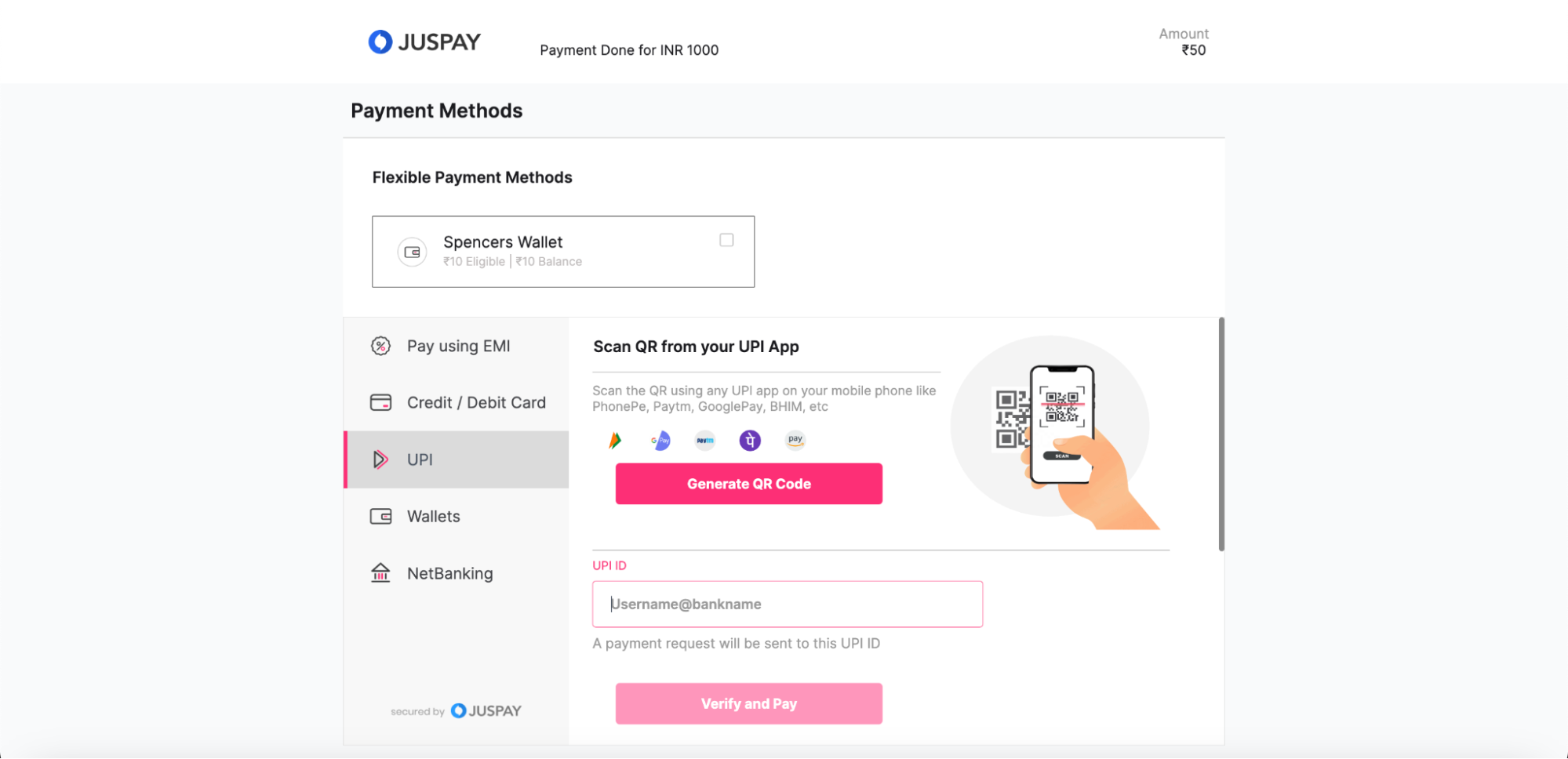
Steps to integrate custom wallet :
Share the name of your in-house wallet with your Juspay integration POC, your in-house wallet name needs to be configured in the Juspay Backend.
Once the wallet name is configured in the Juspay Backend you will have to configure “Merchant Container” PG under the PG control centre of Juspay Dashboard, please follow the below steps for the same.
i) Go to Juspay Dashboard >> Payments >> PG control centre >> Click on other gateways and search for ‘Merchant Container’.
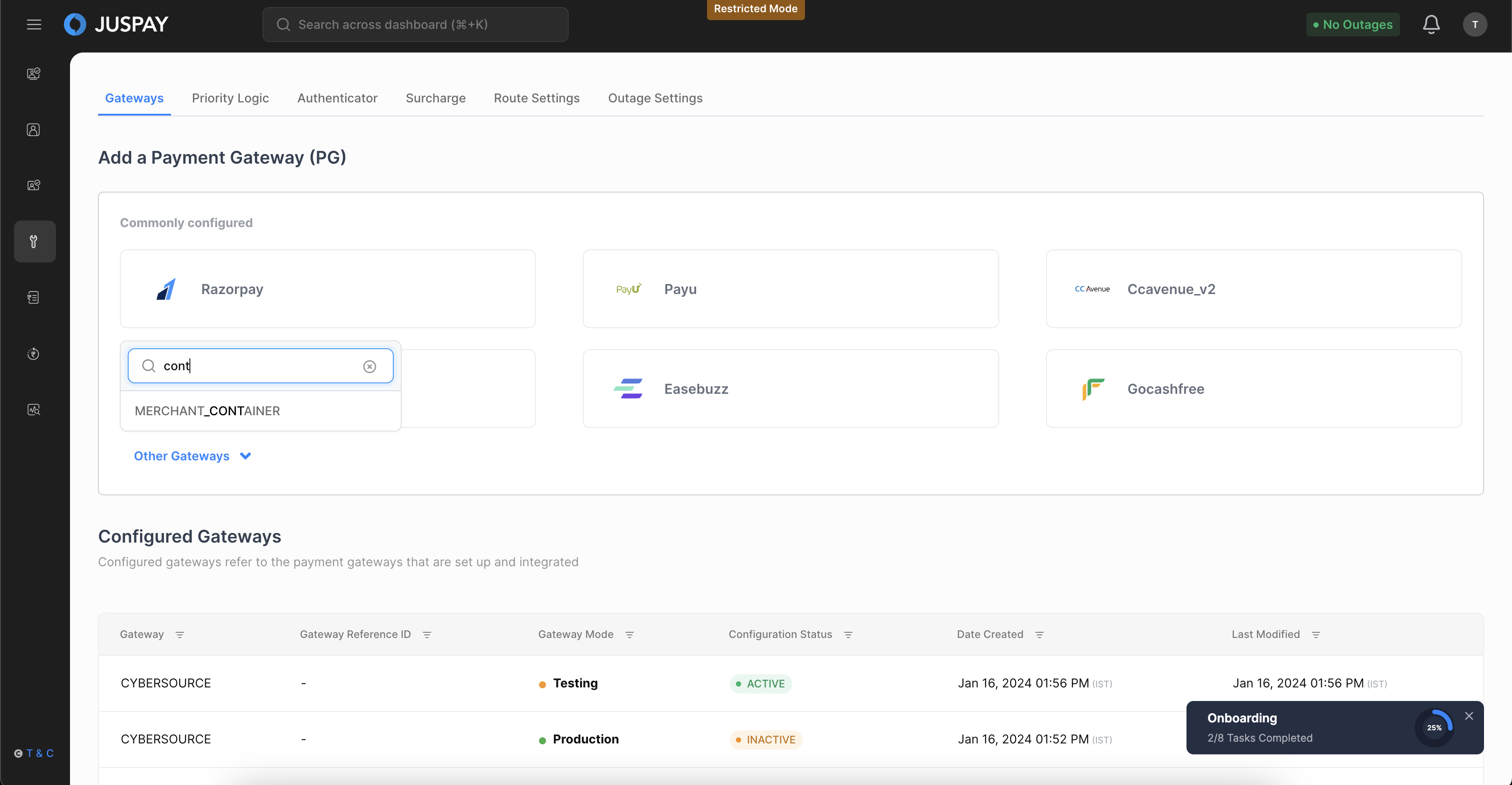
ii) Post selecting ‘Merchant Container’, select Environment as Live and click on proceed.
.png)
iii) Then click on Save Gateway Button to save the gateway.
iv) Under the Payment options tab check the checkbox against the name of your in-house wallet and on the next step select currency and click on Finish button.
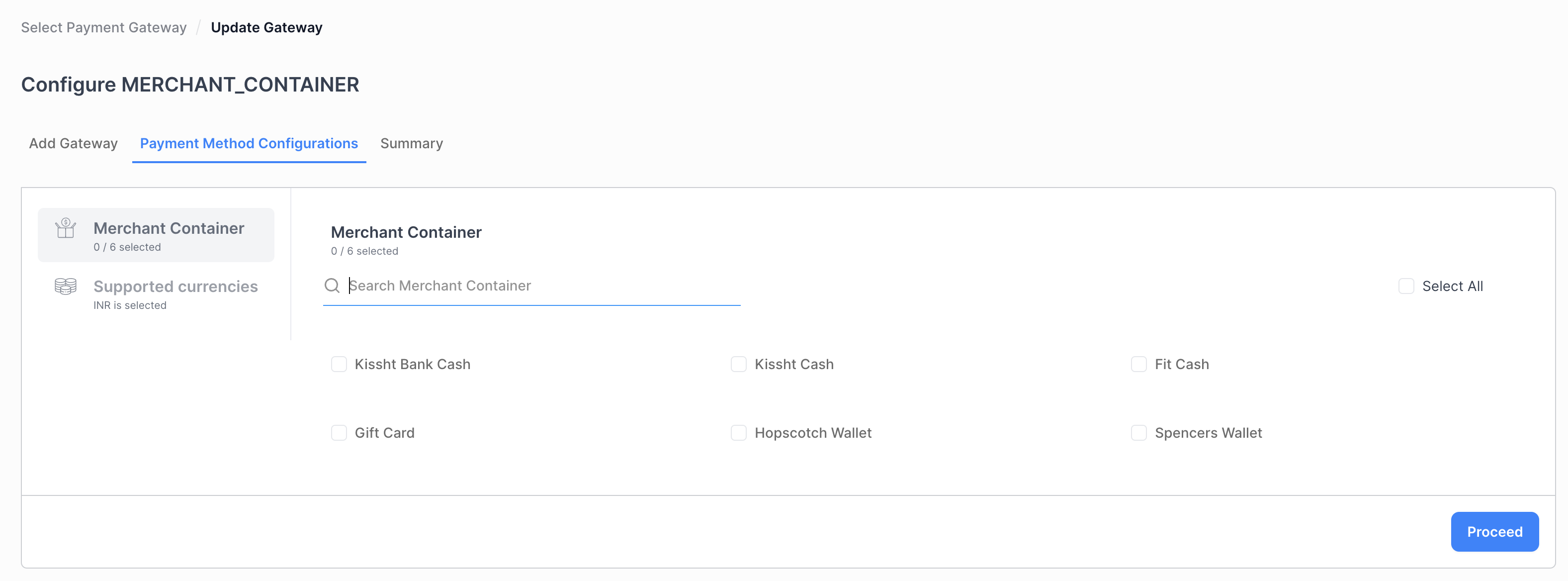
Post configuring the Merchant Container PG you can start calling the session API along with an additional parameter and payload to display your wallet on the Hypercheck out page.
Calling session API -
You need to pass the below parameters into the “metadata.merchant_container_list” parameter while calling the session API to pass the wallet information to Juspay and show the wallet payment option on the Hypercheckout page.
|
Key Name
|
Type
|
Description
|
Mandatory/Optional
|
|---|---|---|---|
payment_method
| String
| To be shared by Juspay
| Mandatory
|
payment_method_type
| String
| To be shared by Juspay
| Mandatory
|
display_name
| String
| Display name for the wallet
| Mandatory
|
balance_amount
| String
| Wallet Balance amount in INR as String
| Optional
|
eligible_amount
| String
| Max amount that can be used for the amount
| Mandatory
|
walletIconURL
| String
| URL to the icon that you want to show for your custom wallet
| Mandatory
|
You need to pass these parameters into the metadata.merchant_container_list parameter as string while calling the session API, you can refer to the sample payload for Session API call for reference.
Handling Order Status for Custom Wallet Integration
Case 1: User completes the transaction using in-house wallet + Any Other payment method
Order Status (For successful Debit) : PARTIAL_CHARGED
Steps to be followed :
You will receive two transaction details in the Order status API response where Order amount will be the sum of the both transaction amount. One Transaction will have the amount paid by the customer online for which you will receive status as ‘CHARGED’, for the other transaction you will receive the status as ‘TO_BE_COLLECTED’. You will have to debit amount from the customer’s wallet using amount receive in the second transaction Where the Payment method will be ‘your wallet’s name and payment method type will be ‘MERCHANT_CONTAINER’
Case 2 : User completes the transaction using only in-house wallet
Order Status (For successful Debit) : TO_BE_CHARGED
Steps to be followed :
You will receive one transaction in the response of the order Status API. You will have to debit the amount from the customer's wallet using the amount received in the transaction block where the Payment method will be your custom wallet’s name and payment method type will be ‘MERCHANT_CONTAINER’.
For transactions done through any other payment method you will get the transaction status as ‘CHARGED’
All other cases, where debit is pending or failed in other Instrument, the order status will be PENDING_VBV or AUTHENTICATION_FAILED / AUTHORIZATION_FAILED. Merchant to handle transactions similar to a normal transaction.
In case the amount from in-house Wallet could not be deducted by the merchant, he will cancel the order in his database and raise a refund request for the non in-house wallet transaction.
To refund transactions you should use Txn ID based refund
