ClickStream Event EMI
Event type: log_stream
When : This is emitted whenever user clicks on different EMI screen buttons.
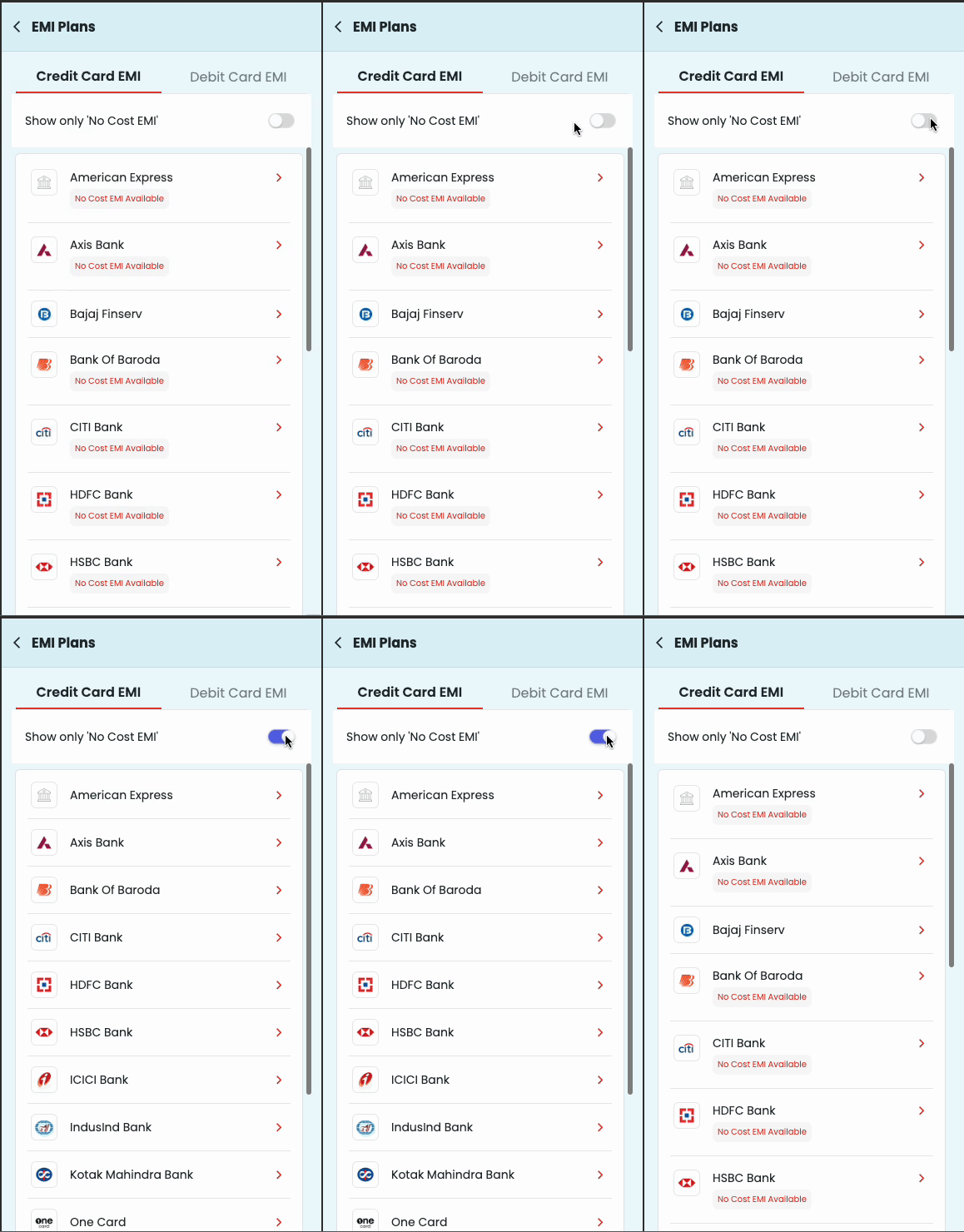
1. EMI Screens :
“EMIInstrumentsScreen”
"EMIDebitPlansScreen"
"EMICreditPlansScreen"
"EMISavedCardCheckoutScreen"
"EMIAddCardCheckoutScreen"
"CardlessEmiInstruments"
"CardlessEMIPlansScreen"
Example:- The list above encompasses the potential values for the key 'screen' in the context of EMI screens.
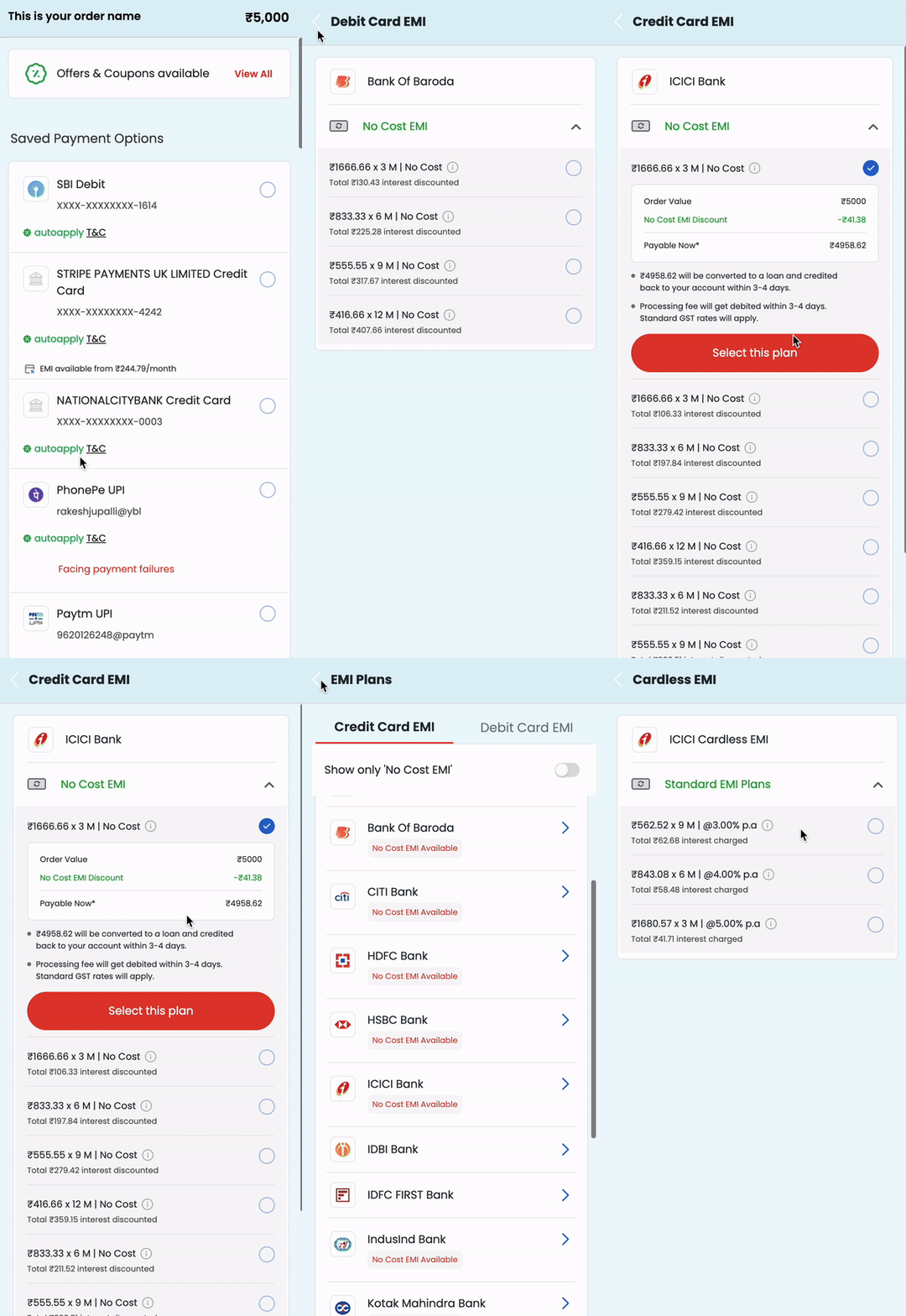
2. EMI Plans Selected :
Bank
Bank Code
Instrument
Tenure
Type
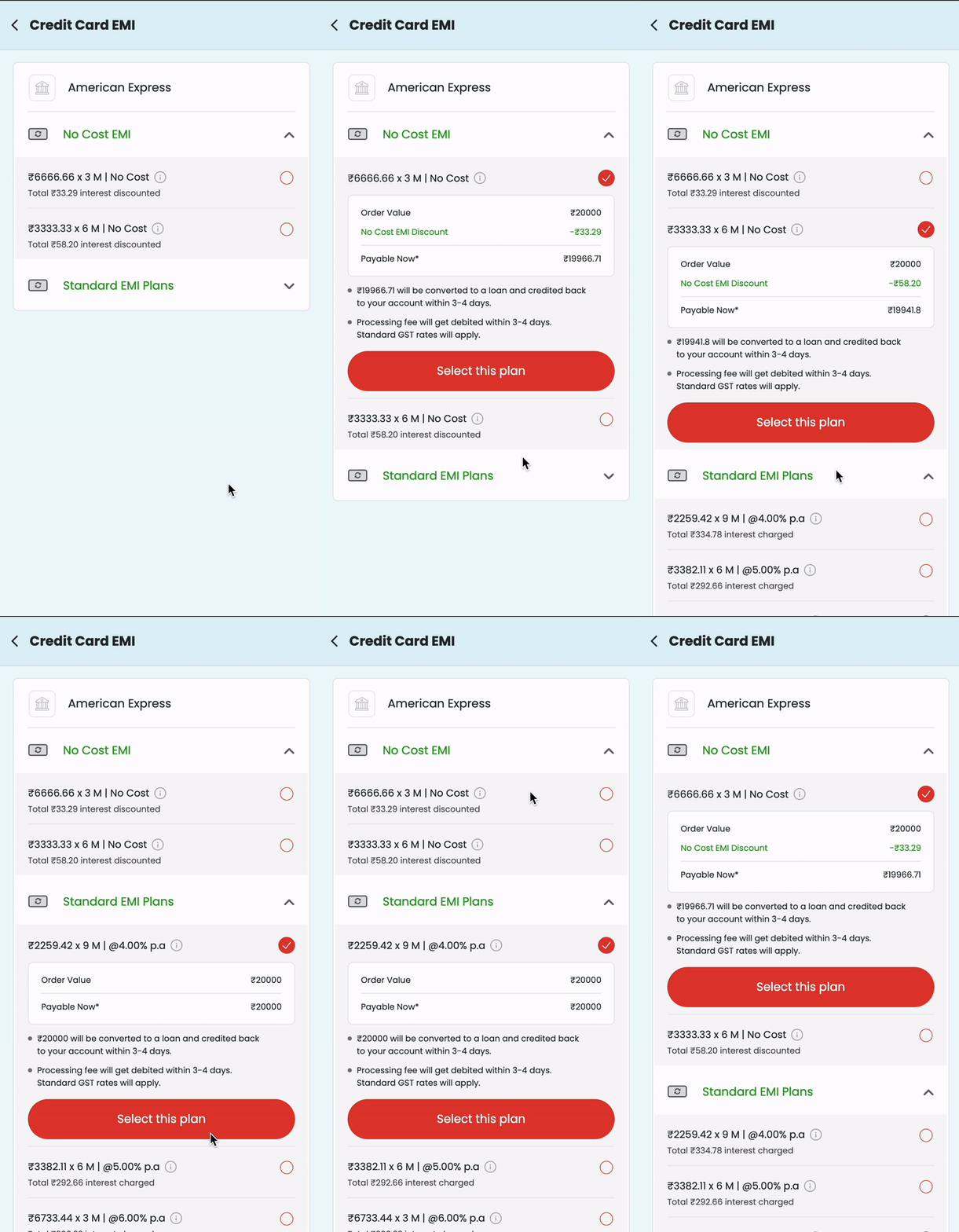
3. EMI Type Selected :
"SELECTED_NO_COST_EMI"
"SELECTED_LOW_COST_EMI"
"SELECTED_STANDARD_EMI"
Example:- The provided list outlines the potential values for the key 'button_name' within the EMI plans screen, where users can select an EMI plan.
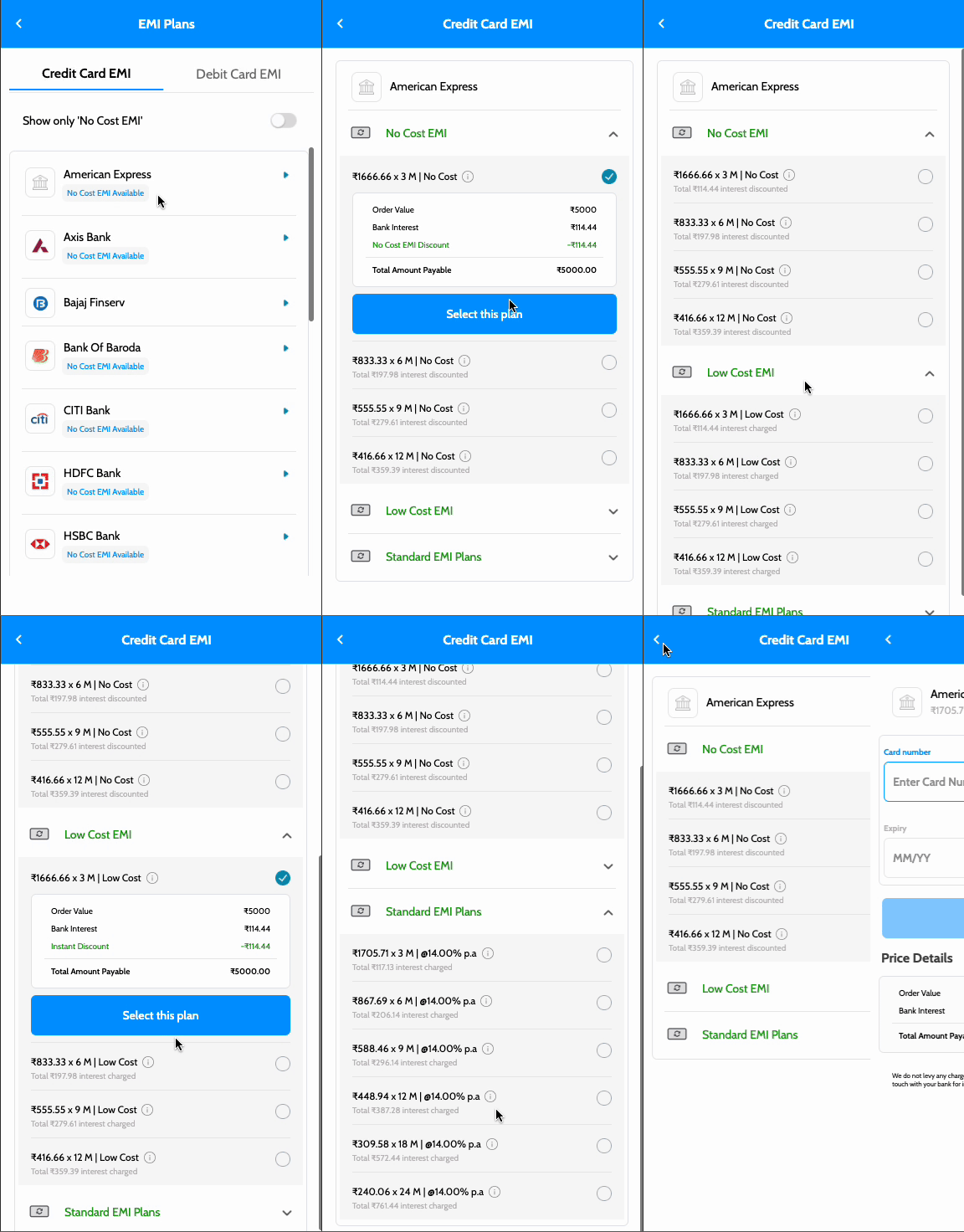
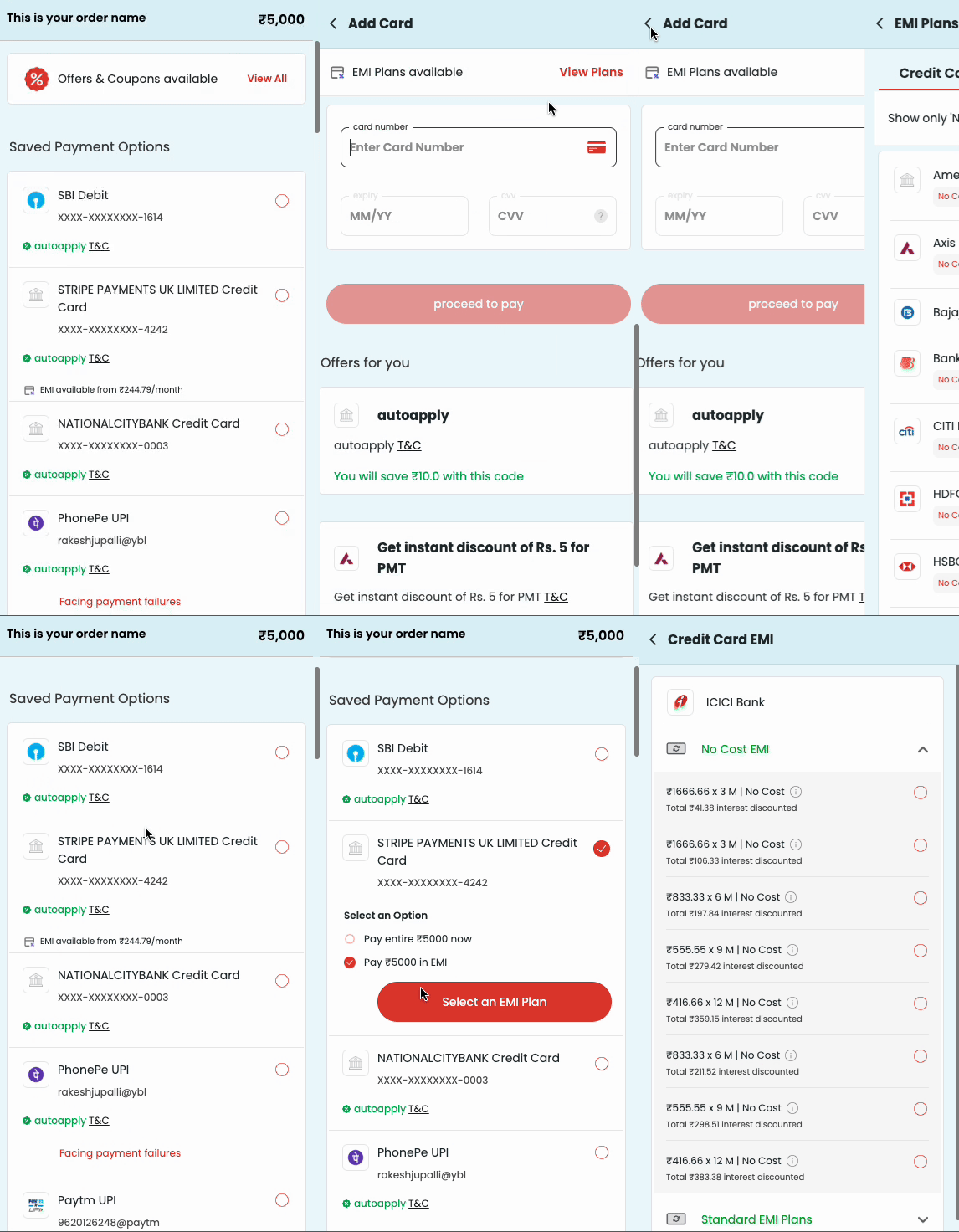
4. EMI from Different Screens :
"addcard_view_emi_plans"
"savedcard_view_emi_plans"
Example:- The list above encompasses the possible values for the key 'itemname,' allowing users to access the EMI screen from other screens.
5. Other actions :
"nocost_toggle_disabled"
"nocost_toggle_enabled"
Example:- The provided list includes the possible values for the key 'button_name,' enabling users to filter 'No Cost EMI' plans from the EMI instrument screen.