


Analytics & Monitoring
Use the Transaction Analytics Module on Juspay Dashboard to view the traffic volume and success rate of split settlement transactions.
Use Txn Type filter and select 'AUTH_AND_SPLIT_SETTLE' on the Juspay Transactions Analytics Dashboard for reviewing the Volume and SR for Split Settlement transactions.
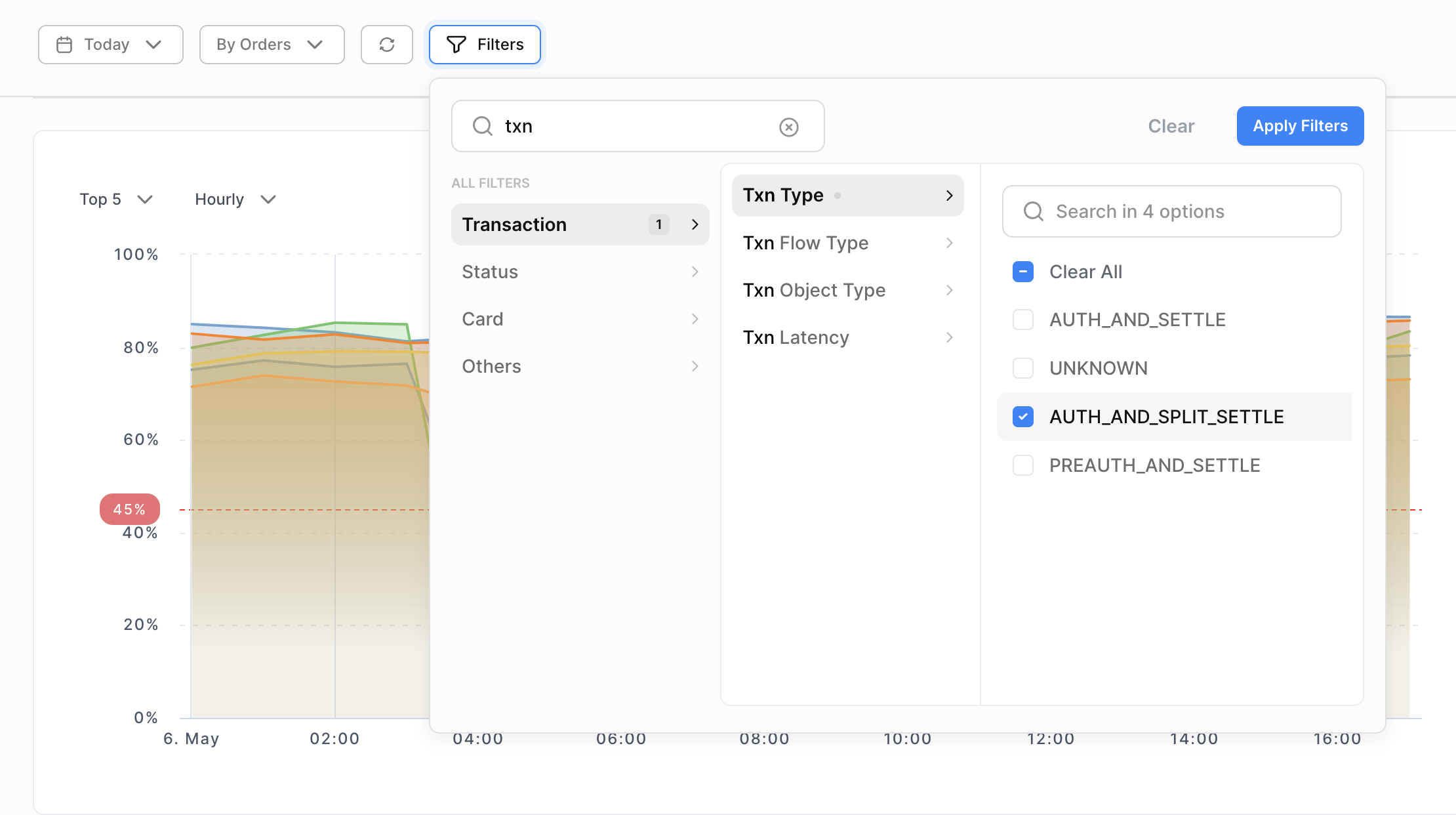
Merchants can use the Txn Type filter to distinguish between Split Settlement and Normal transactions.
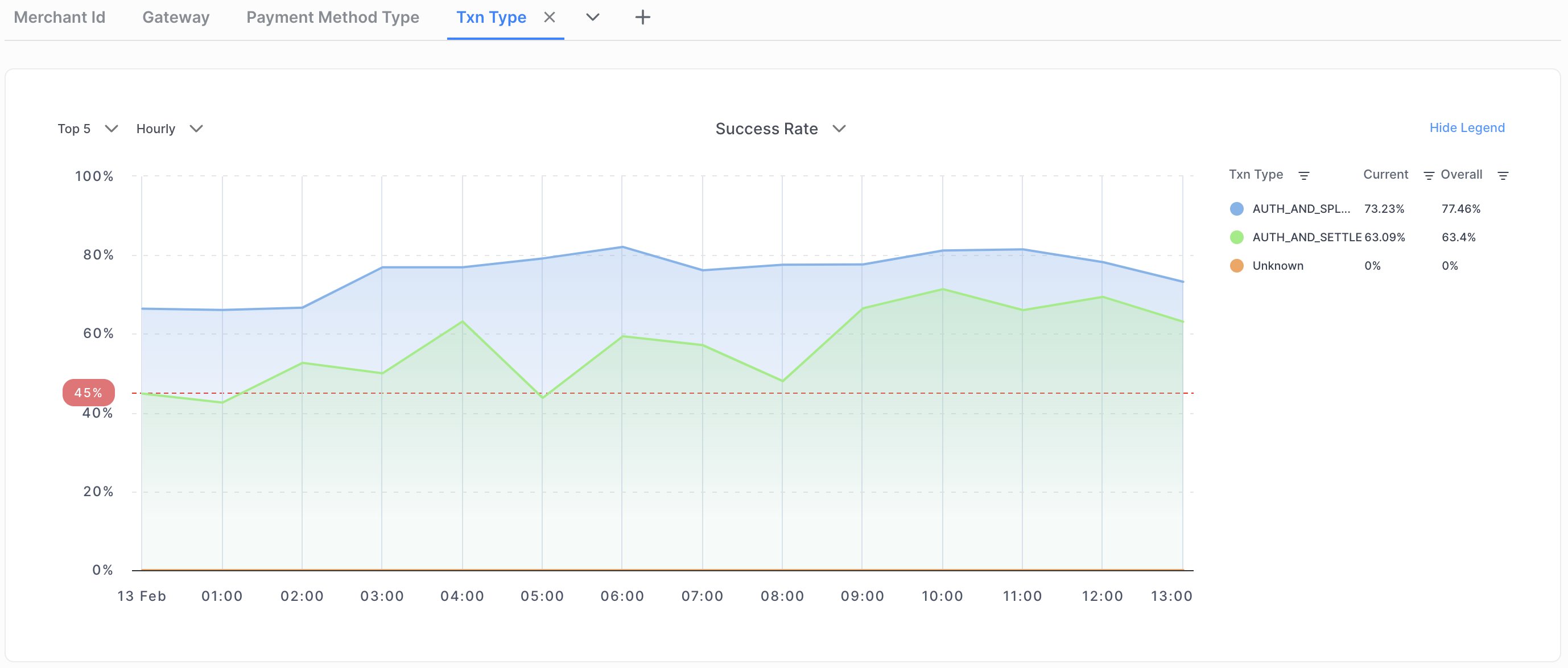
Txn Typevalue AUTH_AND_SPLIT_SETTLE is for the transactions processed through split settlement flow.Txn Typevalue AUTH_AND_SETTLE is for the normal transactions.
Use the Refunds Analytics Module on Juspay Dashboard to view the traffic volume and success rate of Refunds initiated for charged split settlement transactions.
Use Is Split Refund filter and select 'true' on the Juspay Refunds Analytics Dashboard for reviewing the Volume and SR for Split Settlement transactions.
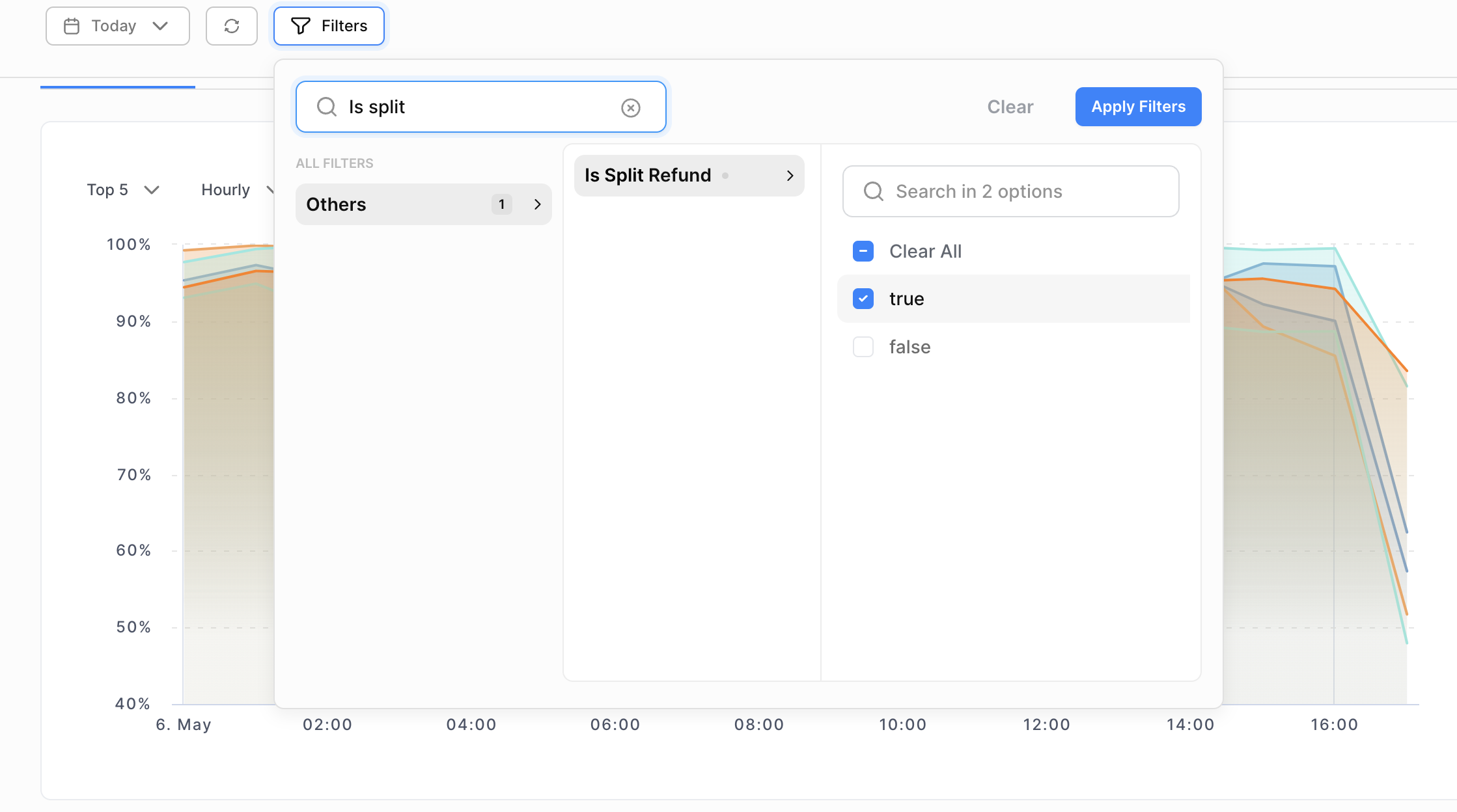
Merchants can use the Is Split Refund filter to distinguish between Refunds initiated for Split Settlement transactions and normal transactions.
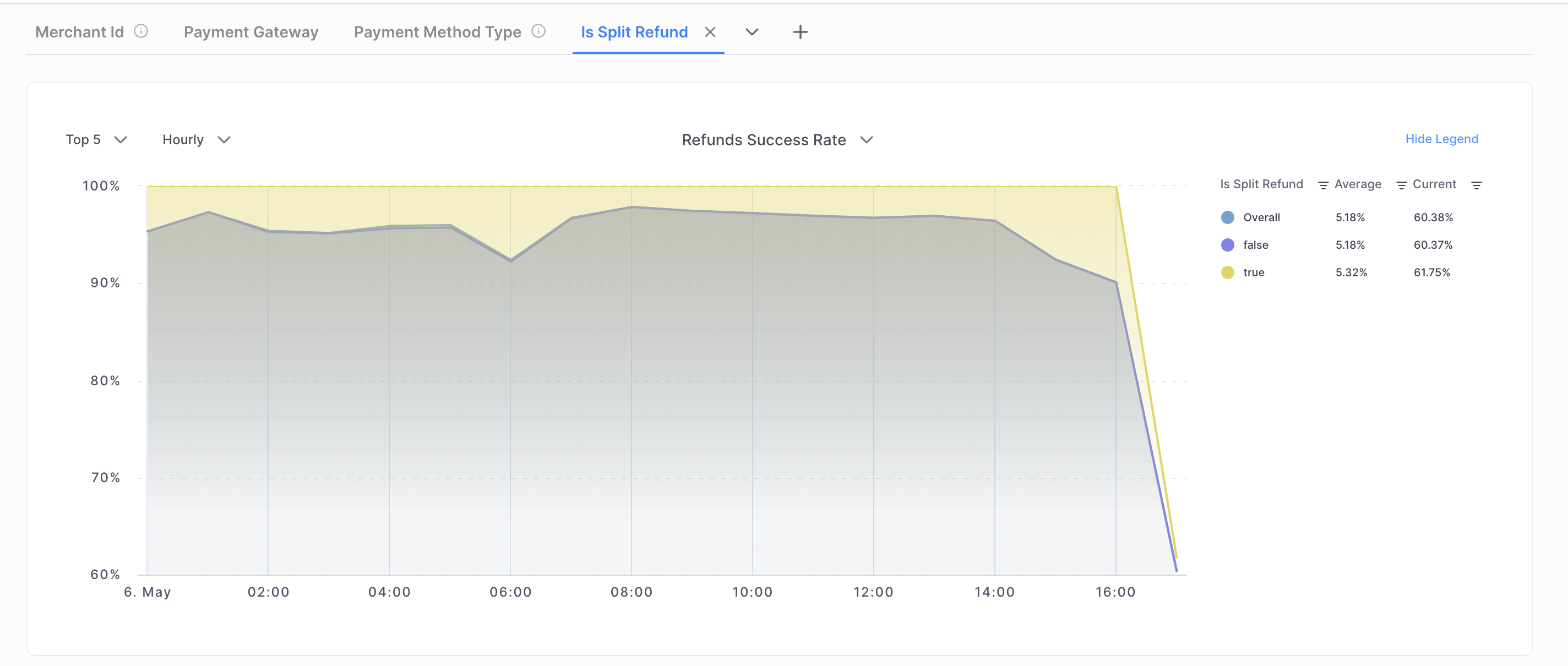
Is Split Refund value true is for the refunds processed for split settlement transactions.
Is Split Refund value false is for the refunds processed for normal transactions.