


Test Resources
Supported Payment Methods
Please refer the table to find the supported payment methods by the payment gateway in Testing mode. You can use the provided test credentials to enter testing details in the payment page.
|
Payment Method
|
DUMMY#
|
YES_BIZ
|
RBL_BIZ
|
Razorpay
|
PayU
|
Paytm V2
|
Billdesk
|
PhonePe
|
Cashfree
|
CCAvenue
|
|---|---|---|---|---|---|---|---|---|---|---|
Cards
| Y*
| N
| N
| Y*
| Y*
| Y*
| Y*
| Y*
| Y*
| Y*
|
Wallets
| Y*
| N
| N
| N
| Y*
| Y*
| N
| N
| N
| N
|
Net Banking
| Y*
| N
| N
| Y*
| Y*
| Y*
| Y*
| Y*
| Y*
| Y*
|
UPI Collect
| N
| Y*
| Y*
| Y**
| Y*
| Y*
| Y*
| N
| Y*
| N
|
UPI Intent
| N
| Y*
| Y*
| Y**
| N
| Y*
| N
| Y*
| N
| N
|
Card Mandates
| N
| N
| N
| Y*
| Y*
| Y*
| Y*
| N
| N
| N
|
UPI Collect Mandates
| N
| Y*
| N
| Y*
| Y*
| Y*
| Y*
| N
| N
| N
|
Wallet Mandates
| N
| N
| N
| N
| N
| Y*
| N
| N
| N
| N
|
UPI Intent Mandates
| N
| Y*
| N
| N
| N
| N
| N
| N
| N
| N
|
E-NACH/ NB Mandates
| N
| N
| N
| N
| N
| N
| N
| N
| N
| N
|
* - Through Simulator ** - Direct success/failure response
# - DUMMY Payment gateway is provided by HyperPG and enabled by default.
Test Credentials
Common Test Cards
These are common simulated cards for testing card payment scenarios. They work on most payment gateways in testing mode except BillDesk.
|
Card Brand
|
Card Number
|
Card Expiry
|
Card CVV
|
|---|---|---|---|
VISA
| 4242 4242 4242 4242
| Any future date
| Any CVV
|
VISA
| 4111 1111 1111 1111
| Any future date
| Any CVV
|
MasterCard
| 5299 9202 1000 0277
| Any future date
| Any CVV
|
MasterCard
| 5299 9200 0000 0149
| Any future date
| Any CVV
|
BillDesk Test Cards
Please use the below test cards to test out card transactions on BillDesk in testing mode.
|
Card Brand
|
Card Number
|
Card Expiry
|
Card CVV
|
Card OTP
|
|---|---|---|---|---|
VISA
| 4242 4200 0000 1234
| 09/23
| 123
| -
|
VISA
| 4591 5000 0000 0055
| 12/29
| 123
| 123455
|
MASTERCARD
| 5252 5211 1111 1117
| 12/29
| 123
| 123456
|
Dummy PG
Dummy PG is a HyperPG SImulator that allows you to play with different flows present inside HyperPG, without having to first integrate with any PG. The responses received for Dummy PG will be in exactly the same format as HyperPG will share for any gateway, and perfect launcing pad to start or add to your integration with HyperPG, and explore our multiple offerings
How to setup Dummy PG
Step 1 :- Go to Settings -> Payment Gateway Control Center
Step 2 :- Select Dummy PG
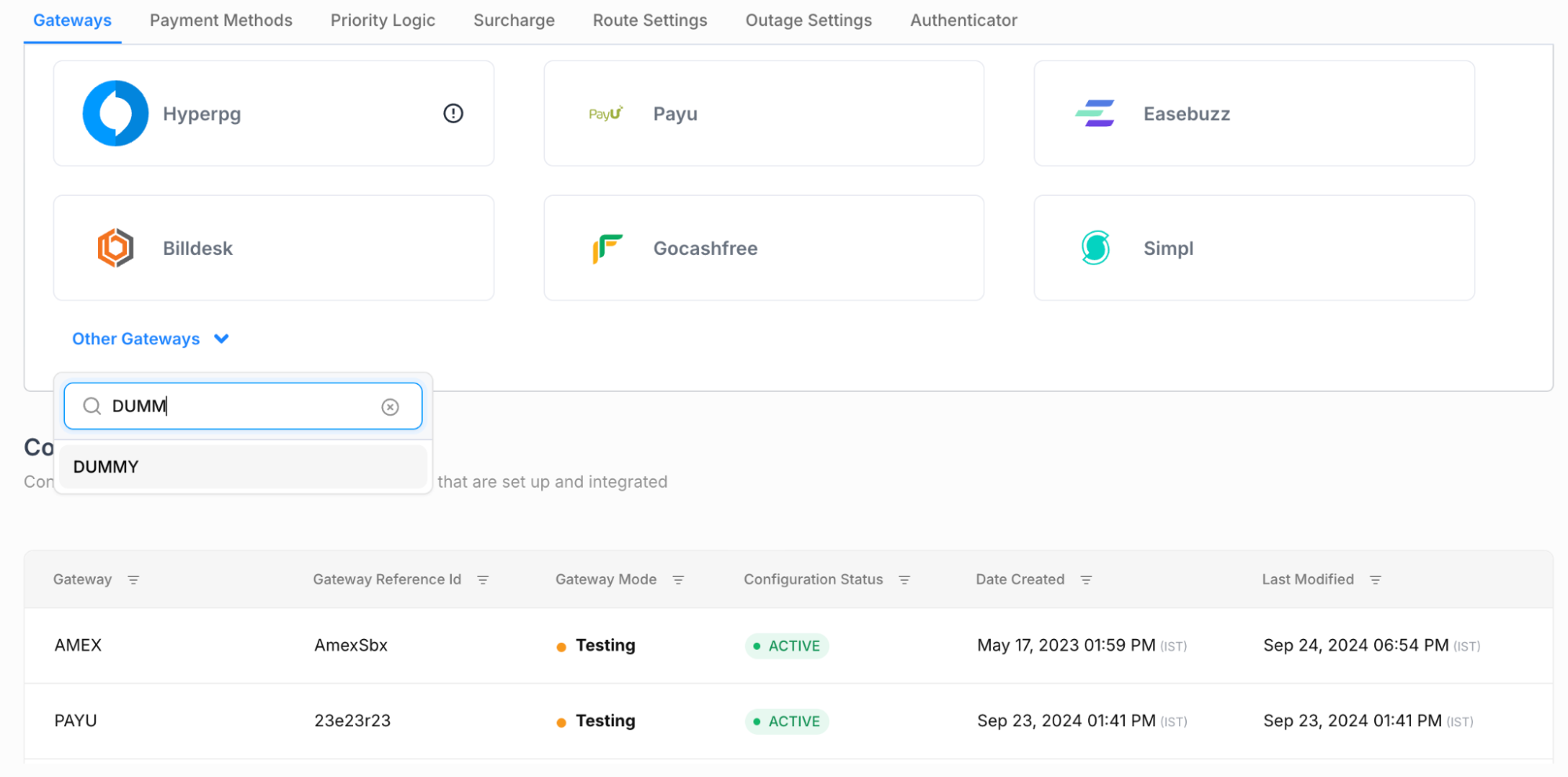
Step 3 :- Configure the gateway with required details like gateway ref id. Select Test Creds when setting up the Gateway.
Payee vpa that can be configured :- test123@upi
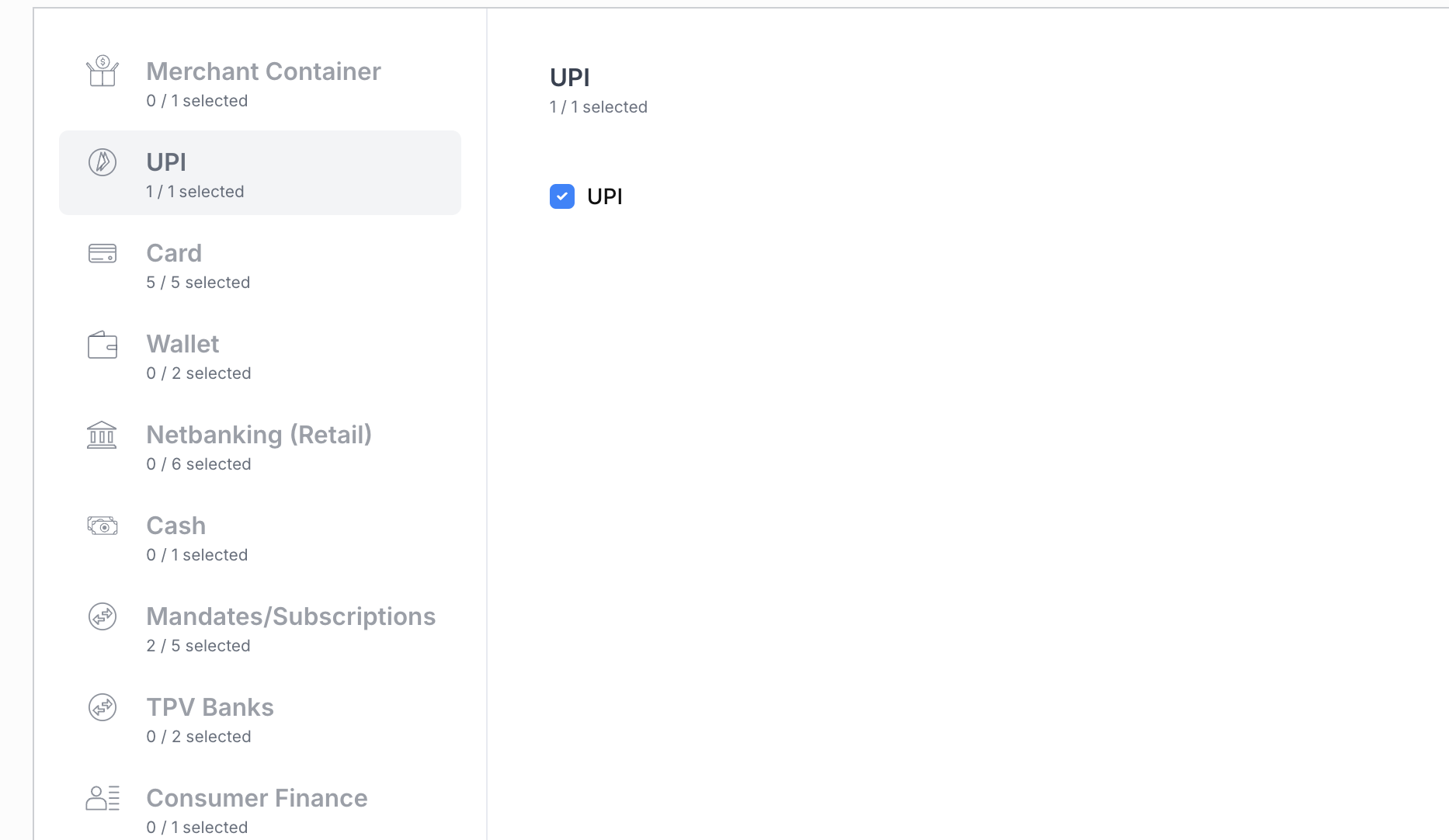
Step 4 :- Select the flows we want to test, for example, if UPI & Cards, please select the provided Payment Methods.

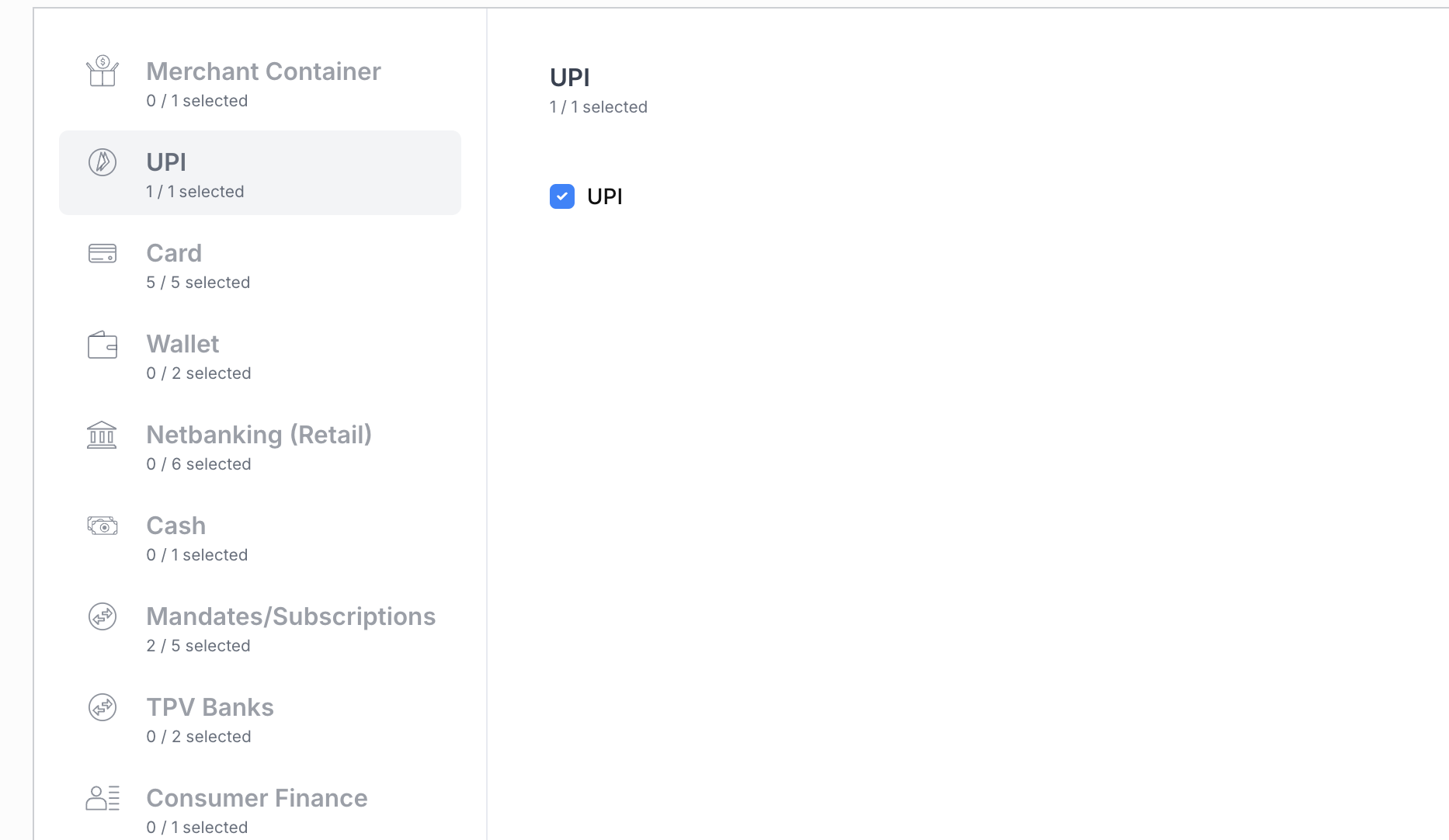
Step 5:- Configure Amount based rules for simulating success & failure transactions , as per your usecase.
Step 6 :- You can now call Juspay APIs and start the payment process.
Simulate Transactions in Dummy PG
The process of moving each flow to Success or Failure is dependent on what is selected
|
Payment Flow
|
Success Case
|
Failure Case
|
Test Details if any
|
|---|---|---|---|
UPI Collect
| Pay Start Page, VPA:- success@upi
| Pay Start Page, VPA :- failure@upi
| You can move it based on vpa.
|
UPI Intent
| Success Amount Range Selected
| Failure Amount Range Selected
| NA
|
Card
| Pay Start Page
| Pay Start Page
| Test Card :- 4022 7579 1524 8950 Expiry :- 09/30 CVV :- 123
|
Net Banking
| Pay Start Page
| Pay Start Page
| Any Bank Detail will work
|
eNACH
| Pay Start Page
| Pay Start Page
| Any Bank Detail will work
|
Notification API
| Amount = 10 , 20 , 30
| Amount = 1
| Na
|
Refund API
| Amount = Order Amount
| Amount <> Order Amount
| NA
|
Execution API
| Same amount as Notification
| Different amount than notification
| NA
|
Simulate Refunds in Dummy PG
The process of moving each the refund to Success, Failure, Pending or Manual review is dependent on unique_request_id that is passed in the request.
unique_request_id - Request ID that uniquely identifies this request. Request ID allows you to prepend certain tokens to affect the response.
|
Sample Key (with value to prepend)
|
Description
|
Refund Status
|
Example
|
|---|---|---|---|
SUCC_id
| Prepend this to get a successful refund response
| Success
| SUCC_1234
|
FAIL_id
| Prepend this to get a failure response
| Failure
| FAIL_1234
|
MNRW_
| Prepend this to get a Manual Review Response
| Manual Review
| MNRW_1234
|
PEND_id
| Prepend this to return a Pending refund status. Will get a success response after 30 mins
| Pending -> Success
| PEND_1234
|
PEND_X_Y_id
| Prepend this to put your refund request into a pending state for X minutes and then change it to a successful or failure or Manual Review request based on the value of Y.
| Pending -> Success
| PEND_10_S_123
|
PEND_X_Y_id
| Prepend this to put your refund request into a pending state for X minutes and then change it to a successful or failure or Manual Review request based on the value of Y.
| Pending -> Failure
| PEND_10_F_123
|