Analytics & Monitoring
The Juspay Transactions Analytics dashboard can be utilized to view the traffic volume and success rate of transactions that were processed through EMI flow.
For Standard EMI on Cards:
Use the dimension
is_emito distinguish between Standard EMI and Non EMI transactions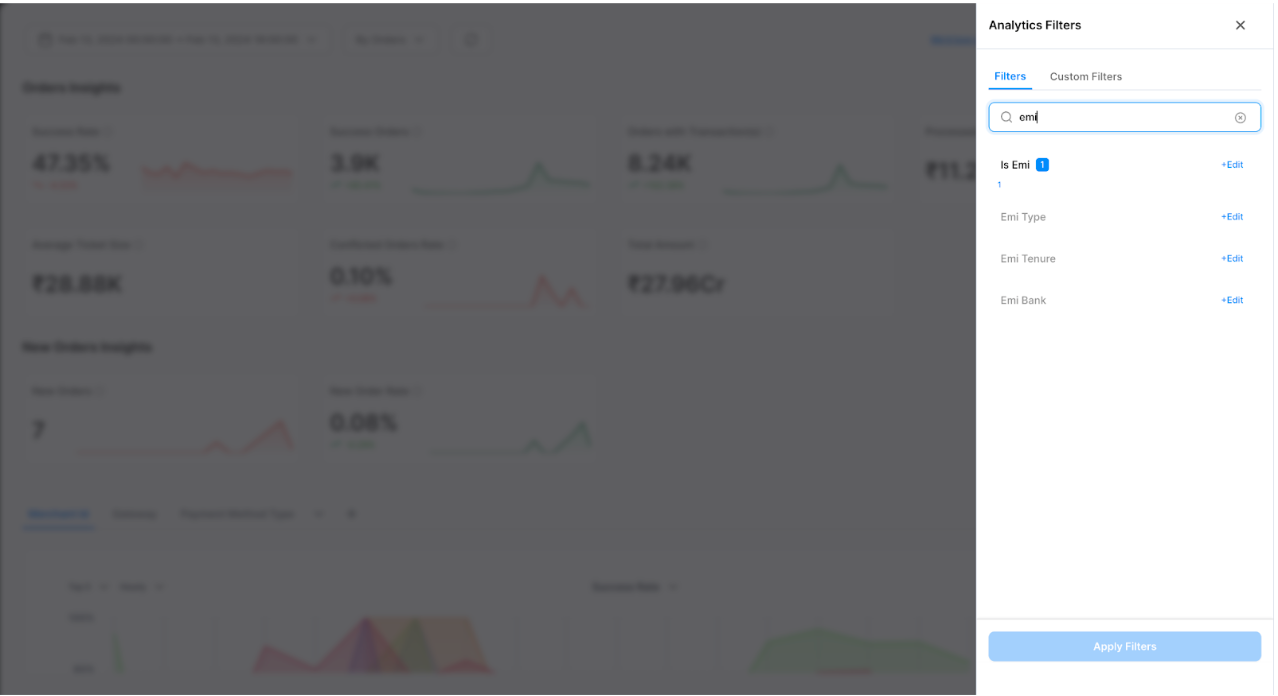
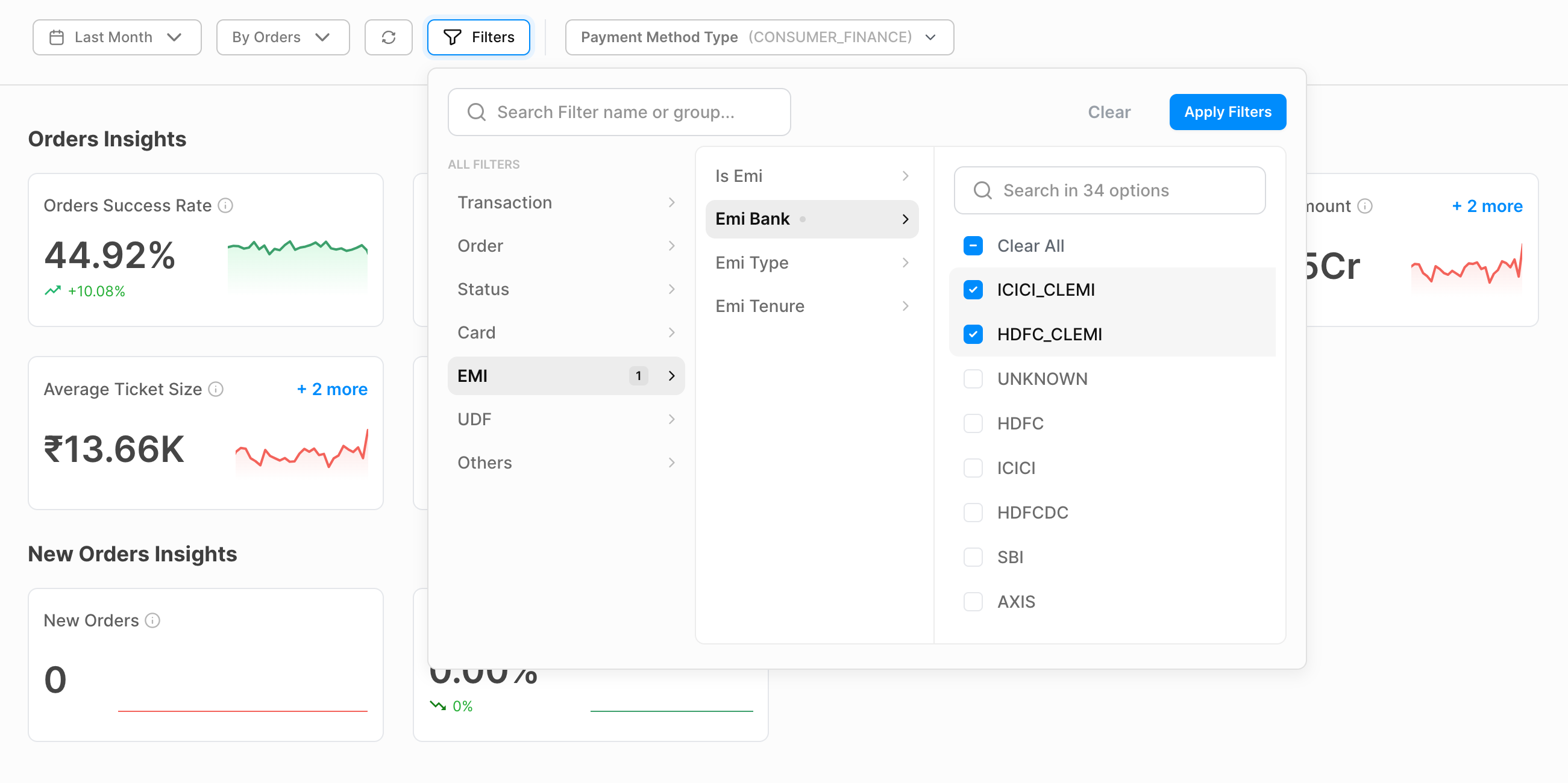
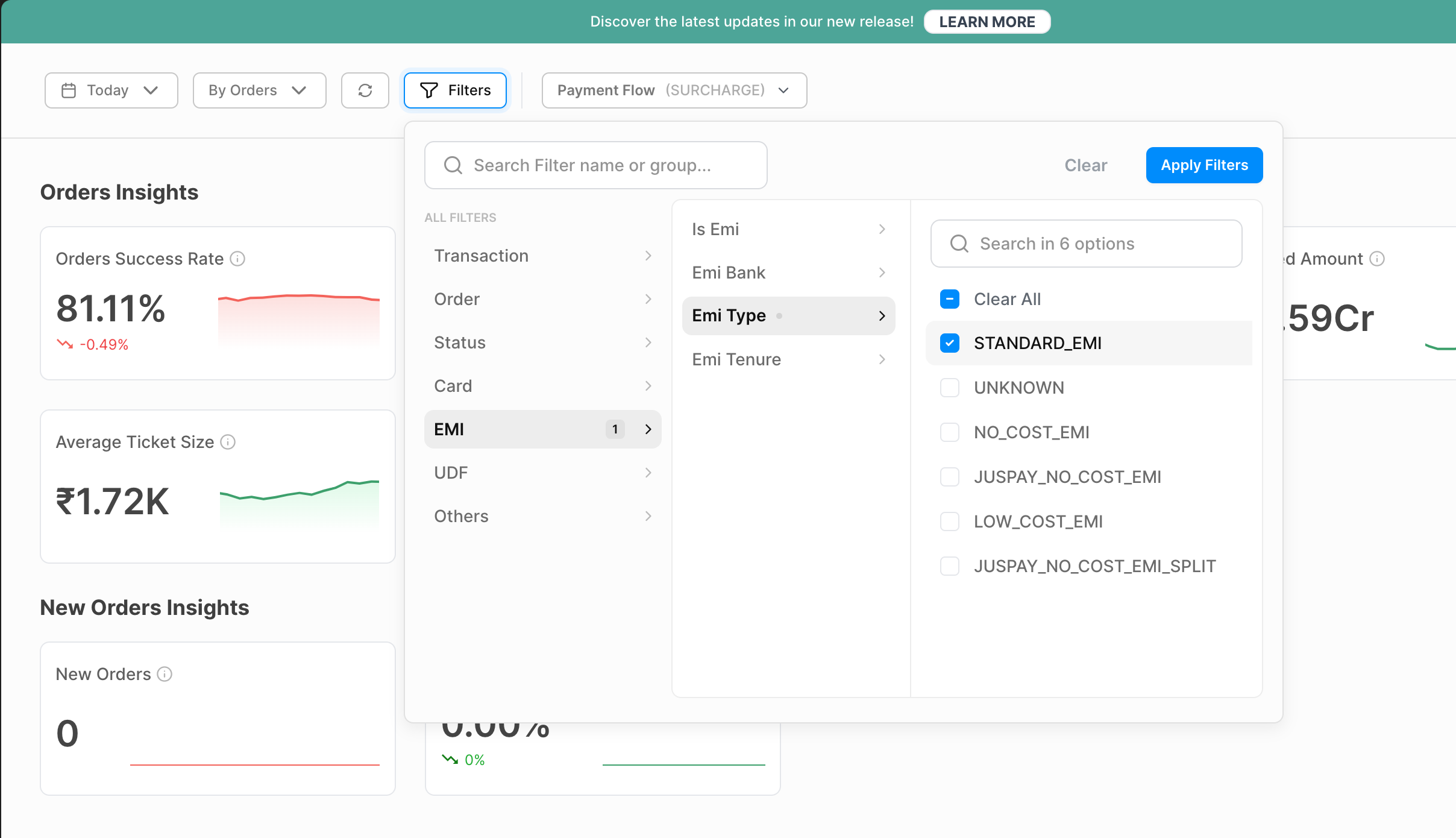
Filters can be applied on
EMI Type,EMI TenureandEMI Bankto monitor the EMI performance.emi_type - EMI type corresponding to the EMI type selected (i.e STANDARD_EMI)
emi_tenure - Tenure corresponding to the EMI plan selected
emi_bank - Bank code corresponding to the EMI plan selected
For Cardless EMI:
Use the cardless
EMI bankdimension to segregate the cardless EMI transactions to monitor the traffic and performance