


Safe 2.0 - 3DS 2.0 Authentication only flow
Introduction
Juspay HyperSDK can be integrated within the merchant application to facilitate native OTP authentication on 3DS2.0 rails. SDK will render native screens on merchant applications and complete authentication with the help of 3DS Server and ACS. Merchants can customize the UI to be rendered as per their needs.
The Authentication only flow from Juspay improves efficiency, and offers a dedicated solution for merchants in need of authentication services, eliminating the additional steps associated with traditional transactions.
Flow explanation
Diagram
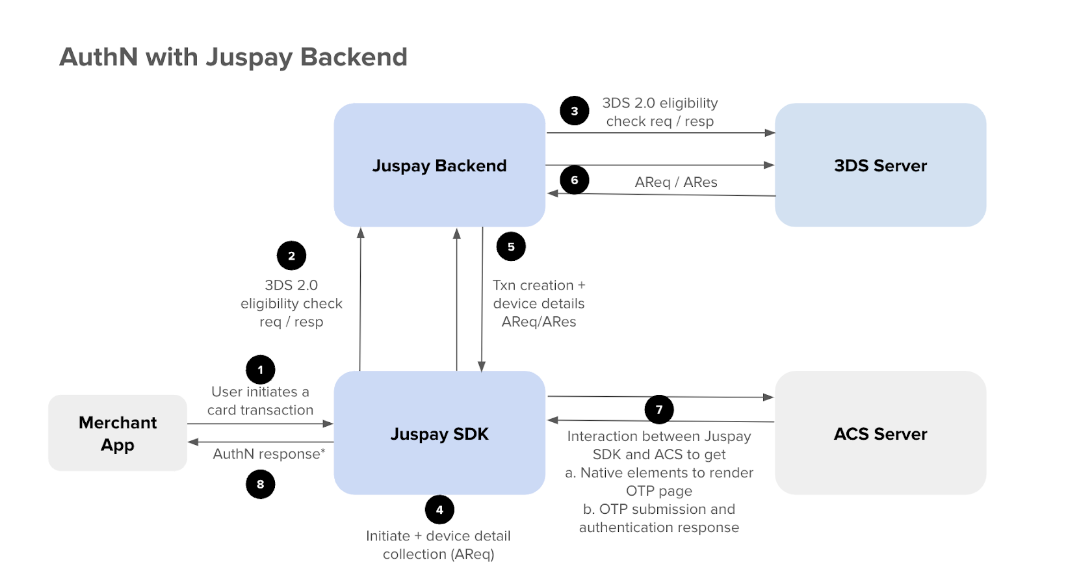
Steps in the flow
Order creation from Merchant systems
Juspay SDK initiation
Juspay SDK and Backend to complete authentication along with 3DS Server, ACS Server and send Authentication response to Merchant App
Merchant calls /orderstatus API to Juspay Backend to get authentication parameters
Merchant to poll the API Incase a blank response is sent for authentication parameters
Juspay will also send a webhook once authentication is completed
Merchant to proceed with Authorization with their respective AuthZ provider (Payment Gateway)
API reference
S2S Calls
Order create
Request format: Merchant to call Juspay /order create with the below extra parameters so that the txn can be identified as a only Authentication transaction
txn_type : AUTHENTICATION
acquirer_details : {"acquirerBin":"12345","acquirerMId":"22222","mcc":"3333","merchantName":"easebuzz"}
acquirerBin - Acquiring institution identification code as assigned by the DS receiving the AReq message. This field is limitedto 11 characters
acquirerMerchantId: Acquirer-assigned Merchant identifier. The field is limited to a maximum of 35 characters.
acquirerCountryCode - This is the code of the country where the acquiring institution is located. The specified
length of this field is 3 characters and will accept values according to the ISO 3166-1 numeric three-digit
country code
Response format: Same as other flows and nothing specific to this flow
Reference and error codes: https://docs.juspay.in/ec-api/docs/base-integration/create-order-api

getOrderStatus
Request format: Same as other flows. Nothing specific for this flow
Response format:
Terminal status of Order: SUCCESS/FAILED
Terminal status of txn: VBVSuccessful/AuthenticationFailed
Juspay responds for getOrderStatus API with below Authentication parameters in the second_factor_response block of the response
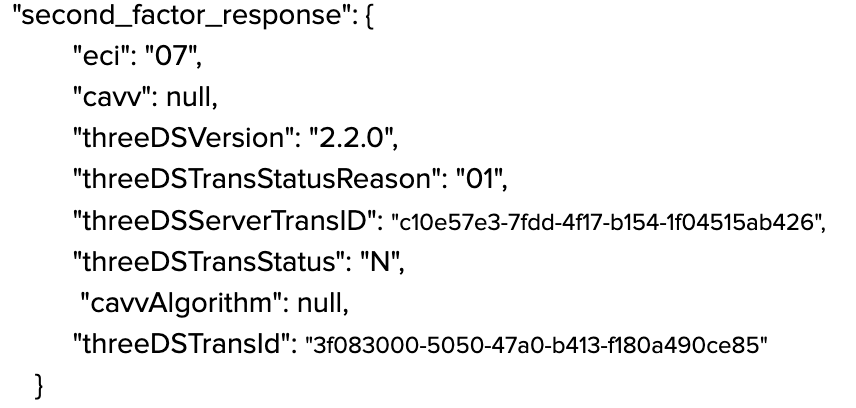
Second factor response Meaning of each parameter:
Scroll inside to view moreParameterMeaningPossible ValueseciIndicates whether AuthN happened through 3DS 2.O or a non authenticated transaction05: Authenticated successfully 06: Authentication attempted but not completed 07: Authentication failedcavvCryptographic token used to authenticate the transactionIt is a cryptographically generated valuethreeDSVersionIndicates the version of 3DS 2.0 being used2.1.0, 2.2.0threeDSTransStatusReasonGives explanation of the transaction status01: Authentication failed, 02: Unknown device, 03: Unsupported device, 04: Exceeds number of attempts, 05: Authentication expired, 06: Transactions not permitted, 07: Data Entry error, 08: Suspected fraud, 09: Transaction not recognised, 10: OthersthreeDSServerTransIDUnique identifier to identify the transaction in the serverIt is a randomly generated valuethreeDSTransStatusIndicates the outcome of the transactionY: Authentication successful. Merchant can proceed with Authorization, N: Authentication failed. Merchant to notify customer and attempt retry of authentication, U: Unable to authenticate. Merchant to retry or log failure, A: Attempts authentication, R: Authentication rejected. Merchant should not retry and tell customer to use a different payment methodcavvAlgorithmAlgorithm used to create the CAVV0 – HMAC-SHA-1 (Legacy), 1 – HMAC-SHA-256 (Common in 3DS 2.0), 2 – HMAC-SHA-384, 3 – HMAC-SHA-512, 4 – Elliptic Curve (EC)threeDSTransIdUnique identifier for each 3DS 2.0 transactionIt is a randomly generated valueNote:
Above second_factor_response can come as blank from Juspay. In this case merchant should poll Juspay upto 15 mins to get actual values
Juspay will also send a webhook for the AuthN response once it is complete
Reference and error codes:https://docs.juspay.in/ec-api/docs/base-integration/order-status-api
SDK Calls
sdk/initiate
Request:
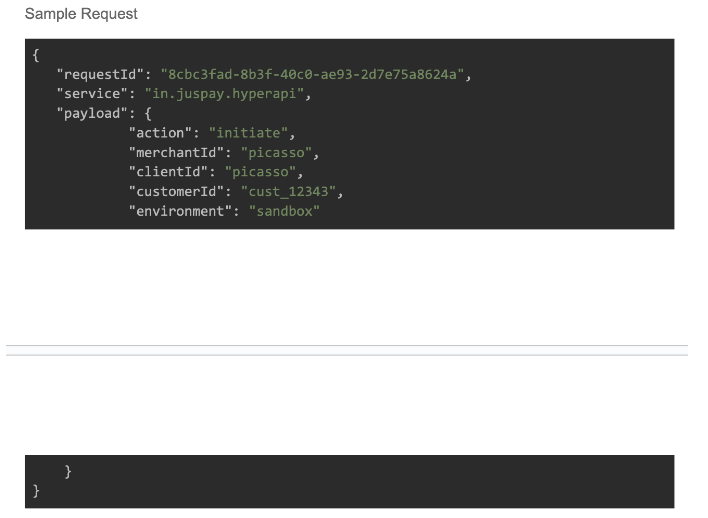
Request format Response:
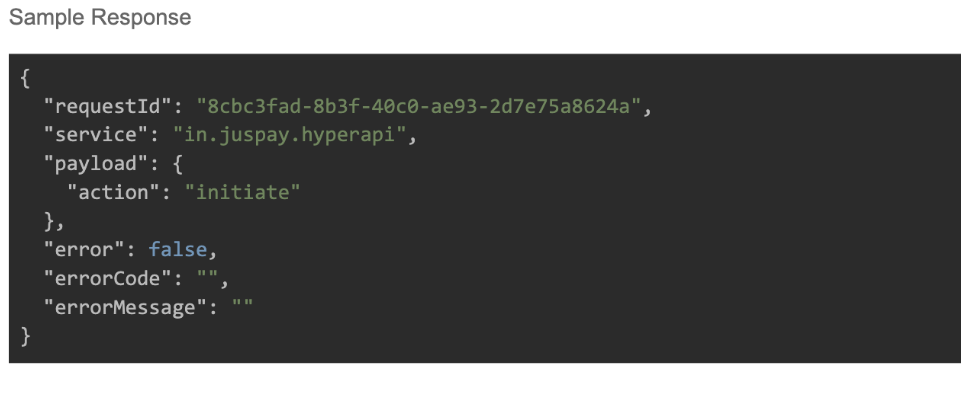
Response format Reference and error codes: https://juspay.io/in/docs/ec-headless/android/base-sdk-integration/initiating-sdk
Authentication response format
When to call the Authentication request: This should be called once the user has clicked on proceed to pay in the payment page
AuthN request should be sent after orderCreate and sdk/initiate has finished
Request format:
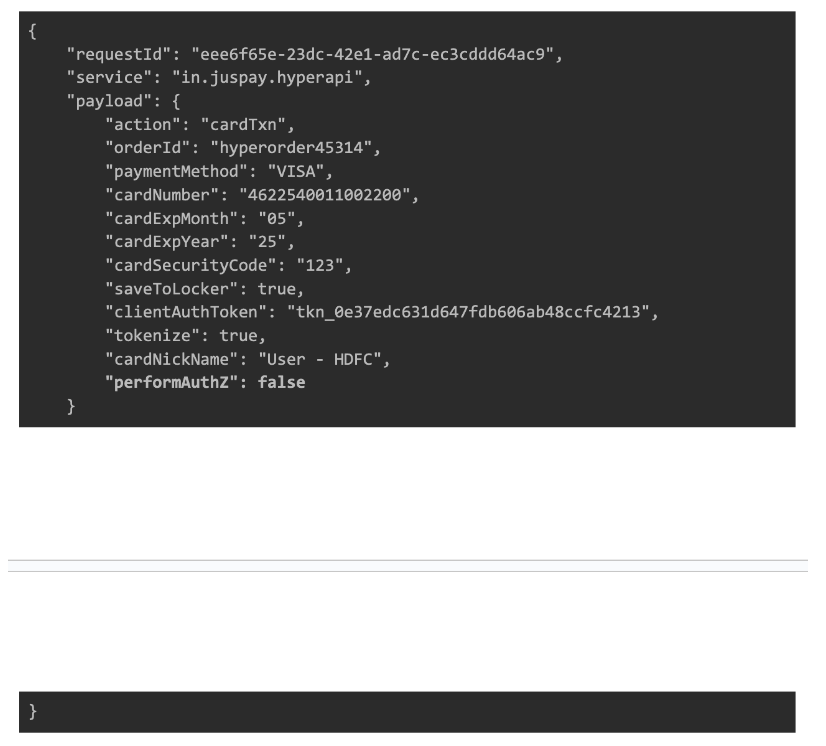
New card flow 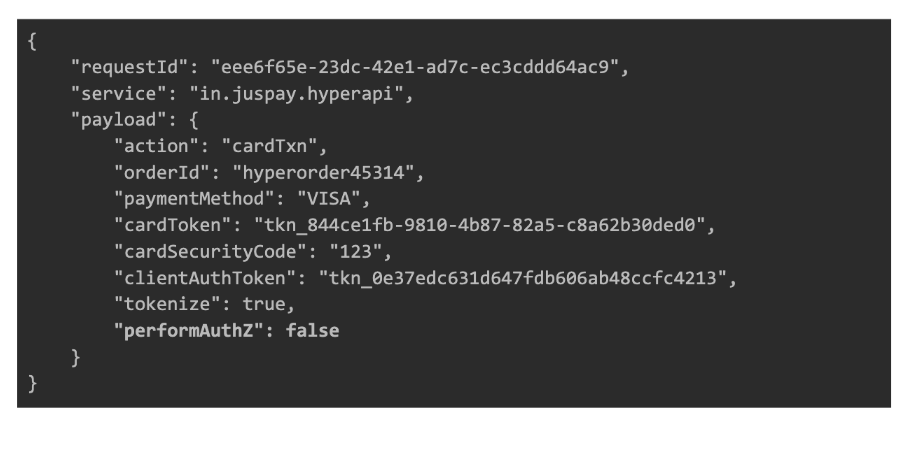
Tokenized card flow Response format
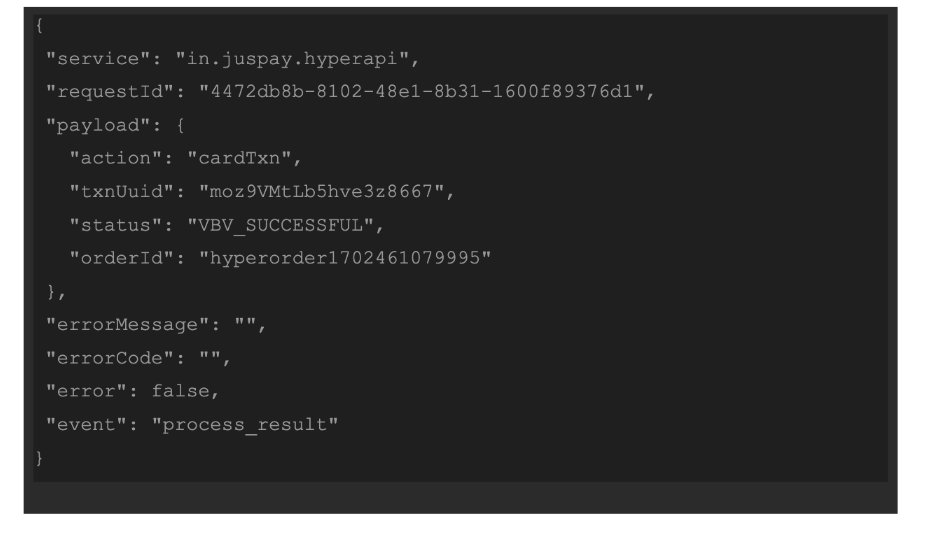
Error Response format
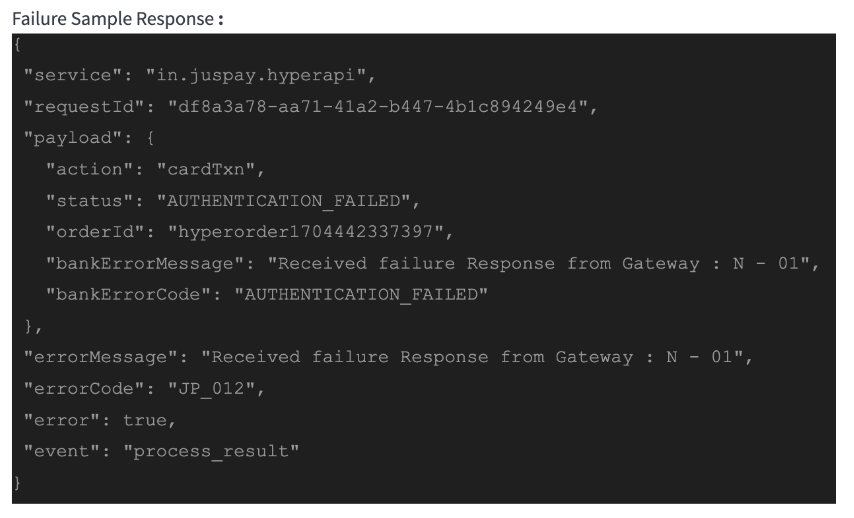
Setting up the SDK:
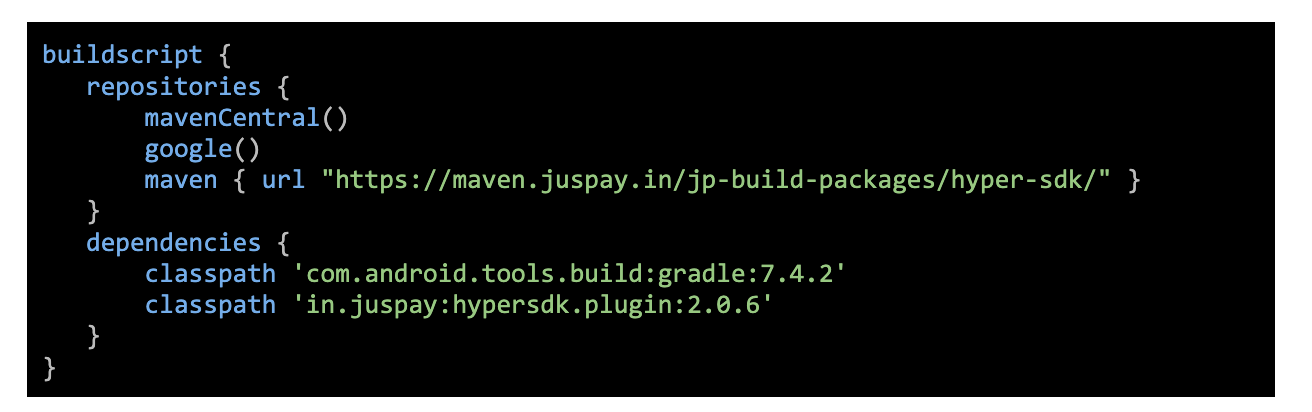
Add buildscript repository and dependency in your root build.gradle file:
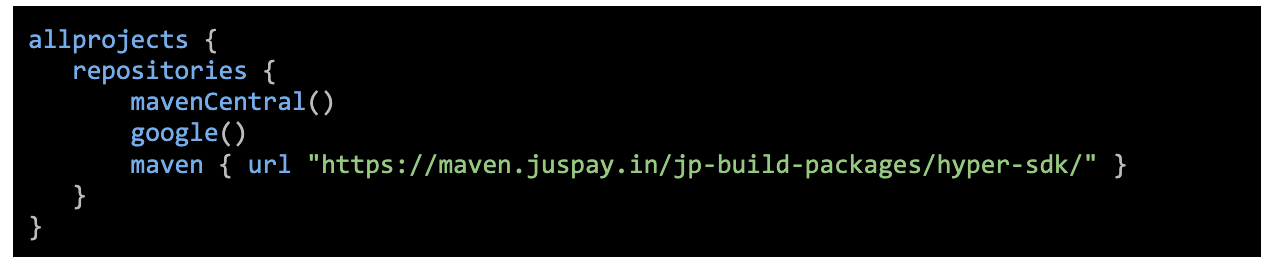
Add the SDK maven repository to the allprojects repository in the same root build.gradle:
Apply the plugin in your app’s build.gradle:

Add the following block at the end of the same app’s build.gradle file:
