Debit + eNach
The standard eNACH is a mandate registration with Net Banking (NB) as the Payment Method. Money is not debited for the first payment in this flow and only a mandate set up this done.
Juspay has enhanced this flow based on merchant requirements to incorporate the first payment debit along with mandate registration. This gives an end to end set up for merchants to use easily without the hassle to extra integration steps.
In Debit + ENACH flow, Juspay creates two transactions against the order created
Transaction 1 - one time Net Banking debit transaction i.e. NB Order payment
Transaction 2 - eNACH setup ie mandate registration using NB payment method
Supported Juspay Integrations :
Juspay Payment Page(Hypercheckout)
Juspay Express Checkout SDK (EC Headless SDK)
Step 1: Update PA/PG set up on Juspay Dashboard under PG Control Centre
Enable eNACH banks as well as normal Netbanking payment modes in PGCC for the chosen gateways
The debit and eNACH transactions can be processed through different payment gateways.
Step 2: Enable Debit + ENach Registration flow on your payment page
Step 3: Create Order at Juspay with Mandate option
Step 4: Initiate Debit+ENach transaction to Juspay
Step 5: Check Transaction & Mandate Registration Status

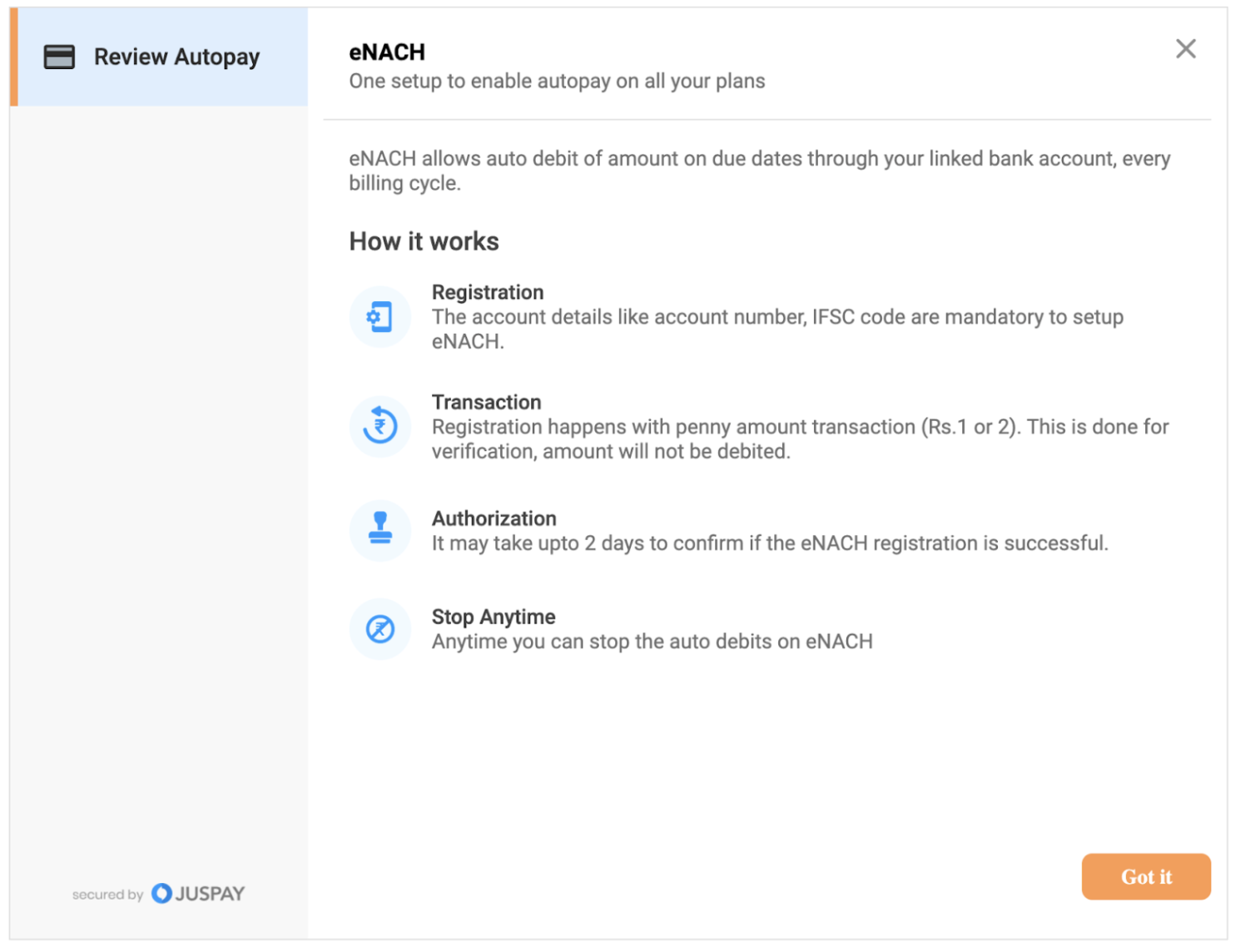
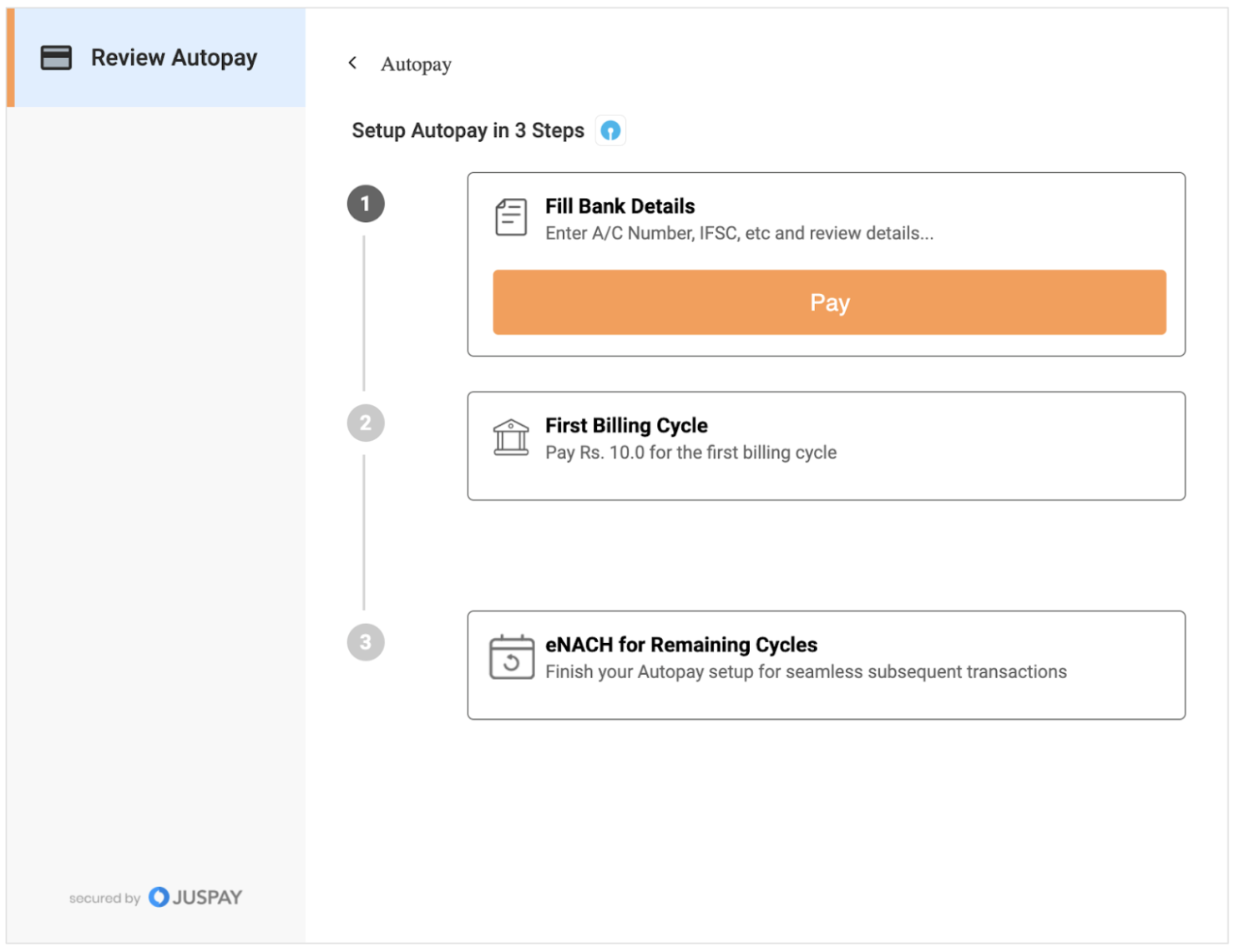
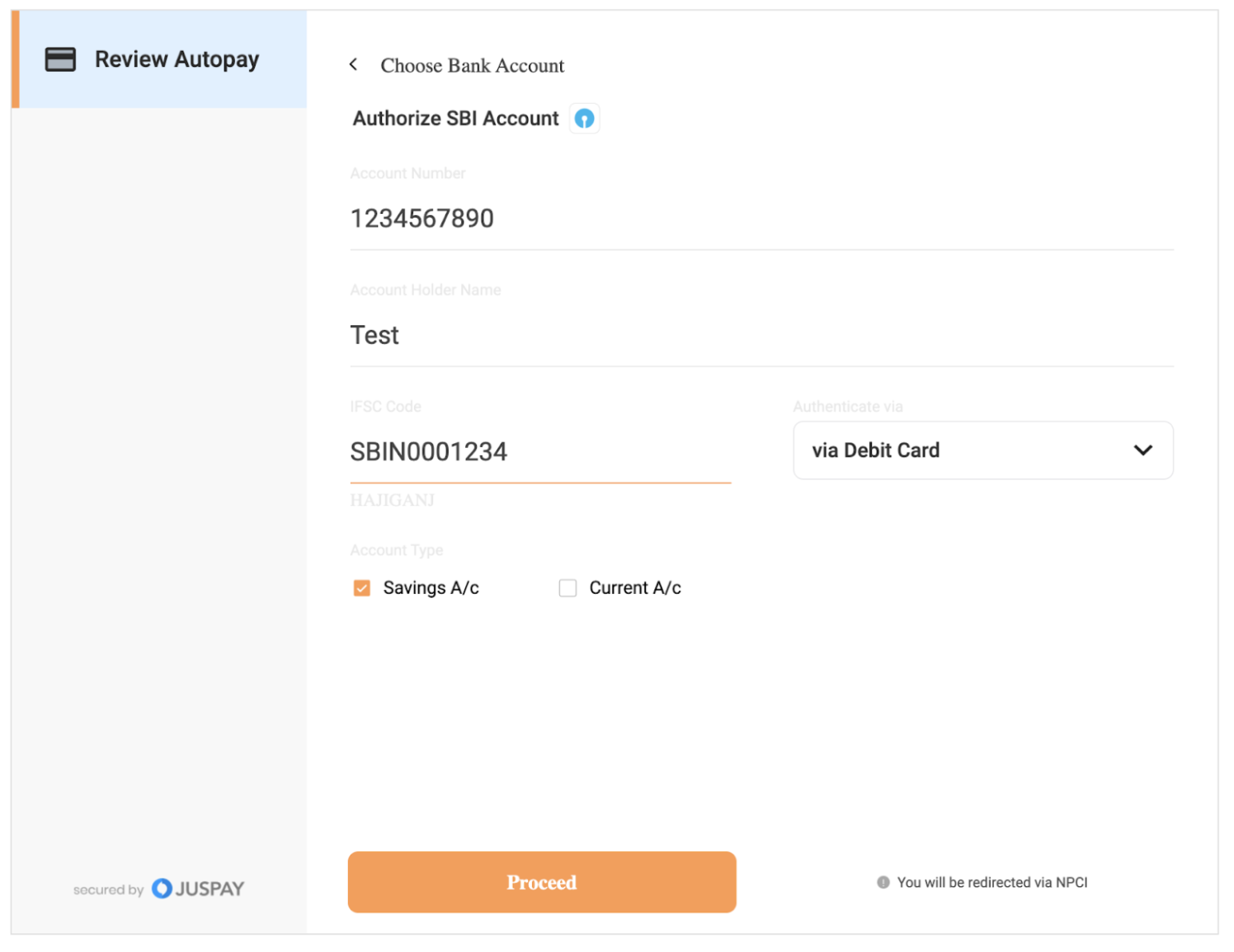
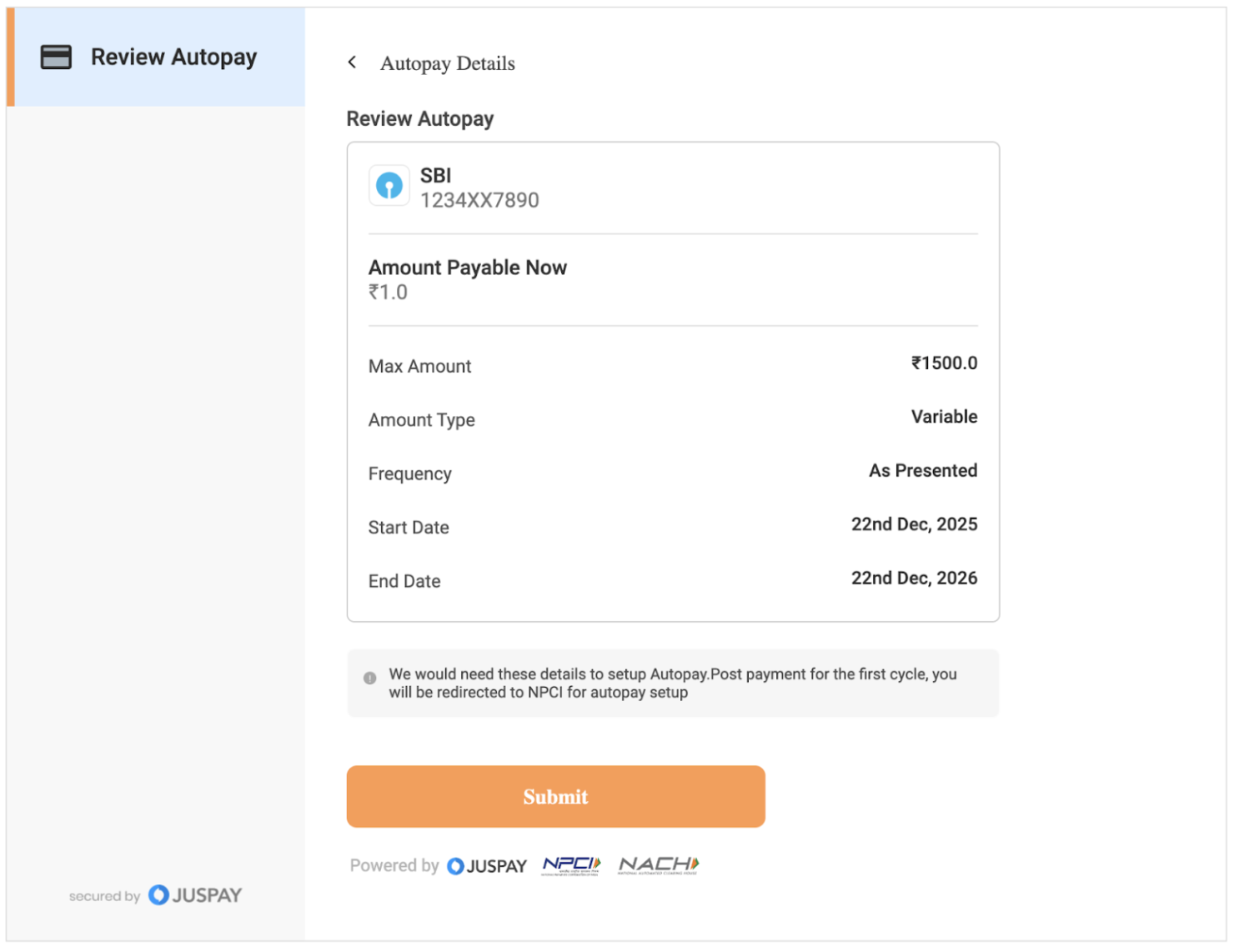
UI Implementation Reference
As payment page UI is handled at merchant end in case of ExpressCheckout SDK Integration, user journey to be designed by the merchant for this flow. Please find below a reference user journey designed by Juspay.