


Enabling UPI Intent on mWeb
Step 3: Enable Mweb UPI intent flow on your payment page
When customers choose the UPI payment option, merchants need to call the transaction
 API.
API.From the response of the transaction API, merchants will extract the sdk_params to build the URI.
The flow of invoking the UPI app changes based on platform.
Android implementation
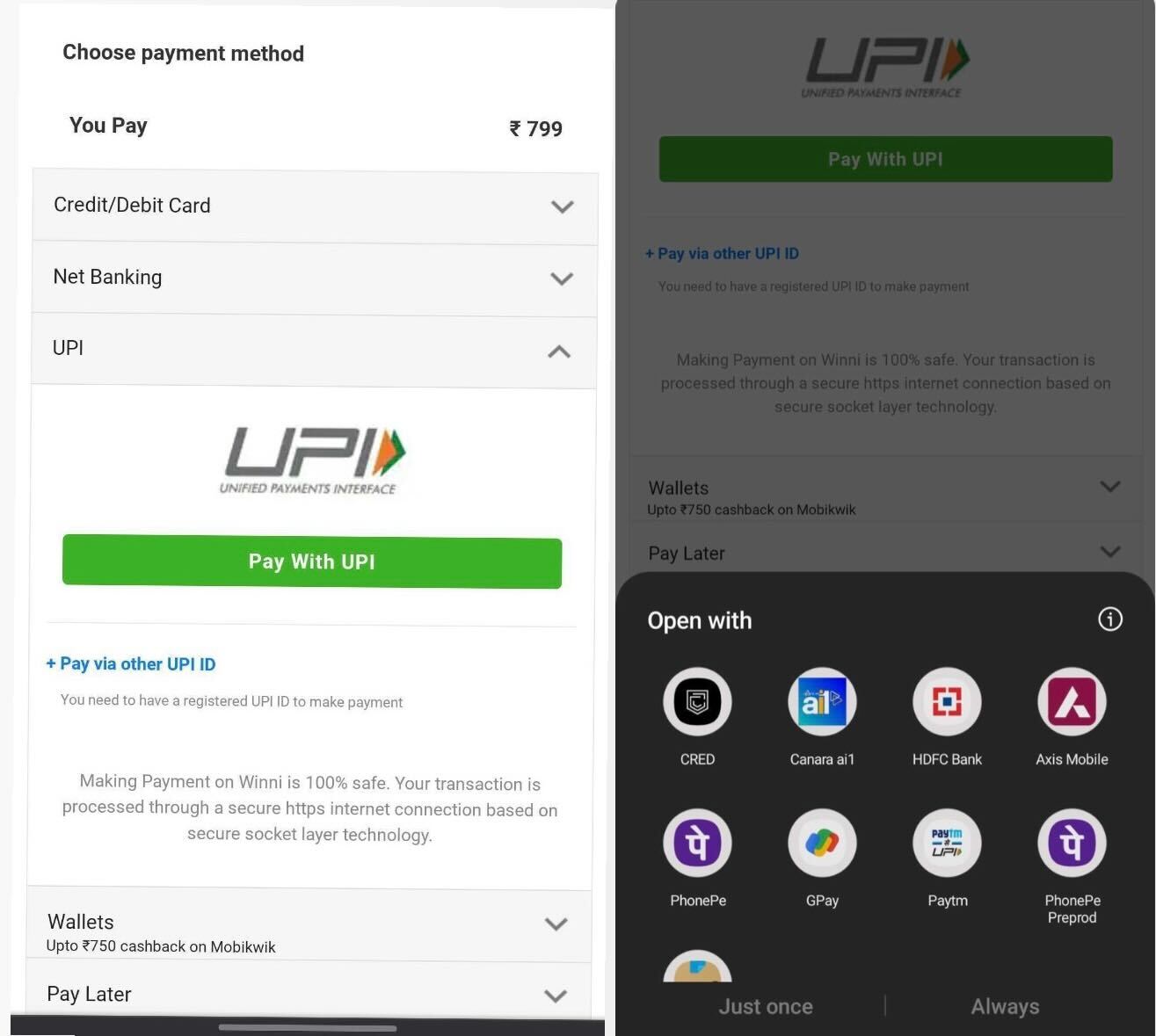
On Android devices, the operating system enables communication with applications installed on the device via the browser. Thus, mWeb browser on Android devices can check for all the UPI PSP apps installed on the device and show them upfront for selection.
To show the available UPI PSP apps, generic intent URI (as created at the end of Step 3.1) needs to be invoked.
Sample URI:
Generic UPI :
upi://pay?tr=202101345671229366&tid=121313202101345671229366&pa=juspay@yesbank& mc=1234&pn= Merchant%20Inc&am=1.00&cu=INR&tn=Pay%20for%20merchant
A selection tray containing all the UPI-supported PSP apps installed on the user's device will appear.
Users can choose their preferred app for re-direction, to complete the transaction.
iOS implementation
On iOS devices, communication with applications through the browser is not permitted. As a result, the information regarding PSP apps installed on the device is not available.
As a solution, four commonly used PSP apps—Google Pay, PhonePe, Bhim, and Paytm are displayed to all users on iOS mWeb payment page, regardless of whether these apps are installed or not.
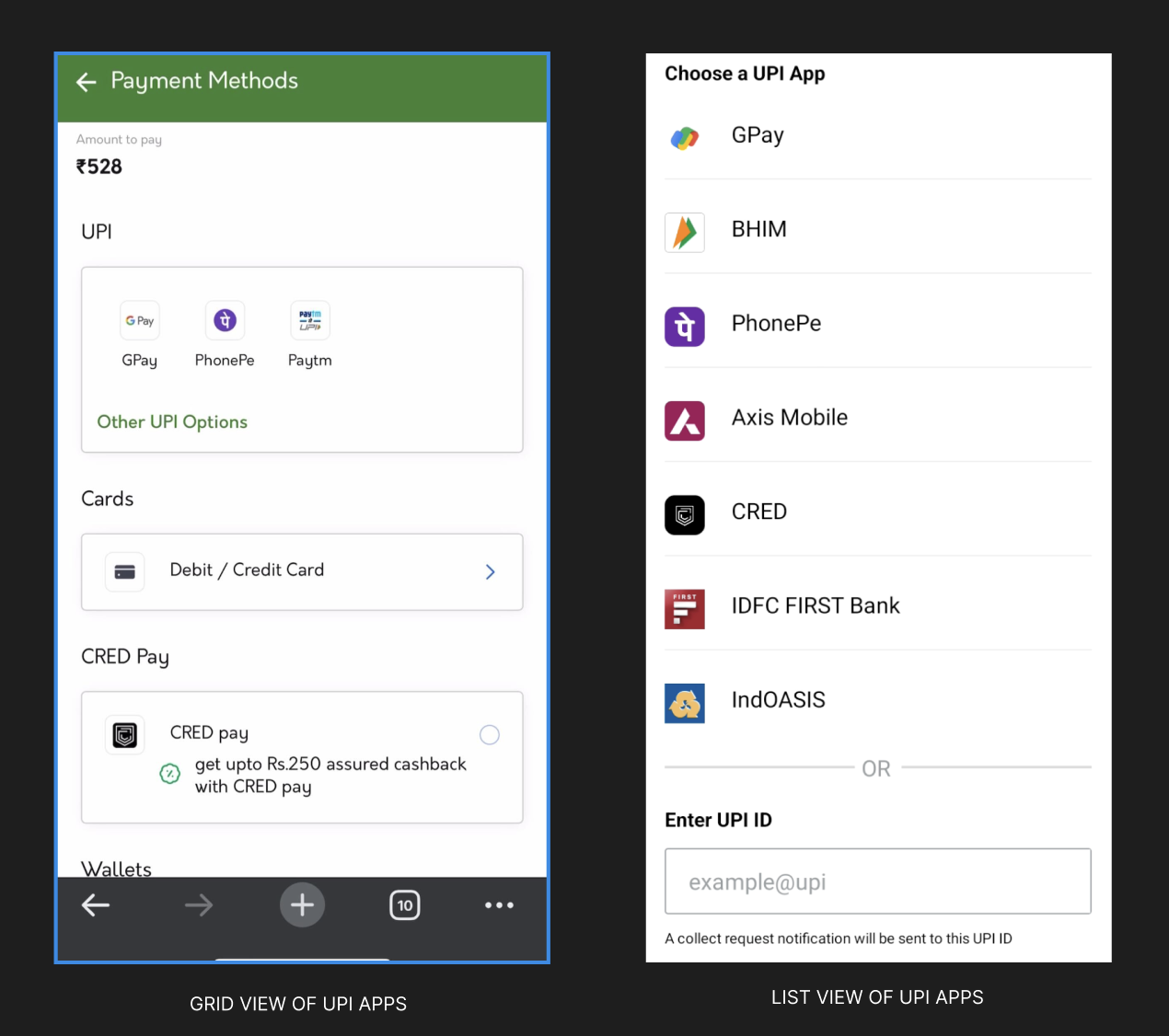
To hardcode the four main apps on iOS to support the intent, instead of using the format upi://pay, URI needs to be constructed with respective package names.
Package names:
Google Pay : tez://upi/pay
Phonepe : phonepe://pay
Paytm : paytmmp://upi/pay
Cred : credpay://upi/pay
Bhim : bhim://upi/pay
URI with package names will open the specific app associated with that package name.
Sample URI for GooglePay:
tez://upi/pay?tr=202101345671229366&tid=121313202101345671229366&pa=juspay@yesbank& mc=1234&pn= Merchant%20Inc&am=1.00&cu=INR&tn=Pay%20for%20merchantAs the PSP apps are hardcoded and displayed due to restrictions imposed by the iOS platform, if a user selects a PSP app that is not installed on the device, the redirection and transaction will fail.
If you wish to display specific apps on Android mWeb payment page upfront, instead of the complete list of available PSP apps, you can use the iOS implementation in Android. However, it is suggested not to hardcode selected apps.