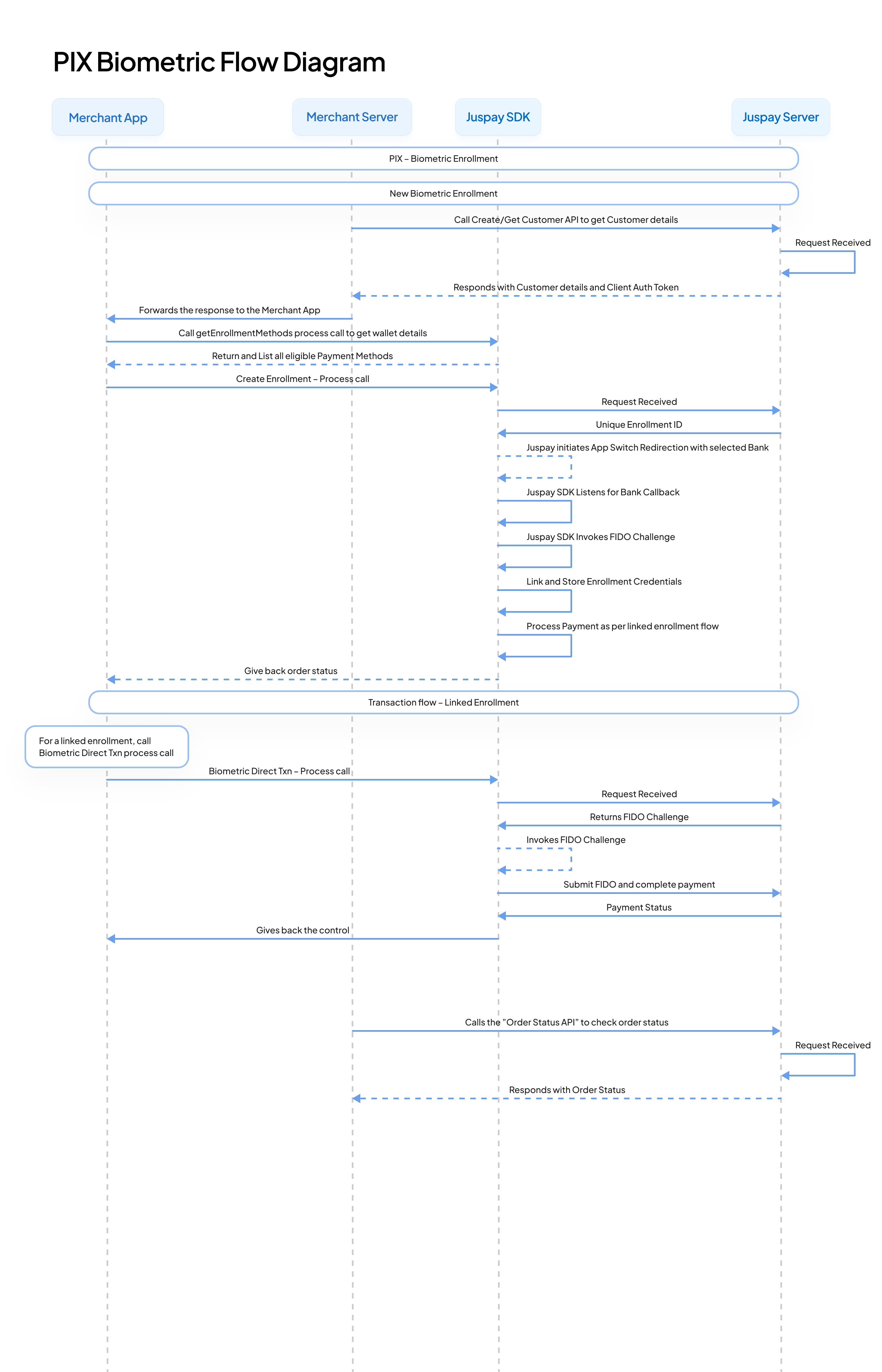
Pix Biometric
Account Linking (First time users)
Consent & Authentication: Users link their bank account to a payment initiator (e.g., wallet or merchant app) through a secure one-time redirect to their bank’s environment for authentication, to confirm they trust the initiator with payment access.
Device Binding: Post-authentication, a public-private key pair is generated. The private key is securely stored in the device’s secure element (SE), while the public key is sent to the bank. For future payments, the bank verifies the transaction by validating a biometric-signed challenge using the stored public key— ensuring that only that specific device can initiate transactions without redirection.
Biometric Setup: The user sets up device biometrics (fingerprint, facial recognition) or a PIN for future payment approvals.
Security Management: In case of device loss or compromise, credentials can be remotely revoked immediately either through the merchant or user's bank app.
Payment Initiation & Authentication (Repeat users)
Direct Initiation: User initiates Pix payment directly from the merchant or wallet app by selecting "Pay with Pix" at checkout or tapping their device on a POS terminal—no redirects or QR scans involved.
Local Biometric Authentication: Payment is authorized instantly within the initiator’s app using the stored biometric credential or device PIN, validated locally by the initiator.
Real-time Bank Validation: The initiator securely requests the transaction from the bank using Pix APIs. The bank trusts this request due to the previously established secure device linking and verifies it with real-time fraud checks.
Instant Completion: Upon validation, the bank immediately executes the transfer, settling funds directly to the merchant, with the user receiving real-time confirmation—all seamlessly within the initiator’s interface.
This entire payment flow happens securely and instantly, without the need to leave the merchant’s or initiator’s app environment, significantly enhancing user convenience and transaction speed.