Adding the Payment Links flow
Step 3: Enable Payment Links
Login
 to Juspay Dashboard and navigate to Marketplace tab to integrate the Payment Links.
Juspay will release these changes in testing environment (CUG) for you to initiate the end to end testing on your app / website
Creating Payment Links through the EC Dashboard (No Code Payment Links)
Standalone Payment Links :
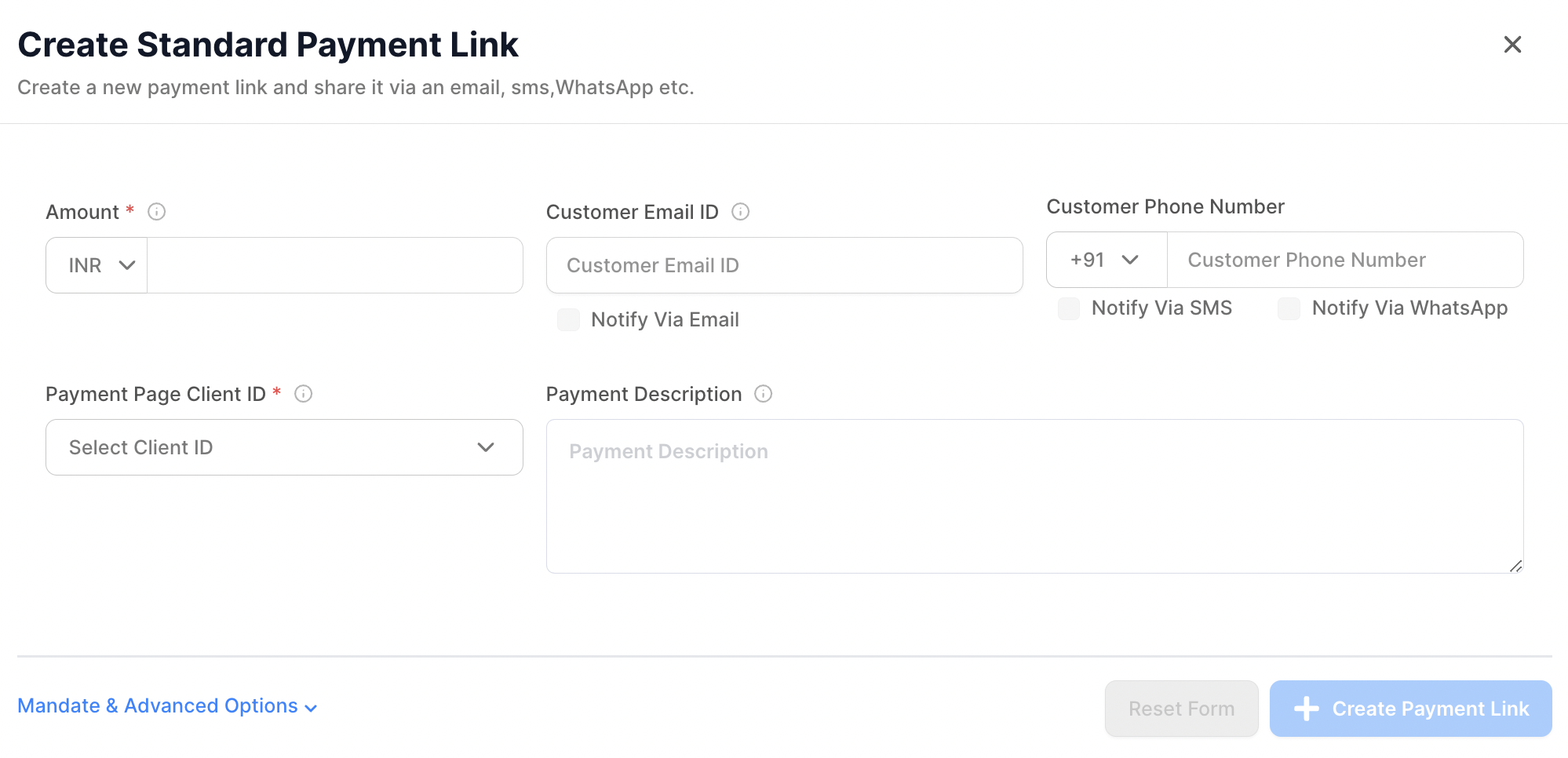
The payment links UI will showcase all configured payment methods from the Juspay Dashboard.
Amount: The mandatory amount to be paid by the recipient.CustomerEmail: Required for distributing the link via email.Customer Phone: Required for sending the link via SMS/WhatsApp.Payment Page Client ID: Maps the Payment Page that opens when the link is clicked.Link Expiry: Sets a custom expiry date for the link, overriding the default merchant settings.Description: Optional field for a detailed description.
Mandate Payment Options
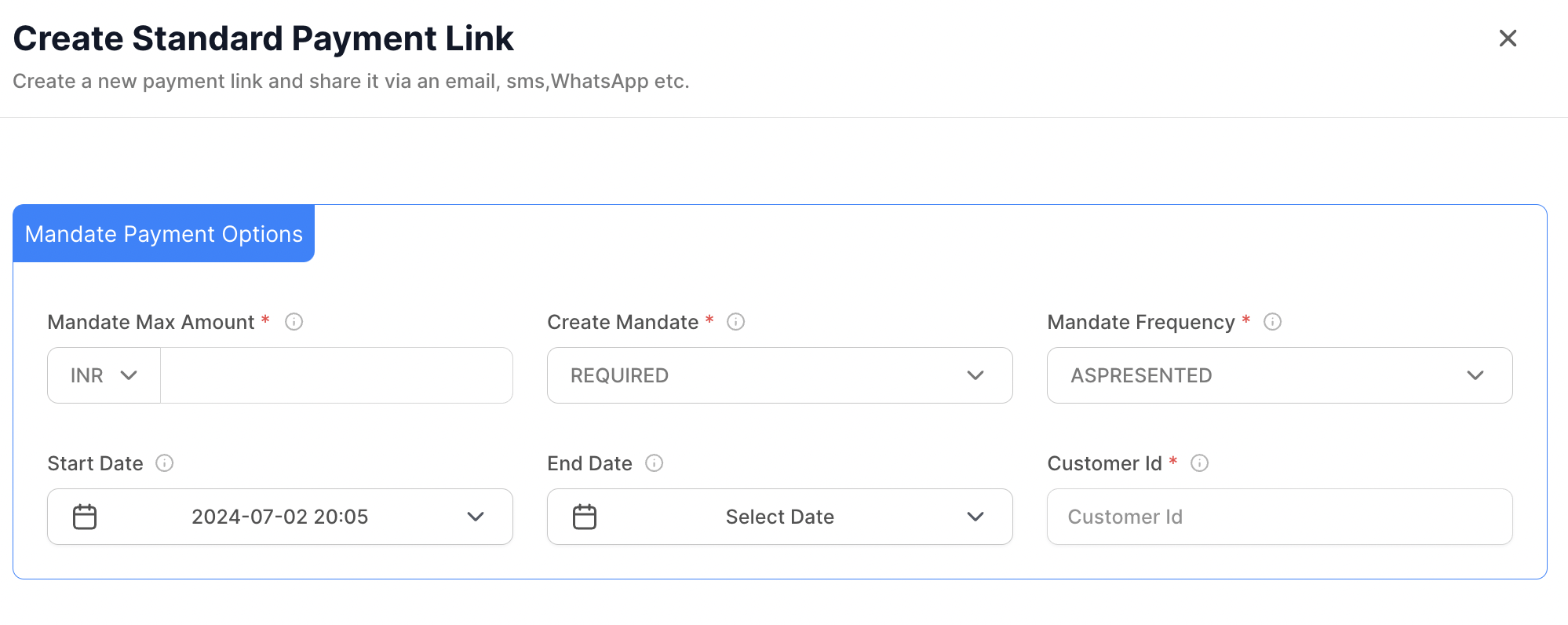
This feature facilitates the creation of payment links supporting Mandate Registration payments.
Mandate Max Amount: Maximum amount allowed for the mandate.Create Mandate:"REQUIRED": Mandate is must for completing transaction. Only instruments which support Mandate will be shown
"OPTIONAL": Mandate is a user choice for completing transaction.
Mandate Frequency: Defines how often the mandate is executed.Start Date: Start date of the mandate.End Date: End date of the mandate.Customer ID: Merchant's reference ID for the customer.
Advanced Payment Options
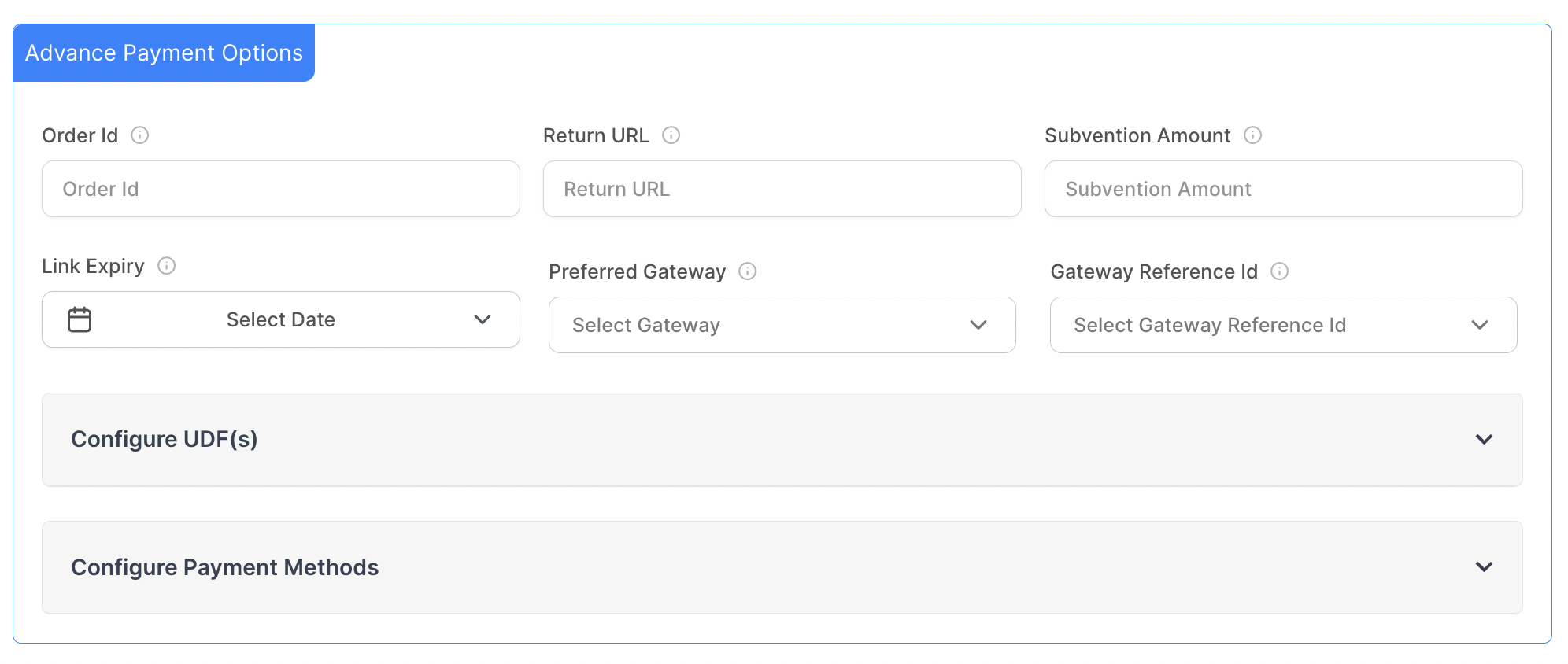
Merchants can create payment links with the advanced options
Custom Return URL: URL to redirect customers after payment.Subvention Amount: EMI interest-free amount.Link Expiry Date: Sets a specific expiry date for the Payment Link.Gateway Routing: Route transactions by selecting a Preferred Gateway and providing a Gateway Reference ID.User-Defined Fields (UDFs): Allows merchants to pass required information.Payment Method Selection: Enables selection of desired payment methods for display on payment links.
Bulk Payment Links
Payment links can be created in bulk through the EC Dashboard using the following steps:
You can choose to create either a standard link or a mandate-type link through bulk upload.
Download Sample CSV: Download the sample CSV format and fill it with the required information.Browse File: Upload a pre-filled CSV file that matches the sample format
Creating Payment Links through Session API
Kindly integrate the Session API payload
and fetch the web payment link from the response.
Distributing Session API-Generated Payment Links
Fetch the Payment Link: Retrieve the payment link from the web parameter of the Session API response.
Send to Customers: Distribute these payment links to customers via email, SMS, WhatsApp or any other communication channel from your end.
Distributing Dashboard-Generated Payment Links
Payment Links can be triggered to customers via email, SMS and WhatsApp from the Juspay Dashboard. You can utilize this feature by checking the 'Notify Via Email' , 'Notify Via SMS' and 'Notify Via WhatsApp' options while generating Payment Links from the dashboard.
Email :
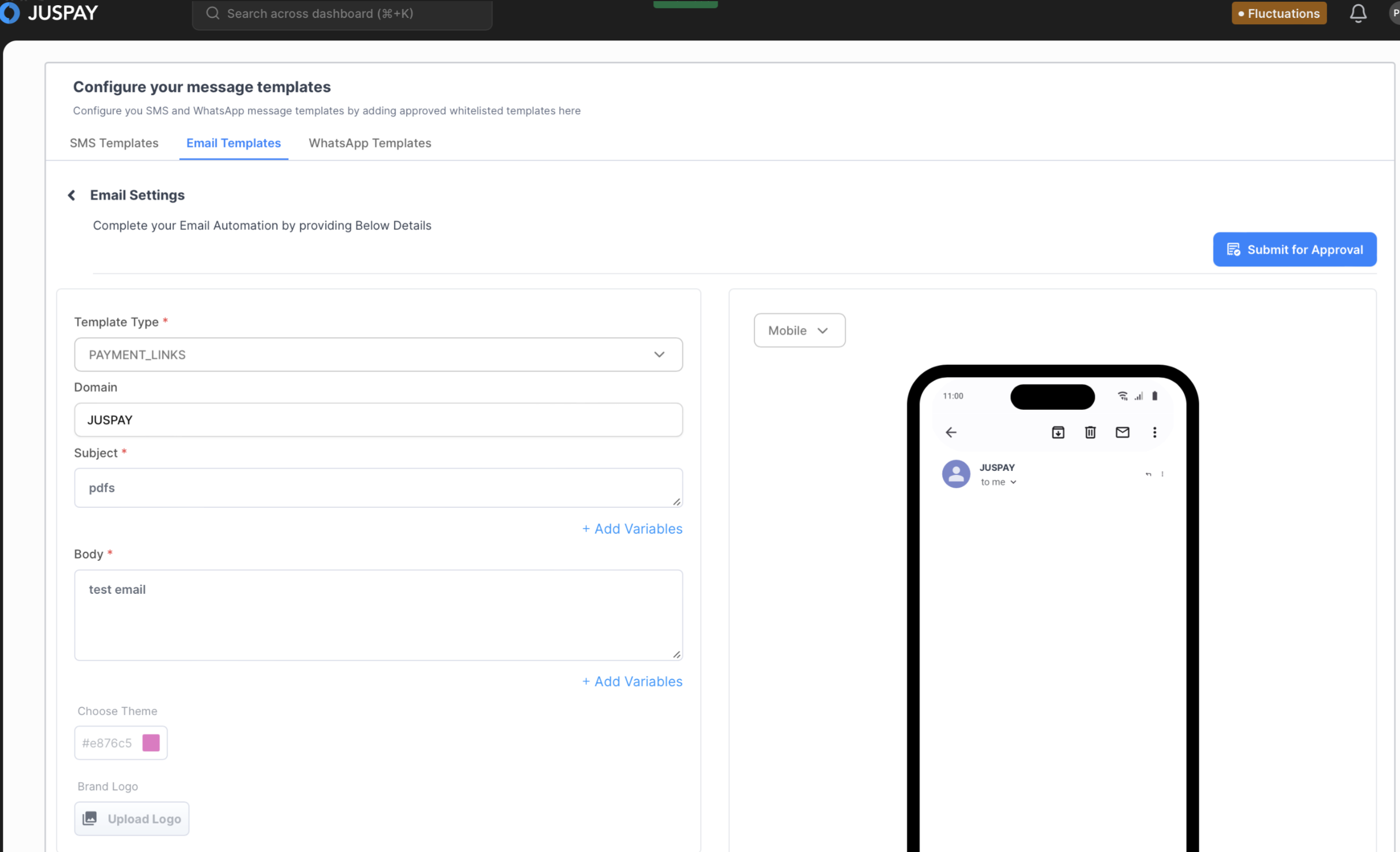
Currently, payment links can be distributed through the Juspay domain by choosing the send email option. Email communication templates need to be configured inside the ‘Notification Center’. Once the template is approved, it can be selected as the active template for sending out email communication.
SMS and Whatsapp :
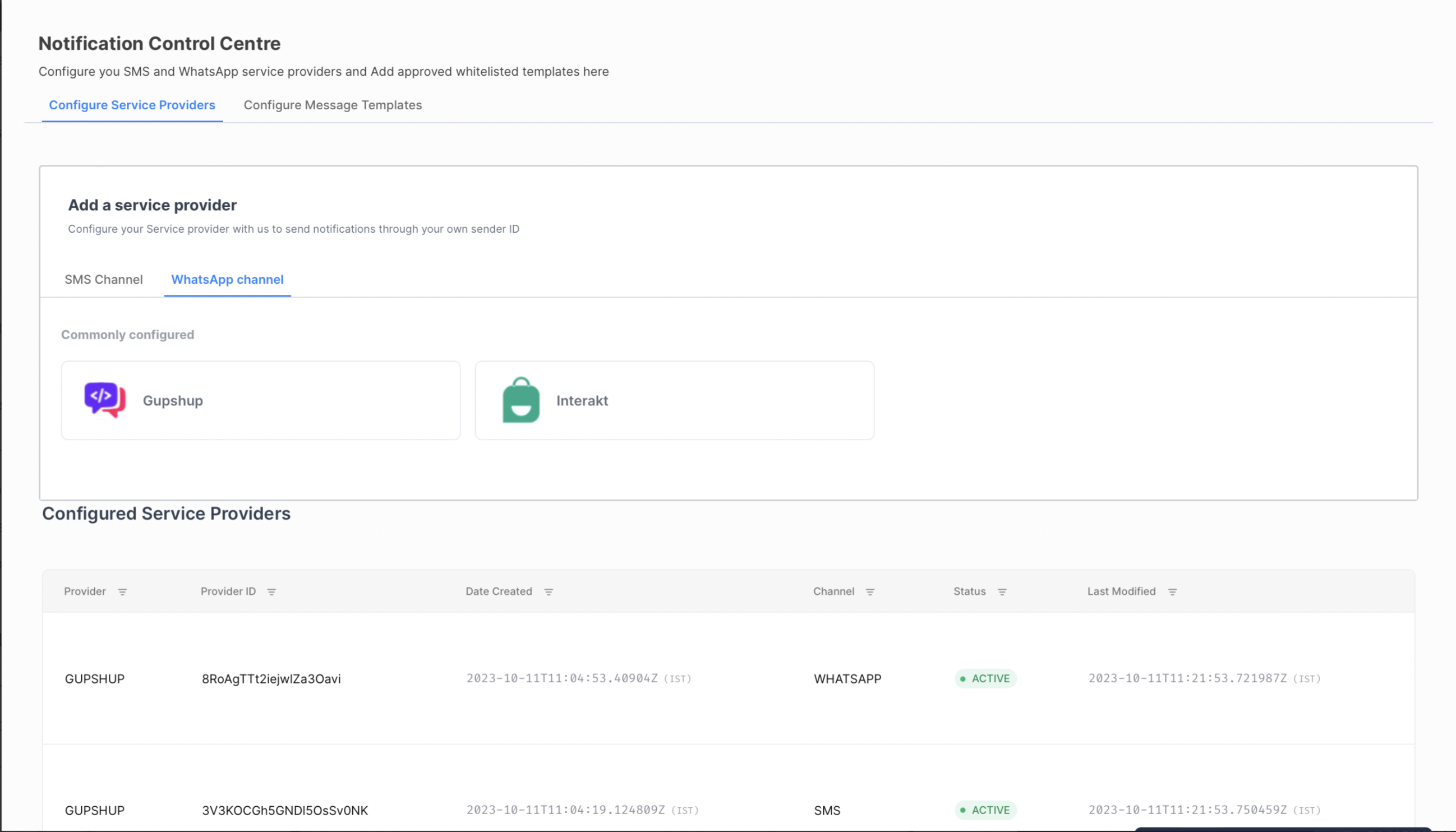
SMS and WhatsApp messages can be sent out through the merchant domain. First, you need to configure your BSP (BSPs supported on whatsapp - Gupshup, Interakt, celetal/karix , BSPs supported on sms - gupshup ; more can be integrated upon merchant request).
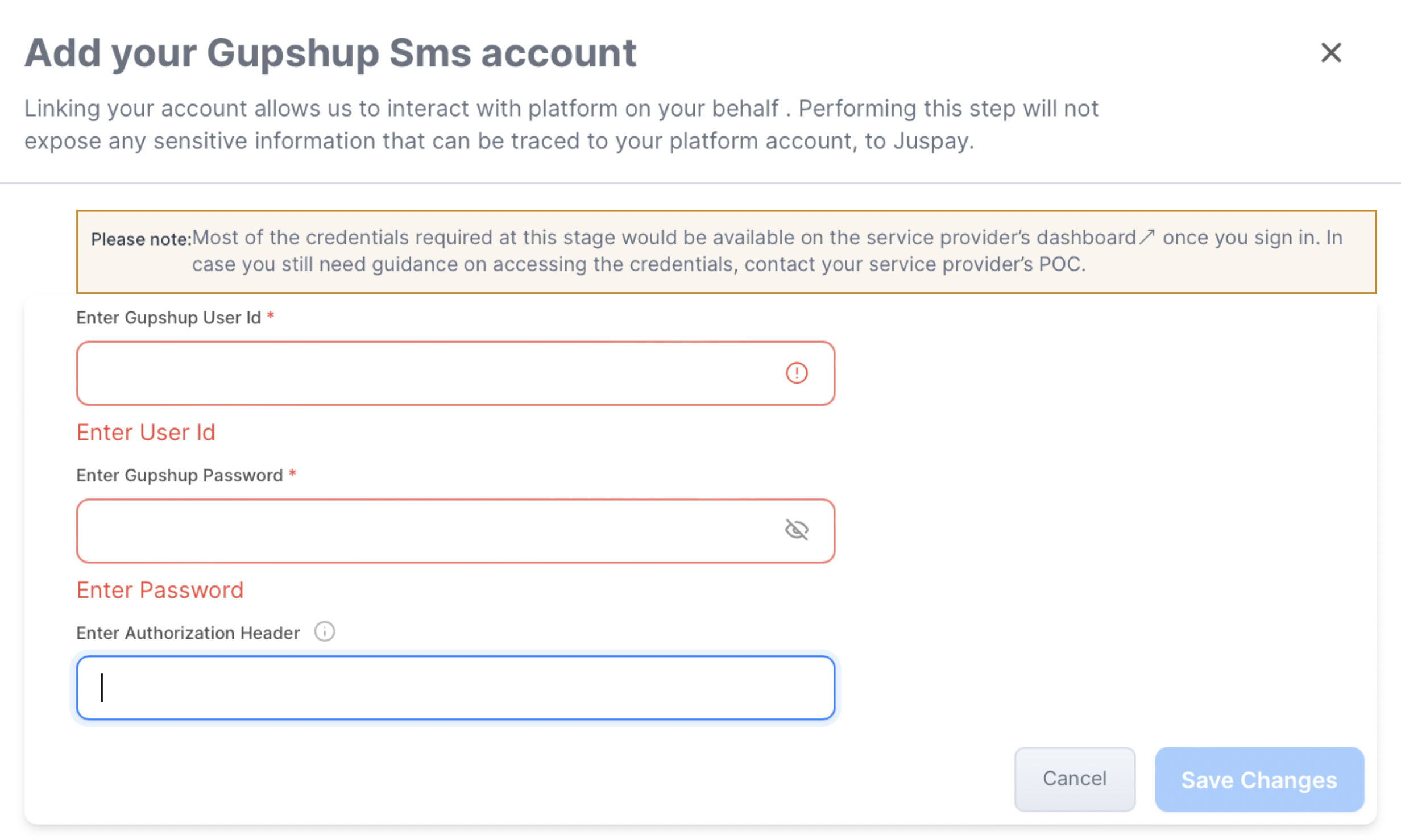
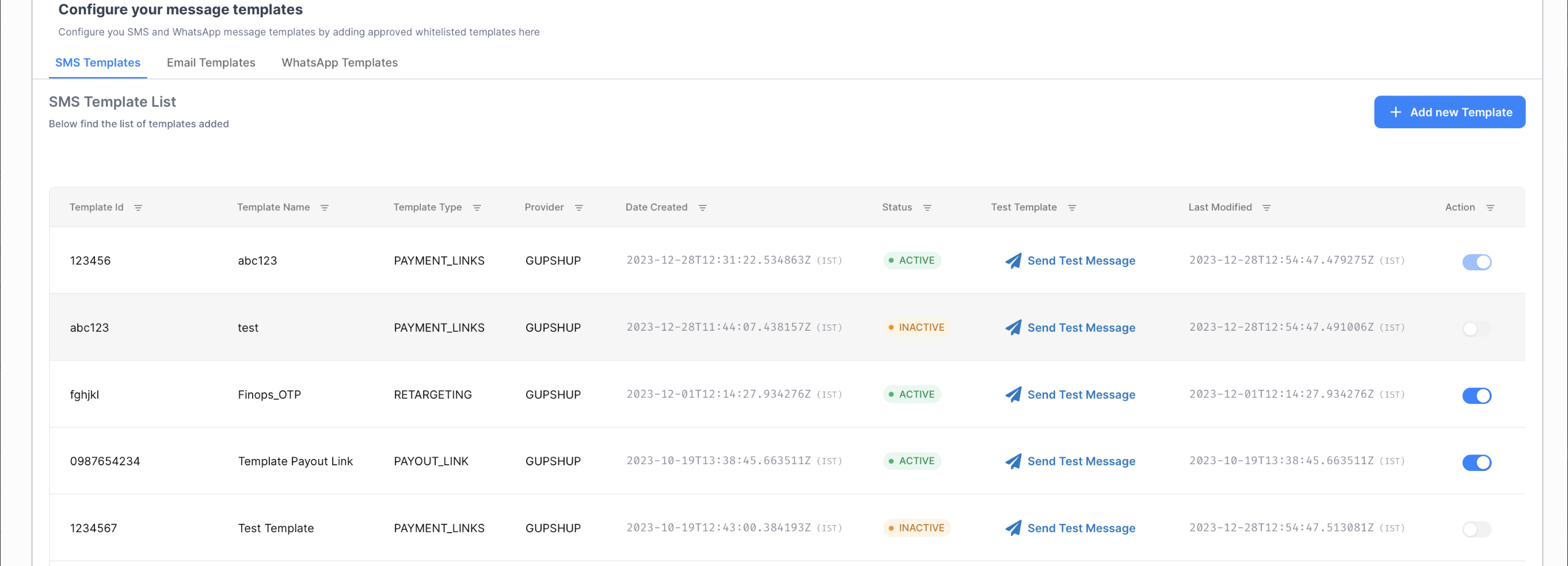
Once the BSP is configured, you need to configure SMS and WhatsApp templates.
You can configure multiple templates but can only have one active template for payment links